
If you’re looking at VPNs, you’re probably not doing it for fun. You want fewer creepy ads following you around. You want safer browsing on airport Wi-Fi. Maybe you want to stream while traveling without your connection throwing a tantrum.
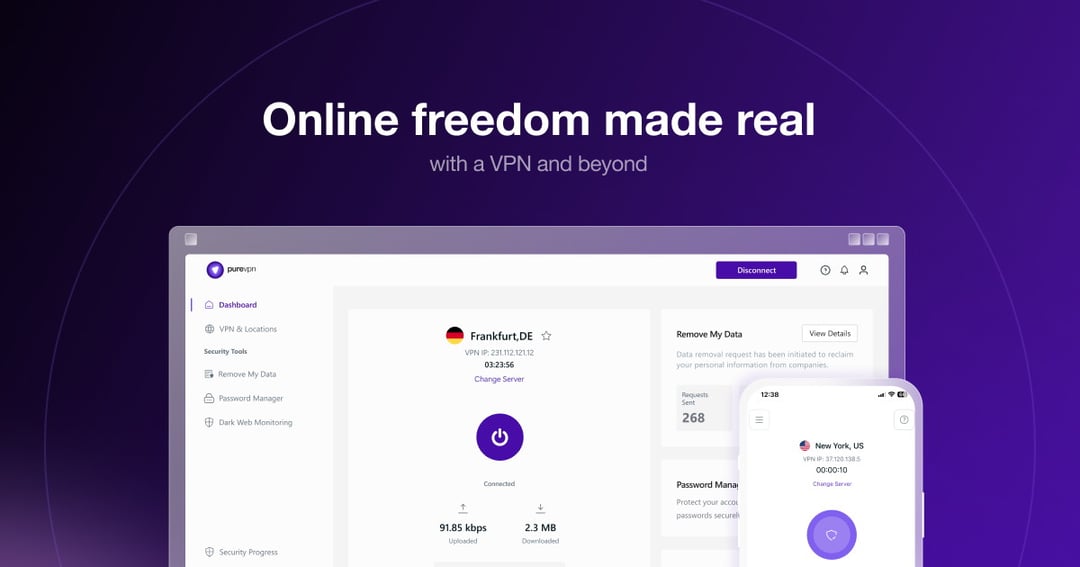
That’s where PureVPN tries to fit in. It’s no longer just a basic VPN app. PureVPN now presents itself as a broader privacy suite with VPN protection, tracker blocking, dark web monitoring, password management, data removal tools, and several advanced add-ons.
So, is it good enough for everyday users? In this PureVPN Review, we’ll break down the features, security tools, performance expectations, pros, cons, technical details, and final verdict.
PureVPN at a Glance
PureVPN is a commercial VPN service designed to encrypt your internet connection and mask your IP address. In plain English, it creates a secure tunnel between your device and the internet. Websites see the VPN server’s IP address instead of yours.
The service offers 6,000+ VPN servers, apps for major platforms, 24/7 support, and a 31-day money-back guarantee. It also supports privacy extras such as tracker blocking, dark web monitoring, password management, and data removal.
What Is PureVPN?
PureVPN is a virtual private network service. Its main job is to encrypt your internet traffic and route it through secure VPN servers. That helps reduce exposure to internet service providers, advertisers, public Wi-Fi snoopers, and websites that track your real location through your IP address.
Think of it like taking a side road instead of walking down the busiest street in town with your home address pinned to your jacket. You’re still online. You’re not invisible. But you’re harder to casually profile.
For most people, PureVPN’s value comes from practical situations. You might use it at a hotel. You might use it at a coffee shop. You might use it while traveling or when you want a more private browsing session at home.
PureVPN Features Review
Global Server Network
PureVPN advertises access to more than 6,000 VPN servers across a wide global network. That matters because VPN performance depends heavily on server choice. A nearby server often gives better speed. A less crowded server may feel smoother. A server in another country can help when you need a different virtual location.
More servers don’t automatically mean a perfect VPN. Still, a large network gives you more room to maneuver. That’s useful for streaming, browsing, gaming, file sharing, and general privacy protection.
Security Protocols
PureVPN supports several VPN protocols, including WireGuard, OpenVPN, IKEv2, and SSTP. These protocols are the rules that determine how your encrypted VPN tunnel works.
WireGuard usually gets attention because it’s modern and fast. OpenVPN remains popular because it has a long security track record. IKEv2 can work well on mobile devices because it handles network switching smoothly. SSTP can help on restrictive networks where other protocols struggle.
Here’s the simple version: different protocols behave like different routes through the same protected tunnel. Some prioritize speed. Some prioritize compatibility. Others help when networks get fussy.
Kill Switch and Split Tunneling
PureVPN includes a kill switch, which acts like a safety brake. If the VPN connection drops, the kill switch can stop your internet connection to reduce the risk of exposing your real IP address.
Split tunneling gives you more control. You can send selected apps through the VPN while leaving others on your normal connection. For example, you might route your browser through PureVPN while keeping a banking app or local streaming app outside the VPN.
That flexibility sounds small until you need it. Then it feels essential.
Obfuscated Servers
PureVPN also offers obfuscation features. Obfuscation helps make VPN traffic look more like regular HTTPS traffic. This can be helpful on restrictive networks that block or interfere with VPN connections.
It’s not magic. But in the right situation, it can be the difference between “connected” and “why is this not working?”
PureVPN Privacy and Security
PureVPN’s core privacy pitch is straightforward: encrypt your connection, hide your IP address, and reduce tracking. The company also promotes extra tools like tracker blocking, dark web monitoring, data removal, and password management.
Those extras make PureVPN feel more like a privacy bundle than a single-purpose VPN. That’s good for users who want fewer subscriptions and simpler protection.
Still, a VPN has limits. It won’t stop you from entering personal information on a suspicious website. It won’t make weak passwords strong. It won’t erase every advertising profile attached to you.
PureVPN works best as a privacy layer. Not a magic cloak.
PureVPN Streaming and Everyday Performance
PureVPN is designed for everyday browsing, streaming, travel, and public Wi-Fi use. Its large server network gives users plenty of location options, which can help when streaming services or websites behave differently by region.
Streaming performance can vary. That’s true with every VPN because streaming platforms constantly adjust their detection systems. So the honest answer is this: PureVPN can be a useful streaming VPN, especially while traveling, but no VPN should promise permanent access to every library.
For daily use, WireGuard support helps PureVPN stay competitive on speed. Nearby servers should usually feel better than faraway ones. If you connect from New York to a server across the world, expect more latency. Physics still wins.
PureVPN Apps and Device Support
PureVPN supports major platforms, including Windows, macOS, Android, iOS, Linux, Chrome, Firefox, and other device setups. That broad support matters because VPNs only protect the devices where they’re actually installed and active.
The best VPN app is the one you’ll leave on. A confusing interface creates friction. Friction creates bad habits. Then the VPN sits unused like a gym membership in February.
PureVPN’s user appeal comes from making core actions simple: connect, switch location, choose a protocol, and manage key security settings.
PureVPN Pricing and Add-Ons
PureVPN pricing changes often because VPN companies regularly run long-term discounts and promotional offers. For that reason, it’s smarter to check the current plans directly on the official PureVPN website.
The important point is structure. PureVPN offers core VPN plans and optional add-ons. These may include dedicated IP, port forwarding, expanded multi-login, dedicated servers, and residential network access.
A dedicated IP can help if you want a consistent IP address for logins or remote access. Port forwarding helps advanced users with specific apps, gaming setups, or remote connections. Residential network access suits people who need an IP address that looks more like a standard ISP connection.
Most casual users won’t need every add-on. Power users might.
Who Should Use PureVPN?
PureVPN makes the most sense for users who want practical privacy without turning VPN setup into a weekend project. It’s a good fit if you browse on public Wi-Fi, travel often, stream across regions, or want one service that covers multiple devices.
It also works well for families or households that need broad platform support. Advanced users may appreciate add-ons like dedicated IP and port forwarding.
However, PureVPN may not be ideal if you only want the cheapest monthly VPN or dislike bundled security tools.
PureVPN Alternatives to Consider
PureVPN sits in the middle of the VPN market. It’s more feature-rich than bare-bones budget VPNs but less specialized than some privacy-first services built for highly technical users.
If your main priority is maximum anonymity, compare PureVPN with privacy-focused VPNs that emphasize independent audits, open-source apps, and strict minimal data collection. If streaming is your only priority, compare it with VPNs known mainly for entertainment access.
For everyday privacy, though, PureVPN offers a balanced package.
Conclusion
PureVPN is worth considering if you want a VPN that feels practical rather than intimidating. It offers a large server network, modern protocols, useful privacy extras, and broad device support.
It isn’t perfect. The add-ons can raise the final cost, and streaming performance may vary depending on platform and region. But for most users, PureVPN delivers the right mix of simplicity, privacy, and flexibility.