

WhatsApp recently added the ability to buy travel eSIMs directly inside the app, raising a reasonable question: does the WhatsApp travel eSIM feature actually make international connectivity easier, or is it just another way to do what apps like Airalo already handle? For anyone planning a trip abroad, the difference matters—especially if you're deciding whether to download yet another app or stick with what you know.
An eSIM lets your phone connect to a carrier's network without a physical SIM card. WhatsApp's integration means you can browse plans, purchase data, and activate service without leaving a conversation thread. But that convenience only helps if your phone supports the technology, the feature works in your destination country, and the pricing competes with standalone travel eSIM providers.
This guide breaks down how the technology works, walks through what WhatsApp's integration actually changes in the buying process, and compares it against existing apps so you can see where it saves time and where it doesn't. You'll know whether your device is compatible, what to check before your flight, and whether this feature solves a real problem or adds noise to an already-crowded market.
What eSIM technology actually means for your phone
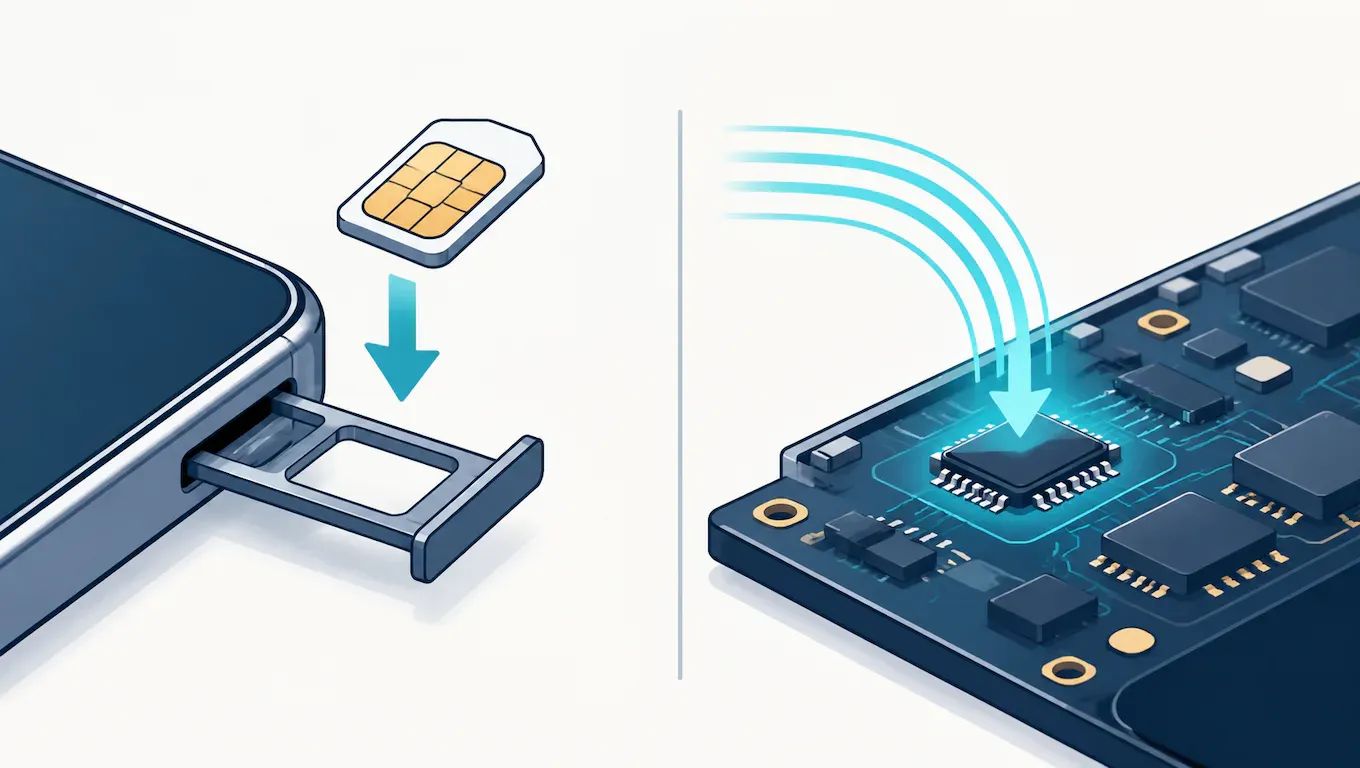
An eSIM is a chip soldered directly into your phone that stores digital SIM profiles instead of requiring a removable plastic card. When you need international data, you download a carrier profile through software rather than hunting for an airport kiosk or prying open your phone's SIM tray with a paperclip.
The practical advantage shows up at the airport. Suppose you land in Tokyo at midnight — instead of searching for an open mobile store or paying your carrier's roaming fees, you open an app, buy a data plan, and you're connected before you leave the terminal.
Dual SIM support means your phone can run two lines simultaneously. Your home number stays active for calls and texts while a travel eSIM handles data, so you're staying connected abroad without roaming fees and without missing messages from home.
Not every device supports this. Newer iPhones (XS and later), recent Pixel models, and Samsung flagships typically include eSIM capability, but budget phones and older devices usually don't. Carrier support varies by country, so check compatibility before you rely on it for a trip.
How WhatsApp's eSIM integration changes the process
WhatsApp consolidates travel data shopping into an interface you already use daily. You browse international data plans directly in WhatsApp, select your destination and data amount, pay, and receive activation instructions — all without leaving the chat window. The app becomes a storefront, not a network operator; actual connectivity comes from partner carriers.
Initial partnerships with Jio (India), Smart Communications (Philippines), and Smart Axiata (Cambodia) reveal limited early coverage. If you're traveling to countries outside these networks, you'll still need a standalone eSIM provider or a local SIM card at the airport.
Activation follows the same technical process: scan a QR code or follow app-based setup steps to install the profile. Your original number stays active for calls and texts while the eSIM handles data.
What remains unclear: exact pricing, how quickly the carrier roster expands, and which countries get access beyond the launch markets. Expansion depends on WhatsApp negotiating deals market by market.
Where the feature launches first
The feature debuted in India, the Philippines, and Cambodia. Travelers heading to Europe, Latin America, or most of Asia won't find WhatsApp-sold plans yet. Check whether your destination appears in the app's plan list before your trip — availability changes as WhatsApp signs new carriers, but there's no public roadmap.
Comparing WhatsApp eSIM to existing travel data apps
WhatsApp's approach consolidates one more trip-planning step inside an app you already check daily, while dedicated services like Airalo, Nomad, and Yesim require downloading another app and creating a separate account. If you travel once or twice a year, that convenience feels minor. If you coordinate group trips through WhatsApp and book everything from your phone, skipping the app store matters.
Best travel eSIM apps still offer advantages WhatsApp hasn't matched: transparent pricing across dozens of carriers, side-by-side plan comparisons, and usage dashboards that show exactly how much data remains. Established platforms publish their telecom partnerships and customer reviews, giving you a better sense of network quality before you buy. WhatsApp hasn't disclosed pricing or which carriers power its plans, making it hard to evaluate value.
For travel data alternatives to local SIM cards, WhatsApp works if you want minimal setup and trust Meta's partnerships. Dedicated eSIM apps make more sense when you need coverage across multiple countries, want to compare options, or prioritize responsive support when activation fails mid-trip. Airport SIM counters remain your fallback if your device doesn't support eSIM or you prefer face-to-face help.
What you need to check before your trip
Start by confirming your device supports eSIM technology — not every phone does, even recent ones. On iPhone, open Settings > Cellular > Add Cellular Plan. If that option appears, you're good. On Android, navigate to Settings > Network & Internet > SIMs and look for an option to add an eSIM or download a SIM. iPhones XS and later work, as do Google Pixel 3 and newer models and recent Samsung Galaxy flagships, but checking your actual settings beats trusting a model list.
Next, verify your phone isn't carrier-locked. A locked device blocks eSIM activation even on compatible hardware — contact your carrier if you're unsure. Check whether your destination appears in WhatsApp's partner coverage, and compare the data plan cost against your current carrier's international roaming fees.
Before you leave, test how to activate eSIM on iPhone or Android while you're still home with reliable WiFi. Run through the purchase flow, see where the QR code or activation link appears, and confirm you can switch between your regular number and the travel data plan in settings. If eSIM activation troubleshooting becomes necessary abroad, the usual culprits are carrier locks, outdated software, or trying to activate outside your plan's coverage zone.
With compatibility confirmed and the activation process familiar, you'll spend less time troubleshooting at the airport and more time connected when you land.


