
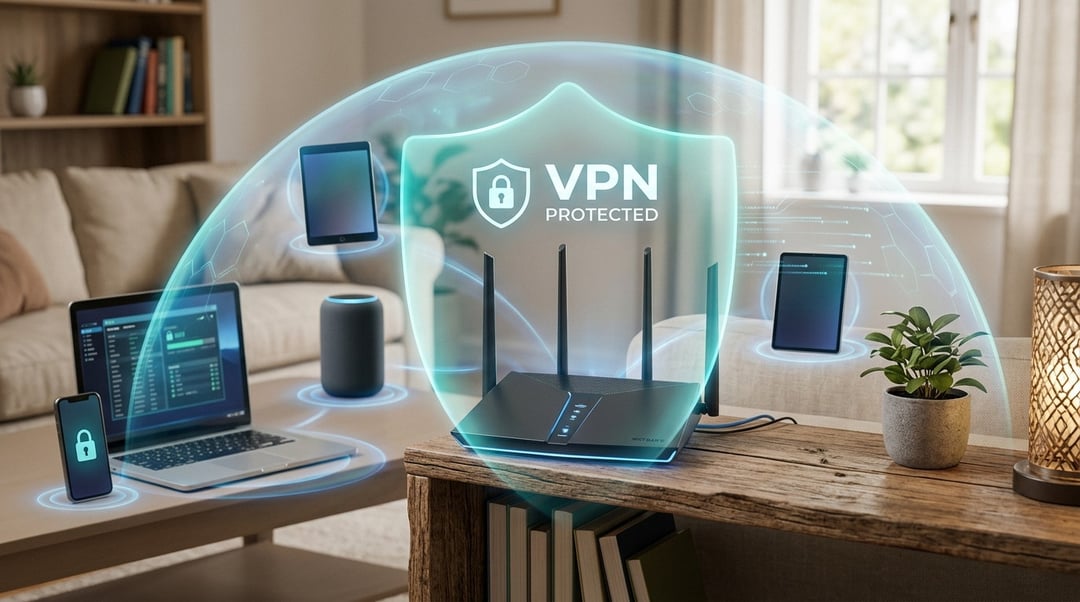
Most VPN apps protect one device at a time. If you run a VPN client on your laptop, your phone still connects directly. If you protect your phone, your smart TV doesn't get coverage. And if you hit your provider's device limit, something gets left out.
A VPN on router solves that. When the VPN runs at the router level, every device that connects to your network routes through the encrypted tunnel automatically. No apps to install on each gadget, no juggling connections, and no gaps in coverage.
Below are five concrete reasons this setup makes sense for anyone serious about network-wide privacy and the technical trade-offs worth knowing before you configure it.
Every device gets VPN protection automatically
Installing a VPN on your router extends encryption to every device on your network without per-device configuration. Smart TVs, game consoles, and IoT devices like security cameras and thermostats connect through the VPN tunnel even though they lack native VPN apps. You configure the connection once in your router's admin panel, and every device that joins the network inherits that protection immediately.
This approach scales well in households where multiple people connect phones, tablets, and laptops. A guest using your Wi-Fi gets the same encrypted connection without installing software or remembering to enable a client. For homes running dozens of smart home devices, router-level VPN eliminates the need to evaluate whether each individual product supports encryption, because the router handles it upstream.
You bypass per-device connection limits
Most VPN subscriptions cap simultaneous connections at five to ten devices. That ceiling becomes a problem when you account for laptops, phones, tablets, smart TVs, game consoles, and IoT gear. A household with 15 connected devices would need to constantly disconnect one device to protect another.
A router-level VPN solves this. The VPN service sees the router as a single connection, regardless of how many devices sit behind it. Your entire network—phones, streaming boxes, smart home gear—stays protected under one subscription slot. This approach makes sense for families, small offices, or anyone who has added enough connected devices to hit the account limit. You stop managing which devices get coverage and which ones get left exposed.
Guests and visitors get privacy without setup
Anyone who connects to your Wi-Fi inherits the VPN tunnel automatically. There's no software to download, no account to create, and no configuration screen to navigate. A visiting friend, contractor, or family member gets the same encrypted connection and ISP-logging protection your own devices receive the moment they authenticate to the network.
This setup eliminates the awkward conversation about whether someone has a VPN subscription or knows how to enable one. For Airbnb hosts, the router-level approach means every guest's browsing stays private without requiring tech support. The same advantage applies to shared workspaces or co-living arrangements where multiple people cycle through the same network and expect baseline privacy without manual intervention.
You eliminate the performance tax on laptops and phones
Running a VPN client on your phone or laptop consumes CPU cycles to handle encryption, which drains battery faster and can slow down older devices. When you move the VPN to your router, the router handles all encryption overhead once for the entire network. Your laptop, phone, and tablet connect to the router as usual and inherit the VPN connection without running their own encryption processes.
This shift frees up device resources. You get normal network performance without the battery drain or processing load that comes with a client running in the background. The difference is most noticeable on older phones, budget tablets, or any device with limited processing power, where a VPN client can cause lag or heat buildup during extended use.
It's harder to accidentally leak your real IP
Device-level VPN apps can disconnect without warning, fail to reconnect after sleep mode, or simply not launch on boot. If the app crashes or the kill switch fails, your traffic reverts to your ISP's connection and exposes your real IP until you notice and manually restart the tunnel.
A router-level VPN enforces the tunnel at the network level. Every device connecting to your network is automatically routed through the VPN, with no app to crash or forget. There's no per-device kill switch to configure, no chance of booting a laptop and browsing unprotected because you forgot to start the client, and no silent disconnections that leak your location until you check the app.
This setup is especially valuable if you want always-on protection without monitoring each device individually.
Is a router VPN right for your network?
A VPN on your router makes sense if you have more devices than your subscription allows, want to protect gear that can't run VPN software, or need always-on coverage without monitoring individual apps. The tradeoff is that every device shares the same VPN server and exit location, so you lose the flexibility to split traffic or change servers per device. Start by checking whether your router supports VPN clients natively or needs third-party firmware like DD-WRT or OpenWRT. If your current router can't handle it, look for models with built-in VPN client support and hardware AES acceleration to avoid bottlenecking your connection speed.
Frequently asked questions
Does a VPN on my router slow down my internet speed?
Yes, but usually by 10-30% depending on the VPN protocol and server distance. Modern routers with hardware encryption can minimize this impact. The slowdown affects all devices equally, so you won't see the battery drain or CPU spikes that happen when individual devices run VPN software.
Can I use a VPN router with my ISP's modem/router combo?
Yes, but you'll need to put the ISP device into bridge mode or connect your VPN router behind it. Bridge mode turns off the ISP router's routing functions so your VPN router handles all traffic. Alternatively, set up the VPN router as an access point, though this creates a double-NAT situation that can complicate port forwarding.
Which routers support VPN connections?
Most modern routers with OpenWrt, DD-WRT, or Tomato firmware support VPN clients. Some manufacturers like Asus, Netgear, and Linksys include built-in VPN client support in their stock firmware. Budget routers often lack the processing power for VPN encryption, so look for models with at least a dual-core processor and explicit VPN client capability.
Do streaming services work through a router VPN?
Sometimes. Netflix, Hulu, and other platforms actively block known VPN server IPs, so success depends on your VPN provider's ability to stay ahead of these blocks. Router-level VPNs make it harder to switch servers quickly when one gets blocked. Many users run split tunneling or keep a device off the VPN specifically for streaming.
What's the difference between a VPN router and a VPN-enabled router?
A VPN router is pre-configured with VPN client software and often comes with a subscription. A VPN-enabled router simply has the capability to run VPN client software but requires you to configure it yourself. Pre-configured options cost more but save setup time. Both provide the same router-level protection once running.