
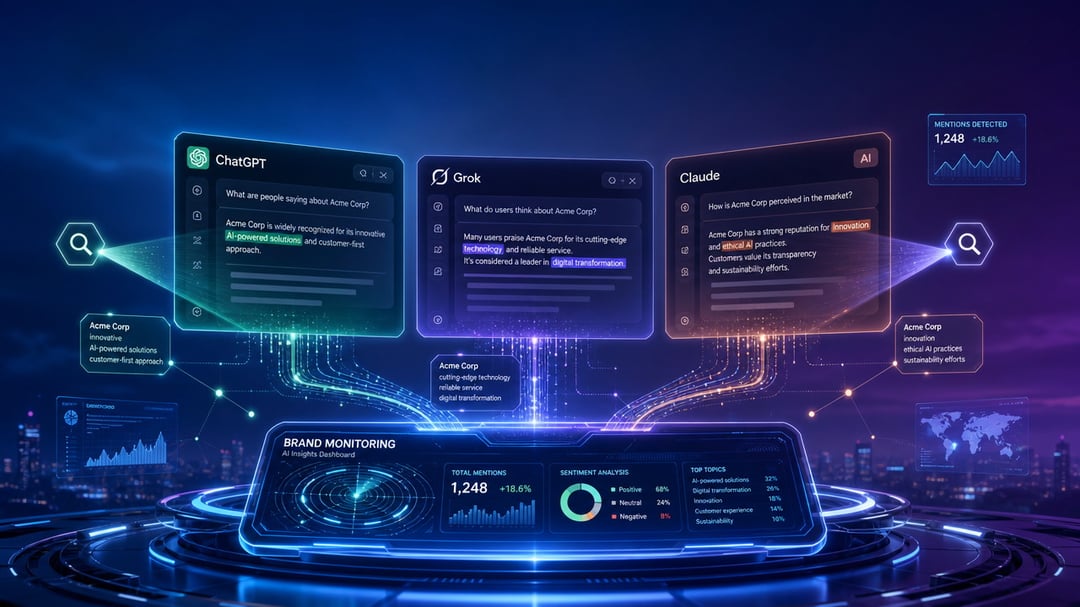
Try this: open ChatGPT and ask the question your customers would ask. Not "what is [your company]" — the real one. "Best accounting software for freelancers." "Who does custom cabinetry near me." Three or four names come back, confidently recommended. If yours isn't one of them, you just found a blind spot your analytics will never show you.
Checking your Google ranking takes ten seconds. Learning how to track your brand mentions across AI chatbots is harder, because there's no rank to check — no position one through ten, no dashboard, no blue links. But it's not impossible. There are three ways to do it, from free to paid, and each one sees something the others can't.
Why Tracking AI Brand Mentions Isn't Like Tracking Search Rankings
Three things make AI chatbots a different animal from search engines.
First, answers aren't rankings. An AI assistant either names you or it doesn't. There's no page two to climb from.
Second, the same question produces different answers. Ask twice and you may get two different results. Personalization, chat memory, and model updates all move the target, so a single check proves almost nothing. Whatever method you use has to account for this.
Third, a mention isn't a click. Someone can hear an AI recommend your brand, trust it, and type your name into Google a week later. Nothing in your analytics connects those two events.
That last point splits the job in two. Upstream: whether AI tools mention you at all, which requires going out and looking. Downstream: the clicks that reach your site, which show up in analytics. Most businesses only measure the second, see a small number, and conclude AI doesn't matter. That's the mistake.
Method 1: Check It Yourself (Free, and More Useful Than It Sounds)
Start with a prompt list: 10 to 20 questions a real customer would ask. Buying questions, comparison questions, "alternatives to [your biggest competitor]." Skip anything with your brand name in it — you already know how that goes.
Run the list across the major assistants: ChatGPT, Gemini, Claude, Perplexity, and Copilot. They behave differently. Perplexity cites sources on nearly every answer, which makes it easy to see where its information comes from, while others link out far less often.
For each answer, log four things: were you mentioned, how early in the answer, was the information accurate, and which websites got cited.
One detail makes or breaks this method. Use a fresh session, logged out or with memory turned off, and repeat each prompt a few times. Otherwise you're not measuring your AI visibility — you're measuring your own chat history.
The honest limit: this is a snapshot, not a trend line. It works fine as a monthly ritual. It gets painful weekly.
Method 2: Catch the Clicks in Google Analytics
The downstream half got much easier this year. On May 13, 2026, Google added a native "AI Assistant" channel to GA4's Default Channel Group. When a visitor arrives from a recognized AI assistant, GA4 now tags the session automatically and files it in its own row — no setup required. You'll find it under Reports → Acquisition → Traffic acquisition, with the dimension set to Session default channel group.
Three catches, though.
Google has named ChatGPT, Gemini, and Claude as recognized sources but hasn't published the full list, and Perplexity's status is unclear — check your own reports rather than assuming. The channel also only counts traffic forward from launch, so there's no historical data to compare against. And the big one: visits from AI mobile and desktop apps often arrive with no referrer at all, which means they land in Direct. A meaningful share of your real AI traffic is invisible no matter how you configure things.
You can close part of the gap with a custom channel group — a rule matching AI domains, placed above the Referral rule so it fires first. Google documents the setup, regex included, in its custom channel groups help page.
Method 3: Dedicated AI Visibility Tools
Paid tools do the one thing manual checking can't: they run hundreds of prompts on a schedule, across multiple engines, and keep the history. The value isn't the check — it's the trend line.
They come in two flavors. Dedicated AI visibility platforms like Otterly.ai and SE Ranking's ChatGPT Visibility Tracker were built for this job. Then there are AI-tracking features bolted onto SEO suites like Semrush and Ahrefs — convenient if you already pay for one, thinner as your primary source of truth.
A warning before you research this category: nearly every "best AI tracking tools" article you'll find is published by a vendor that ranks itself in it. Read the feature lists, ignore the rankings. Before paying, confirm which engines a tool covers, how often it checks, whether it shows you the actual answer text, and whether it tracks competitors alongside you.
The Four Numbers Worth Watching
Whichever method you use, track the same four things. Your mention rate — the share of your prompts that name you. Your share of voice — who appears next to you, because the comparison is the story. Accuracy — a chatbot confidently quoting your old pricing or a product you discontinued is worse than silence. And citation sources — the sites AI leans on when answering your category's questions. Those sites are your outreach list.
What to Do When You're Not There
Here's the pattern you'll notice once you start logging citations: AI answers lean heavily on third-party sources — comparison articles, review sites, forums — more than on brands' own websites. So the fix is usually off-site: earn mentions in the places the models already read. And if the AI is getting facts about you wrong, fix that first. It's the cheapest win available.
Start this week. Run your prompt list once, write down every answer, and run it again next month. The gap between those two snapshots is the only data that matters — and almost none of your competitors have it yet.


