
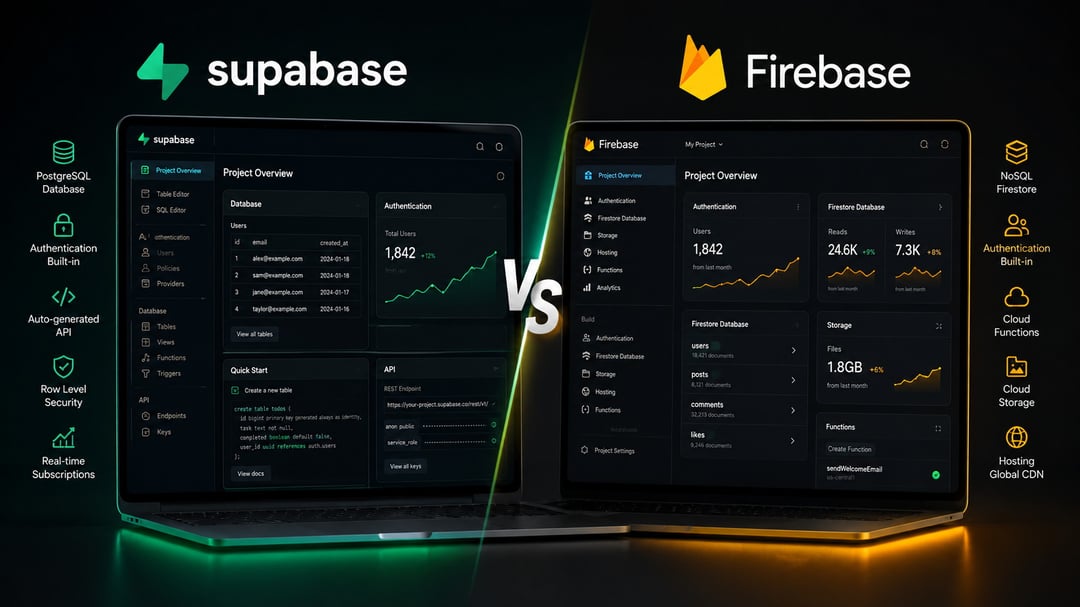
Picking a backend used to mean picking Firebase by default. That's changed. Supabase has grown from a scrappy open-source alternative into the go-to option for a large share of new web startups, and the reasons come down to three things: cost, data structure, and how much control you want over your own stack.
Here's how the two actually compare, and which one fits your startup.
What Supabase and Firebase Actually Are
Firebase is Google's backend-as-a-service platform. It bundles a NoSQL database (Firestore), authentication, file storage, and serverless functions, all built on Google Cloud infrastructure. It's been around longer, and it shows in how mature and battle-tested the tooling is.
Supabase describes itself as the open source Firebase alternative, but the comparison undersells it a bit. Rather than a NoSQL clone, Supabase is built on standard PostgreSQL, paired with auto-generated APIs, built-in auth, storage, and edge functions. Same category of product, fundamentally different foundation.
SQL vs NoSQL: The Real Divide
This is the decision that shapes everything else. Firebase's Firestore is a document database: flexible, fast to prototype with, but not built for complex relationships between data.
Supabase runs on full PostgreSQL, meaning you get real joins, foreign keys, and constraints. For a typical startup managing users, teams, projects, and billing, all of which relate to each other, a relational database maps to that structure far more naturally than a document store does.
Pricing: Where the Decision Usually Gets Made
For most founders, this is the number that settles it. Supabase's Pro plan costs $25 per month with predictable overages, while Firebase's Blaze plan charges per operation with costs that can escalate unpredictably.
The gap widens with usage. For heavy read and write workloads, Supabase can run three to five times cheaper than Firebase, according to independent cost comparisons. As one concrete example, a SaaS app with 10,000 daily active users and 10 million daily reads runs roughly $50 to $100 a month on Supabase, versus $500 to $1,500 a month on Firebase.
Both platforms offer usable free tiers, but Supabase's is notably generous on usage limits, supporting up to 50,000 monthly active users, 500MB of database storage, and unlimited API requests with no hard caps before you'd need to upgrade.
Auth, Security, and Real-Time Performance
Both platforms handle authentication and real-time data well. Supabase leans on Row Level Security, enforcing access rules directly at the database layer. Firebase relies on its own rules engine layered on top of Firestore.
Where they start to diverge is scale. Firebase's Realtime Database supports up to roughly 100,000 concurrent connections per database, which covers most startups comfortably, but becomes a real ceiling once an app hits viral growth or heavy concurrent usage.
When Firebase Still Makes Sense
Supabase isn't the right call for everyone. Firebase remains the stronger choice for mobile-first apps that depend on offline sync, push notifications, or deep integration with the rest of Google's ecosystem. If you're shipping a fast MVP or hackathon project and speed matters more than long-term architecture, Firebase's maturity and tooling still shine.
When Supabase Is the Stronger Choice
For web-first SaaS products, especially anything built on Next.js or a similar framework, Supabase tends to be the better fit. Structured, relational data, predictable monthly costs, and the ability to self-host or migrate away from the platform entirely all matter more as a startup scales past its earliest stage.
The Verdict
If you're building a web-based SaaS product with structured data and no urgent need for offline mobile support, Supabase is the stronger default in 2026. It's cheaper at scale, built on a database technology your team already understands, and doesn't lock you into a single vendor's ecosystem.
Building a mobile app first, especially one leaning on offline functionality or Google's broader toolset? Firebase still earns its place.
Either way, the smartest move is sizing your actual usage numbers against both pricing models before you commit; the gap between them only grows as your user base does.