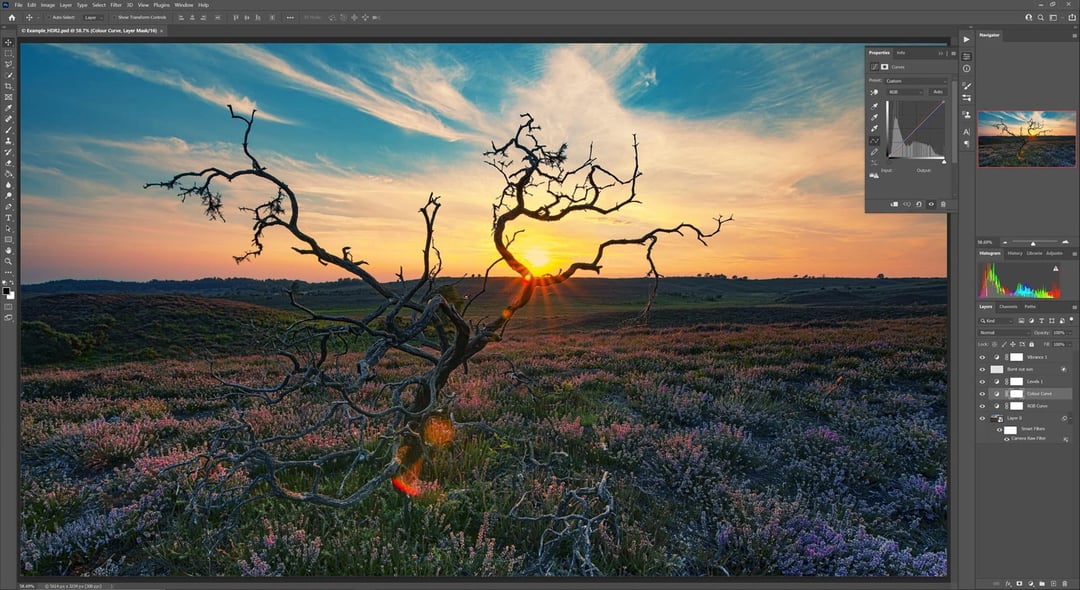
How Photoshop’s AI Assistant Changes the Way You Edit Photos
If you’ve ever opened Photoshop and felt that little knot in your stomach — too many tools, too many panels, too many ways to mess it up — you’re not alone.
Adobe’s new AI assistant shifts that feeling. Instead of hunting through menus or memorizing shortcuts, you can type what you want. That’s it. Plain language. Like you’re talking to someone sitting next to you.
Want to remove a background? Say it.
Need the sky to look more dramatic? Type it.
Trying to clean up distractions in the frame? Just ask.
The assistant interprets simple prompts and turns them into actual edits. It lowers the barrier that’s kept a lot of people from fully using Photoshop. And honestly, that’s a big deal.
Editing Images With Natural Language Prompts
From Complex Tools to Conversational Commands
Photoshop has always been powerful. But power can be intimidating.
The AI assistant makes it feel more conversational. Instead of digging through layers and masks manually, you describe the outcome. The assistant translates that request into actions inside the software.
It’s less about knowing how to do something and more about knowing what you want.
And that shift matters. Because creativity shouldn’t depend on memorizing toolbars.
Faster Image Adjustments With AI Support
Speed is where this really hits.
Simple tasks — resizing, removing objects, adjusting lighting — can be done through straightforward prompts. You’re not bouncing between panels. You’re not Googling tutorials mid-project.
You type. It responds. The edit happens.
For professionals, that means faster turnaround. For beginners, it means fewer moments of “I give up.”
AI-Powered Image Editing Inside Photoshop
Built-In Intelligence, Not a Separate Tool
This isn’t some bolt-on feature. The AI assistant lives inside Photoshop’s ecosystem.
It works alongside existing tools, not against them. So if you’re experienced, you’re not losing control. You can refine, tweak, and adjust after the AI does its thing.
That’s important. Because AI suggestions are helpful — but creative direction still belongs to you.
Bridging the Gap Between Beginners and Pros
Here’s what’s interesting.
For beginners, the assistant acts like a guide. It helps you figure out what’s possible. You can even ask how to do something, and it points you in the right direction.
For experienced users, it becomes more of a shortcut. A time-saver. A way to skip repetitive steps and focus on the creative choices that actually matter.
It doesn’t replace skill. It amplifies it.
Simplifying Complex Photoshop Workflows
Reducing Technical Friction in Image Editing
Let’s be honest — Photoshop can feel technical. Layers. Masks. Smart objects. Adjustment panels.
The AI assistant removes some of that friction.
Instead of thinking, Which tool do I use? you think, What do I want this image to look like?
That mental shift frees up energy. And creative energy is finite. When you’re not spending it on mechanics, you can spend it on vision.
Making Professional-Level Edits More Accessible
This kind of AI support makes advanced edits feel approachable.
Tasks that once required tutorials or formal training can now start with a simple sentence. It lowers the learning curve without watering down the software’s power.
And that accessibility matters — especially for creators, marketers, small business owners, and content teams who need polished visuals but don’t live inside Photoshop every day.
The Impact of AI on Creative Control
There’s always that quiet worry with AI tools: Is this taking creativity away from me?
But here’s what this assistant really does — it handles execution. You still decide the direction.
You’re not handing over your idea. You’re just speeding up the path from idea to finished image.
If anything, it makes experimentation easier. You can try bold changes without committing hours. You can test variations quickly. You can explore.
And exploration is where creativity lives.