
Every time you stream a video, load a webpage, or join a voice call, your device chooses between two transport protocols: TCP or UDP. That choice determines whether your data arrives reliably in order or quickly with minimal delay. Both protocols move packets across the internet, but they make opposite tradeoffs between speed and accuracy.
TCP guarantees delivery by establishing connections and resending lost packets. UDP skips those safeguards and sends data immediately, accepting that some packets may never arrive. The difference matters: pick the wrong protocol and you'll either waste bandwidth on unnecessary retransmissions or lose critical data that can't be recovered.
You'll learn how each protocol works, when the reliability tax is worth paying, and which applications depend on each approach.
What TCP and UDP are
TCP (Transmission Control Protocol) and UDP (User Datagram Protocol) are both transport layer protocols in the TCP/IP model. They sit between your applications and the network layer, handling how data moves from one program to another across the internet.
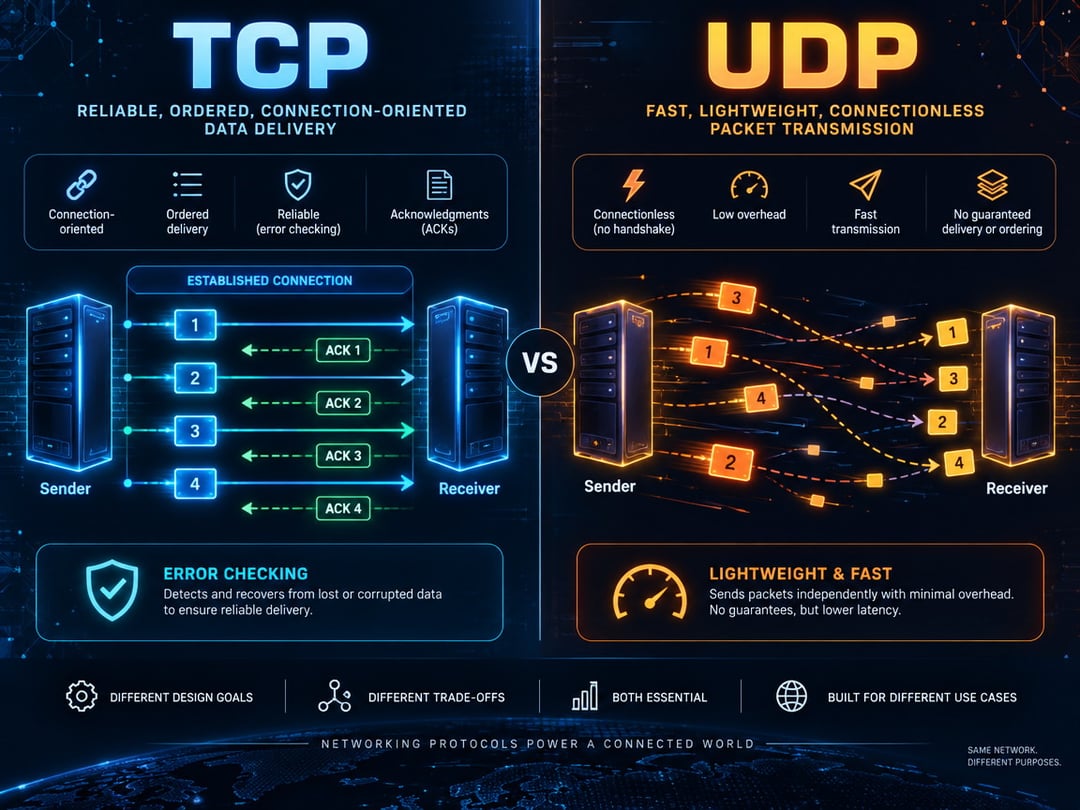
Both protocols break data into packets and route them to the correct application using port numbers. The difference is in what happens during transmission. TCP establishes a connection before sending data, confirms every packet arrived intact, and retransmits anything lost. If packets arrive out of order, TCP reassembles them correctly. UDP skips all of that. It sends packets without confirmation, doesn't track what gets lost, and delivers packets in whatever order they arrive.
This isn't a flaw. TCP and UDP solve different problems. TCP trades speed for reliability. UDP trades reliability for speed. Each protocol exists because certain applications need what it offers.
How TCP and UDP work differently
TCP's three-way handshake and connection state
TCP establishes a connection before transmitting any application data. The client sends a SYN (synchronize) packet, the server replies with SYN-ACK (synchronize-acknowledge), and the client confirms with ACK. Only then does data transfer begin.
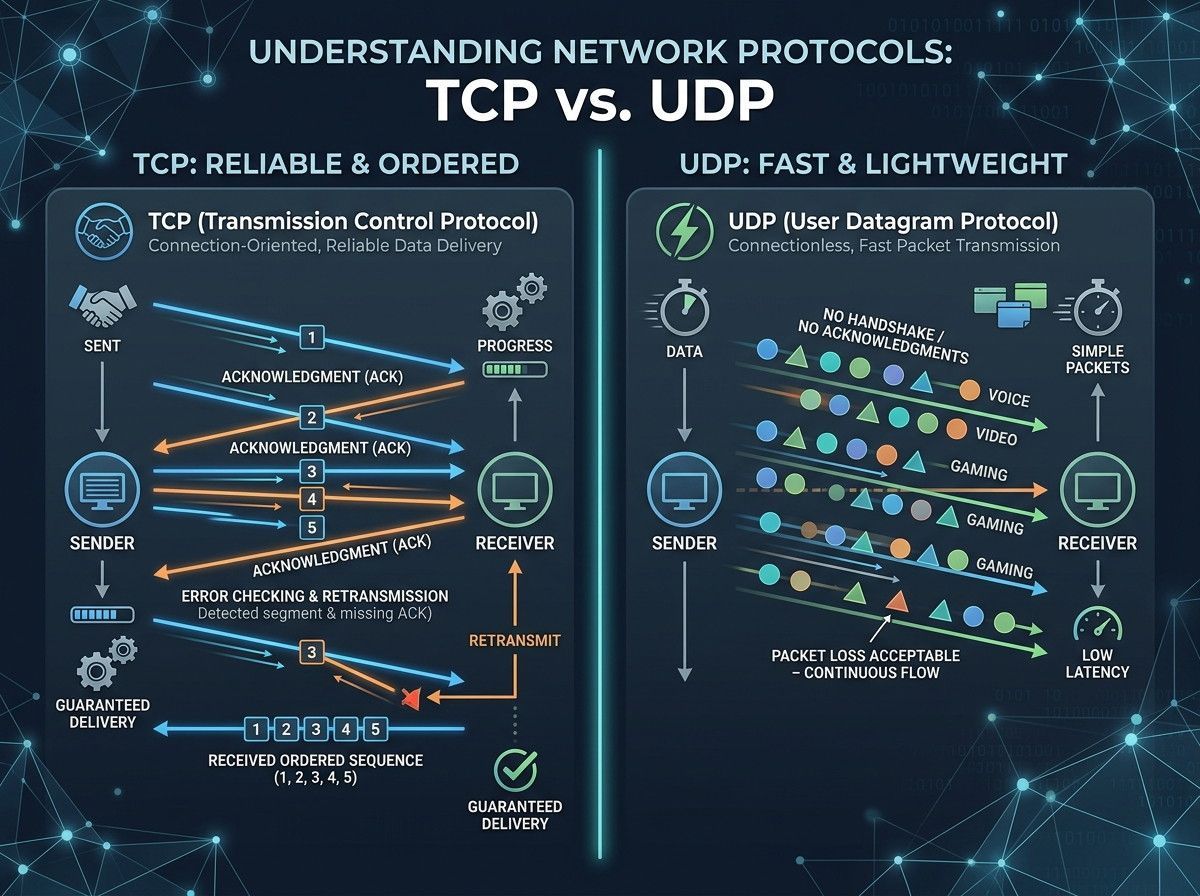
Once connected, TCP tracks every packet with sequence numbers. The receiver sends acknowledgments back to confirm receipt. If a packet goes missing, TCP detects the gap and retransmits it. This stateful approach guarantees delivery but adds overhead: the handshake costs one round trip before data flows, and acknowledgment packets consume bandwidth throughout the session.
UDP's connectionless model
UDP skips the handshake entirely. Each packet is independent—sent immediately without establishing a connection or waiting for confirmation. There are no sequence numbers, no acknowledgments, and no retransmissions.
This fire-and-forget model cuts latency and overhead. A UDP application can send data the instant it's ready, with no setup delay and minimal per-packet processing.
Side-by-side comparison
|
Dimension
|
TCP
|
UDP
|
|
Connection model
|
Connection-oriented; requires three-way handshake before data transfer
|
Connectionless; sends packets immediately without setup
|
|
Reliability
|
Guarantees delivery through acknowledgments and retransmission
|
No delivery guarantee; packets may be lost without notice
|
|
Ordering
|
Maintains packet sequence; data arrives in order sent
|
No ordering; packets may arrive out of sequence or not at all
|
|
Speed
|
Slower due to overhead from acknowledgments and error checking
|
Faster with minimal protocol overhead
|
|
Header overhead
|
20 bytes minimum
|
8 bytes fixed
|
|
Flow control
|
Yes, prevents sender from overwhelming receiver
|
None
|
|
Congestion control
|
Yes, adjusts transmission rate based on network conditions
|
None
|
|
Use cases
|
Web browsing, email, file transfers, API calls
|
Live streaming, gaming, VoIP, DNS queries
|
When to use TCP
TCP is the right choice when data integrity matters more than speed. Web browsing relies on TCP because HTTP and HTTPS must deliver every byte of HTML, CSS, and JavaScript in the correct order—missing even a single character breaks rendering. Email protocols like SMTP, IMAP, and POP3 use TCP for the same reason: a corrupted message is worse than a slightly delayed one.
File transfers need TCP's guarantees. FTP and SFTP depend on it to ensure uploaded and downloaded files arrive intact. SSH sessions use TCP because dropped keystrokes or corrupted terminal output make remote administration impossible. Database queries also run over TCP—applications expect rows returned in sequence, and partial results cause data corruption.
Most application-layer protocols default to TCP because the overhead of connection setup and acknowledgment packets is trivial compared to the cost of handling missing or scrambled data at the application level.
When to use UDP
UDP is the protocol of choice when speed matters more than perfection. Live video streaming services use UDP because a dropped frame is better than a frozen screen—viewers barely notice a missing packet, but they will notice a buffer delay. VoIP calls work the same way: a tiny audio gap is preferable to the lag TCP's retransmissions would introduce.
Online gaming relies on UDP to keep latency low. If a position update gets lost, the next one arrives milliseconds later and corrects it. Waiting for TCP to resend stale data would make gameplay feel sluggish.
DNS lookups and network time synchronization (NTP) use UDP because they send small, single-packet requests where the overhead of establishing a TCP connection would take longer than just resending if needed.
Newer protocols like QUIC take a hybrid approach, building TCP-style reliability on top of UDP's speed. This gives developers fine-grained control: they get UDP's low latency with optional per-stream reliability where it matters.
Choosing between TCP and UDP for your application
Choosing between TCP and UDP depends on what your application needs most. If you can’t afford to lose any data and need everything to arrive in the right order—like with web requests, file downloads, or database access—TCP is the better choice, even though it’s a bit slower because of its connection setup. If speed is more important and you can handle losing a few packets here and there—like in online gaming, live video streams, or voice calls—UDP is usually faster and a better fit. Most developers stick with TCP since many common protocols use it already, but knowing when UDP’s benefits outweigh its downsides can help you fix performance problems and make smarter design choices when every millisecond counts.