
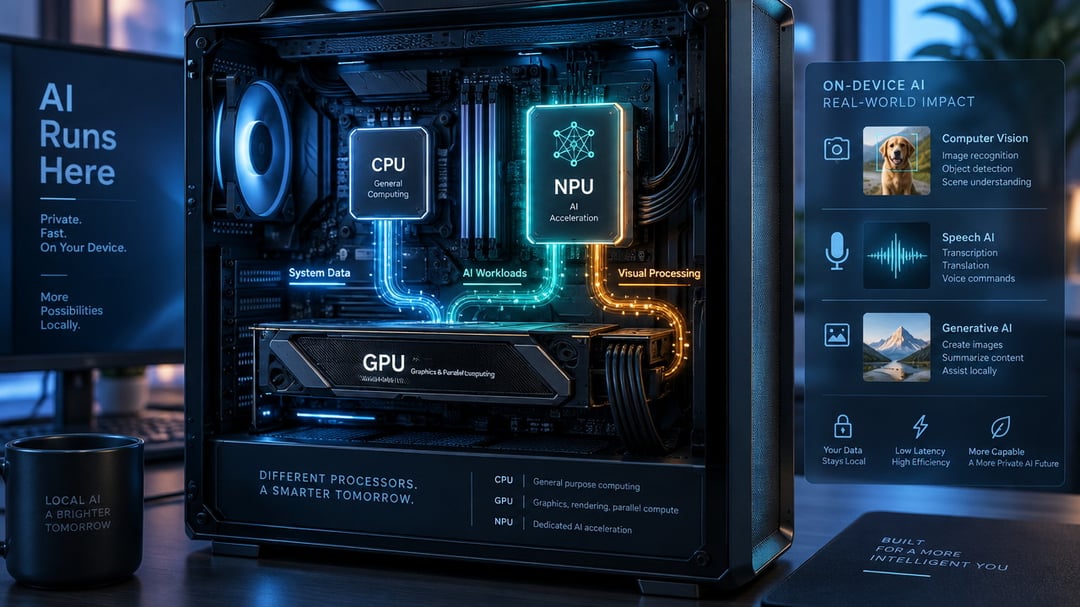
Buying a new laptop or desktop gets confusing when every product page promises built-in AI. If you're wondering what is an AI PC, the short answer is that it includes hardware designed to handle some AI tasks locally, rather than sending every request to the cloud.
The most important part is the neural processing unit, or NPU. It can run supported features such as background blur, noise reduction, and some on-device AI tools while using less power than the CPU or GPU for those workloads. That does not mean every AI app will run faster, or that an AI PC will improve gaming performance. We’ll separate useful features from marketing claims, explain the NPU’s limits, and help you decide whether one makes sense for your next upgrade.
What is an AI PC?
An AI PC is a computer with hardware designed to process some artificial intelligence tasks on the device, rather than sending every request to a remote server. That hardware usually includes a neural processing unit (NPU), a specialized processor built for repetitive AI calculations with low power use.
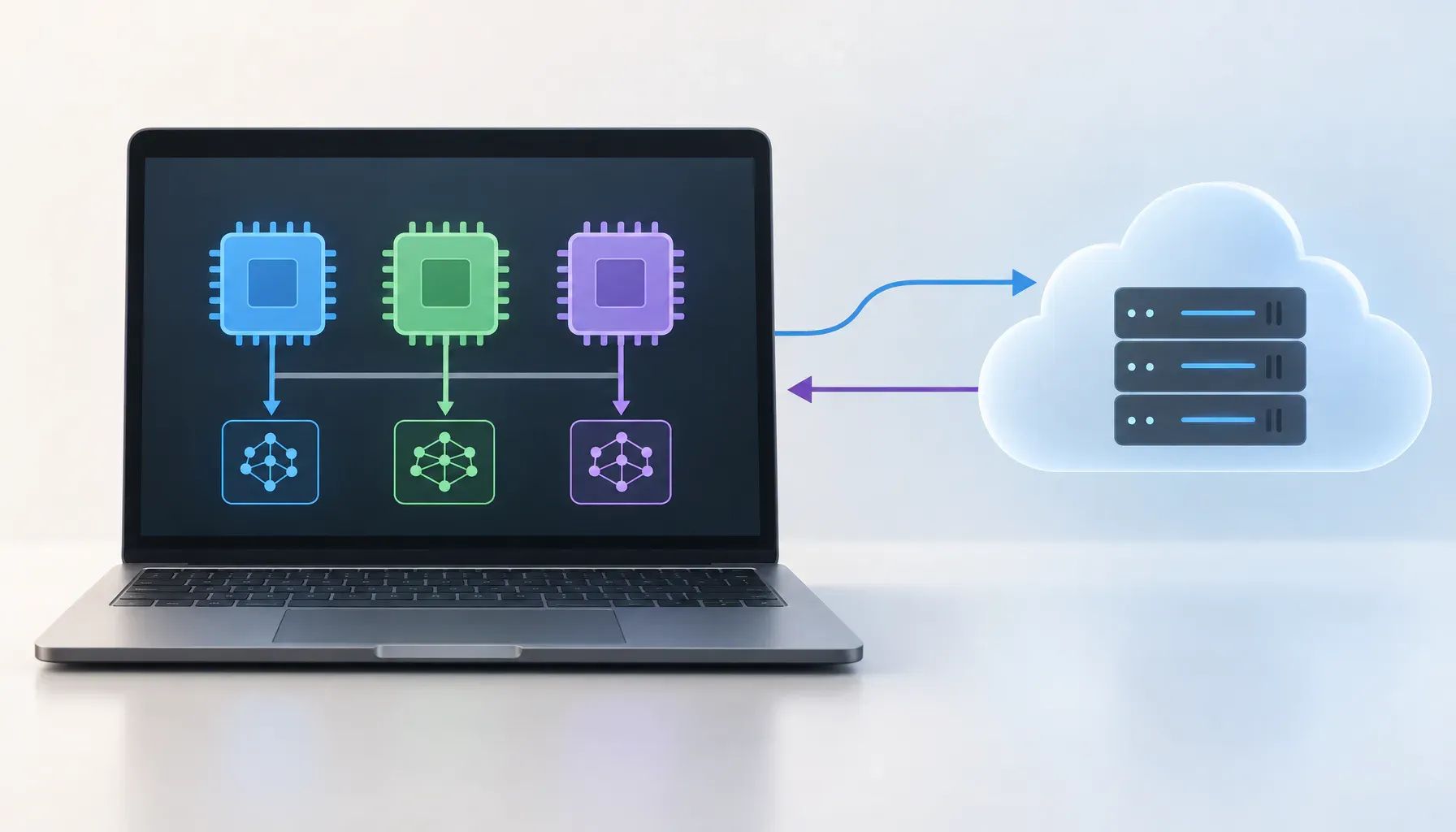
How an AI PC differs from a regular PC
The CPU handles general-purpose work and coordinates the system. The GPU processes graphics and can accelerate demanding AI workloads, such as image generation or machine learning tasks. The NPU handles supported AI features efficiently in the background, including webcam effects, noise reduction, and transcription. For example, during a video call, an NPU may help blur the background without placing as much load on the CPU. The exact split depends on the app and its software support.
So, what is an AI PC? It is not a new operating system, and having an NPU does not guarantee advanced AI features or local processing in every app. Local processing can improve responsiveness, reduce reliance on cloud services, and keep some data on your PC. However, many AI assistants and online tools still need an internet connection for their models, account features, or current information.
What does an NPU do?
A neural processing unit (NPU) is a low-power processor built for specific artificial intelligence and machine-learning calculations. It handles these operations more efficiently than a general-purpose CPU, which can help AI features run without using as much power or competing with other tasks.
AI tasks that can run locally
On supported Windows applications, an NPU may process video-call effects such as background blur, automatic framing, eye contact correction, and noise reduction. It can also handle voice processing, live captions, image editing tools, and some generative features without sending every calculation to a cloud server. The exact benefits depend on whether the application is designed to use the NPU.
An NPU is not a replacement for a graphics card. NPUs are built for efficient, sustained AI processing, particularly in lightweight features that run frequently. GPUs remain better suited to demanding graphics, gaming, local image generation, video rendering, and many large AI workloads because they provide far more general parallel processing power.
That software support is the deciding factor. An NPU can sit mostly idle if Windows or your applications do not include compatible features. Before paying extra for an AI PC, check whether the programs you use can access its NPU.
What AI PC features are useful today?
Benefits for productivity users
An NPU helps when an app assigns it a specific task. In video calls, camera effects can blur backgrounds or track faces. Microphone noise removal can filter keyboard sounds, while on-device transcription turns meetings or voice notes into text without uploading audio. Accessibility tools may provide local captions, speech recognition, or voice control. Local assistants can answer questions or summarize files, but value depends on app support and PC memory.
Creative software may use an NPU for image selection, background removal, or audio cleanup. Check app requirements; an AI label does not guarantee NPU acceleration.
Benefits for gamers and creators
Gamers may use an NPU for camera effects, voice cleanup, or streaming tools, reducing CPU overhead during play. Frame upscaling and frame generation usually use the GPU, not the NPU. An NPU does not automatically improve game performance. Before buying, check whether the games, streaming software, and creative apps you use support the NPU. If they do not, a regular PC with a faster CPU or GPU may be the better buy.
AI PC hype versus real-world limits
What an NPU cannot do by itself
An NPU is a specialist processor for certain AI calculations. It does not automatically make webpages load faster, office apps respond sooner, games render more frames, or every AI tool run better. A game still depends on the CPU, GPU, memory, and software. An AI PC can have a capable NPU and deliver no visible benefit in the workloads you actually use.
Cloud-based AI services may still provide larger models, broader features, or better results for demanding tasks. They can also depend on a reliable internet connection and send prompts or files to a remote provider, which creates data-sharing considerations. Local processing may be useful for privacy or offline access, but that does not make it the better choice for every task.
Treat the AI PC label, NPU specification, and any single benchmark as clues, not proof of better overall performance. Compare results from workloads that match your routine: game frame rates, application response times, battery life, video-call quality, and the AI features your preferred software actually supports. A regular PC may be the smarter buy if those features do not affect your daily work.
Should you buy an AI PC?
When an AI PC is worth it
An AI PC may be worthwhile if you use compatible local AI tools for writing, image editing, transcription, or video effects. An NPU can run these tasks efficiently on the device, potentially reducing cloud processing and supporting privacy. It may also suit buyers who replace computers infrequently and want hardware likely to support more local AI features. Laptop users focused on battery life may benefit from efficient on-device processing.
Check your software first. NPU support varies by application, operating system, and processor, so an AI PC will not automatically speed up every AI feature.
When a regular PC is the better buy
A regular PC may be the better choice for gaming, conventional productivity, or a lower purchase price. Many games, web apps, office programs, and creative tools still rely mainly on the CPU and GPU. If you upgrade often, an AI PC may offer little practical benefit.
Before buying, check the processor and NPU, confirm software compatibility, compare CPU and GPU performance, and choose enough RAM and storage. Do not pay more solely for the AI PC label.
How to Choose an AI PC That Fits Your Needs
An AI PC is worth considering if you plan to use compatible local AI features, want efficient on-device processing, or expect to keep the computer for several years. Before buying, check whether the apps you use support the NPU. Video-call effects, transcription, accessibility tools, local assistants, and some creative features can benefit, but an NPU does not automatically improve game frame rates, everyday browsing, or regular office work. If gaming performance, conventional productivity, or price matters most, a regular PC may be the better value. Compare CPU and GPU performance, RAM, storage, battery life, and relevant software features. Treat the AI PC label as a starting point, not proof of better performance, and do not pay extra for it unless its supported workloads match how you use your computer.