
The HyperX Cloud Alpha S has been around for a while yet it still shows up on a lot of “best budget gaming headset” lists. This review looks at how it holds up today for everyday players who want strong sound comfort and value without paying wireless prices.
Quick Take – HyperX Cloud Alpha S Review
The HyperX Cloud Alpha S is a wired gaming headset that focuses on the basics. It delivers punchy positional audio solid comfort and a clear detachable mic at a mid range price. You get PC friendly 7.1 surround and handy chat mix controls yet console support stays simple stereo. If you want one dependable wired headset for years of gaming this model still earns a serious look.
HyperX Cloud Alpha S At A Glance
Key Selling Points Of The HyperX Cloud Alpha S
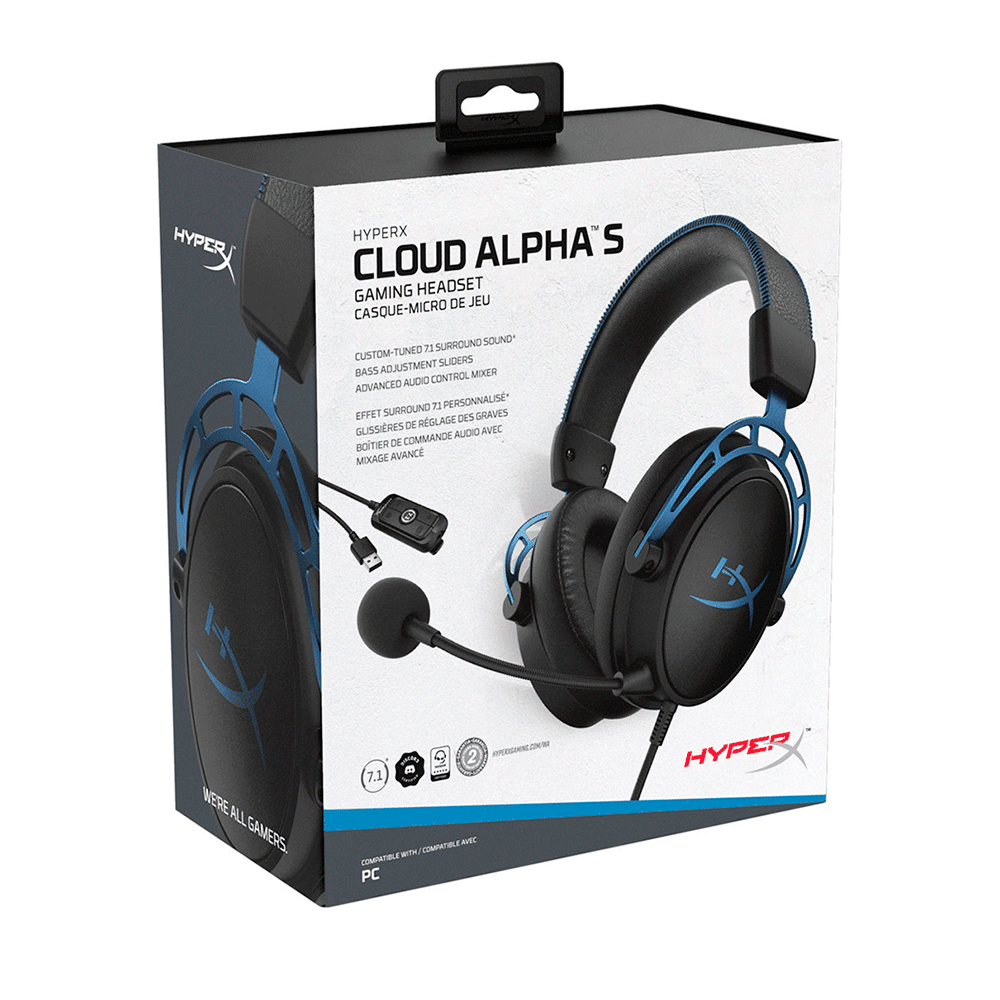
The HyperX Cloud Alpha S builds on the original Cloud Alpha with a few smart upgrades. It adds an external USB audio controller for PC which unlocks virtual 7.1 surround sound and game chat balance. It keeps the signature dual chamber drivers that separate bass from mids for cleaner audio.
You also get a sturdy aluminium frame thick memory foam pads and a detachable noise cancelling microphone. It is not flashy or RGB heavy. Instead it feels like a tool built to survive daily use on a crowded desk.
Who The HyperX Cloud Alpha S Is Really For
The HyperX Cloud Alpha S suits people who want one headset that just works across most devices.
- PC gamers who play shooters and MOBAs
- Console players who do not mind wired setups
- Students and home workers who also take calls
- Anyone upgrading from cheap plastic stereo headsets
Design Comfort And Build Quality
First Impressions And Unboxing Experience
Out of the box the HyperX Cloud Alpha S feels solid. The aluminium headband and yokes resist flex without creaks. The ear cups use soft pleather on the outside and memory foam underneath. The included USB audio controller and braided cable feel durable and avoid the thin plasticky look of many budget rivals.
You also get a detachable boom mic optional fabric style ear pads and a basic carry bag. None of it screams premium luxury. It all looks like hardware aimed at people who play nightly and need gear that survives being shoved into a drawer.
Long Session Comfort And Fit
Comfort is where this headset still competes well. The clamping force stays firm enough for stability yet does not crush glasses or larger heads. At roughly 310 g without cable it sits in a sweet spot. You feel that it is there yet it does not drag you down during long sessions.
Heat build up stays reasonable thanks to the roomy oval cups. If you run hot you can swap to the included fabric pads which breathe a bit better. Overall it remains a safe pick for three or four hour evenings in games or chat.
Sound Quality – How The HyperX Cloud Alpha S Performs In Game
Positional Audio And Competitive Advantage
In shooters positional cues matter more than raw bass and the HyperX Cloud Alpha S does well here. The dual chamber 50 mm drivers separate low end boom from mids which keeps footsteps and reloads distinct. Directional imaging in titles like Valorant Apex Legends or Call of Duty feels precise enough for ranking games.
On PC the virtual 7.1 mode adds perceived width and depth. It does not rival true surround setups yet it helps you tell whether a sound comes from behind or above. For ranked play you may still prefer stereo since it keeps timing sharp. Either way the headset gives you enough detail to react quickly in tense fights.
Music Movies And Everyday Listening
Outside of gaming the Cloud Alpha S leans toward a fun V shaped sound. Bass hits firmly without drowning vocals. Mids stay clear enough for podcasts and dialogue heavy shows. Treble adds a bit of sparkle yet rarely turns harsh unless you push volume too high.
Audiophiles will notice that it favours energy over perfect neutrality. Most general listeners will simply hear strong punchy sound for Spotify playlists Netflix binges and YouTube sessions.
Features And Controls
On Headset Controls And Chat Mix
The ear cups themselves stay clean. Most controls live on the inline USB audio controller. There you find master volume game and chat balance buttons 7.1 toggle and mic mute. The layout makes sense by feel so you can make changes mid match without looking down.
The game chat slider shines if you spend time on Discord or in party chat. You can nudge voices louder during raids or favour game sound when you need to hear map audio. Console players who plug in directly by 3.5 mm lose these tricks yet still get volume and mute from the controller interface.
Virtual 7.1 Surround And Software Support
On PC the controller unlocks HyperX virtual 7.1 surround. You enable it with a single button. There is basic software support through HyperX NGENUITY for EQ tweaks and mic levels although many users never touch it. The surround effect works best for cinematic single player titles and wide open maps.
Console and mobile users stick to stereo. There is no built in hardware surround on those platforms so you should see the 7.1 label as a PC specific perk not a universal feature.
Microphone Performance – Can You Stream With It?
Voice Clarity Noise Handling And Call Quality
The detachable boom mic provides clear voice pickup for party chat and work calls. It emphasises mids so speech cuts through even with game audio playing. It also rejects most low level room noise such as keyboards or a nearby fan.
Friends on Discord hear you clearly as long as you keep the boom at the corner of your mouth rather than in front of it. For remote meetings it beats most built in laptop mics by a wide margin.
Streaming And Content Creation Limitations
For serious streaming or podcasting a dedicated USB or XLR microphone still wins. The Cloud Alpha S mic lacks the warmth and detail that content creators usually want. However it works as a solid backup and lets new streamers begin without extra gear.
Real World Use – Everyday Life With The HyperX Cloud Alpha S
Gaming On PC And Consoles
On PC the headset becomes plug and play through the USB controller. Windows detects it quickly and games route audio with no extra setup. Console use is just as simple. Plug the 3.5 mm cable into a controller and you are ready.
Latency remains negligible because the connection stays wired. You avoid the occasional dropouts and battery concerns that come with cheaper wireless gear.
Work Calls Media And Mixed Use
The HyperX Cloud Alpha S can also double as a work or study headset. The comfortable fit and clear mic make it easy to sit through long video calls. When you finish you switch back to games or music without swapping devices.