
The Search Experience Windows Users Have Been Frustrated With
For years, opening Windows Search to look up a single file has meant wading through trending Bing headlines, promotional tiles for the Microsoft Store, and an AI shortcut that does little more than launch a browser tab. That layered mess is finally getting addressed, and this time the changes go beyond a cosmetic refresh.
The updated experience is currently limited to Windows Insiders enrolled in the Experimental channel, but the scope of what's changing suggests Microsoft is rethinking how Search should function, not just how it looks.
A Simpler, Quieter Search Home Screen
The redesigned home screen removes the trending-topics feed and the "games for you" carousel that used to greet anyone who pressed the Windows key. In their place sits a straightforward list of recent searches. It's a less eye-catching layout, sure, but it also stops Search from behaving like a miniature homepage every time you're just trying to locate something on your own PC.
Search Results Now Show Exactly Where They Come From
One of the more meaningful upgrades sits inside the results list itself. Every result is now tagged with its origin, whether it's pulled from an installed app, a system setting, a local file, or a suggestion from the web. That labeling removes the guesswork of clicking into a result without knowing what you're actually about to open.
Alongside that change, promotional banners and sponsored product carousels have been pulled out of web-based results entirely. Someone typing something like "running plan" into the taskbar was previously met with a "Shop now" prompt shoehorned into their answer — a detail that felt out of place and is now gone.
New Privacy Toggle Puts Web Suggestions Under Your Control
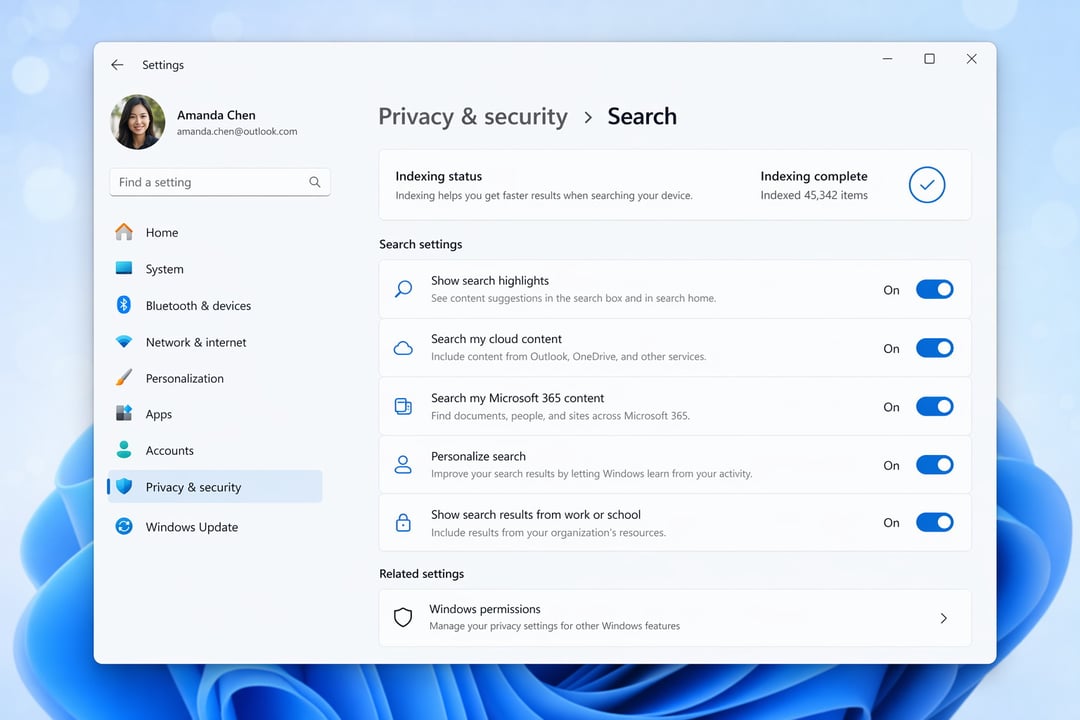
Microsoft is also adding a dedicated switch inside Settings > Privacy & Security > Search that lets users shut off web and Microsoft Store suggestions completely, limiting results to what's actually stored on the device. For anyone who'd rather keep Search focused strictly on their own PC, this is the kind of setting worth switching on right away.
Smarter Matching for Typos and Local Files
Search is also getting better at understanding what people actually mean to type. A misspelled search like "utlook" will still correctly surface Outlook instead of returning nothing useful. Local files and system settings are being weighted more heavily when they're the better match for a query, and searches using just two characters are now supported for finding files — something that wasn't previously possible.
Behind-the-Scenes Reliability Fixes
Beyond the visible interface changes, Microsoft says it has built in reliability improvements aimed at the crashes and loading delays that longtime Insiders have reported for months. These fixes won't be obvious the way a redesigned home screen is, but they address complaints that have lingered in the background of the Search experience for a while.
When Everyone Else Can Expect These Changes
Right now, every update described here is live only for Insiders in the Experimental channel. Microsoft has indicated the full set of changes should reach the broader Windows user base through a stable update within the next few months. None of it fundamentally reinvents how Search works — it simply corrects behavior that should have been in place from the start.