
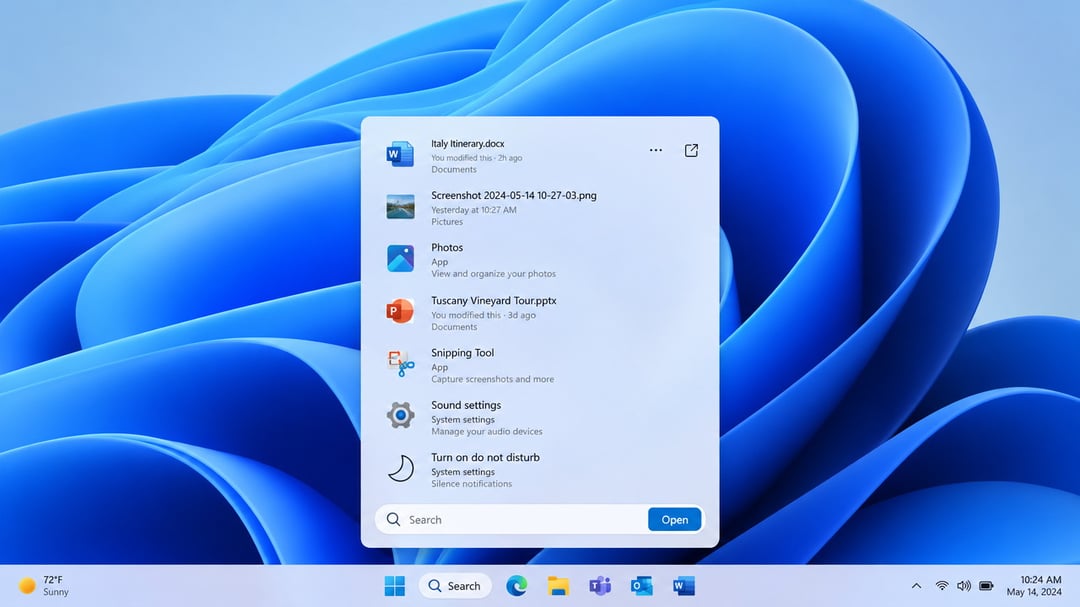
Microsoft is redesigning Windows Search in Windows 11 with a more streamlined interface, improved query handling, web-based inline previews, and new actions that let users change certain settings without opening separate apps or system pages.
The update moves Windows Search toward a more Copilot-like experience over time. Microsoft has not described inline actions as large language model-powered, but the company has said it wants Search to become more capable beyond file discovery.
A More Streamlined Windows Search Interface
The latest Windows Search redesign builds on updates introduced earlier in the year. Microsoft says the new experience is intended to make Search faster and more focused while expanding what people can do from the taskbar.
Windows Search now uses the WinUI 3 API. According to Microsoft, this change is expected to improve performance and efficiency compared with the prior version of the search tool.
The redesigned interface also replaces separate result and preview areas with a unified list that combines search results and previews. Microsoft made that design choice after finding that most clicks happened in the results list instead of the preview pane.
Better Search Results for Typos and Similar Terms
Windows Search is being updated to better understand user queries. The feature can return relevant matches when a search includes typos or synonyms, helping users find what they need even when the exact wording is not used.
That change gives Search a more flexible, Google-like feel while keeping the search experience on the local machine. Rather than treating every query as an exact phrase match, Windows Search is being designed to recognize related terms and imperfect spelling.
Rich Inline Previews From the Web
The update also adds richer inline previews sourced from the web. These previews can surface information directly in Windows Search, so users can check certain details without leaving the taskbar.
Examples mentioned for these previews include:
- Weather information
- Facts and other web-based information
The goal is to make the search box useful for more than locating files, apps, and settings. Instead of sending users away from their current task, Windows Search can provide quick information in place.
Windows Search Inline Actions
A major addition is the new inline actions feature. Inline actions are designed to let users complete selected Windows tasks from Search without opening another application or moving through multiple Settings pages.
Microsoft is initially introducing inline actions for familiar tasks, including turning options on or off and making quick system-setting adjustments.
Available Inline Action Categories
The early version of inline actions includes options related to:
- Toggling Windows options on and off
- Making quick changes to system settings
- Managing currently open windows
- Managing displays
These controls are meant to reduce the steps required for routine adjustments. Instead of searching for a setting and then navigating to a separate page, users can perform supported actions within the search experience.
Microsoft’s Copilot-Like Direction for Search
Microsoft has not directly confirmed that inline actions are powered by a large language model. Still, the company has said its longer-term goal is to make Windows Search more Copilot-like.
That direction suggests Windows Search will continue moving beyond its traditional role as a tool for finding files, apps, and settings. The redesign combines search results, previews, web information, and task controls in one interface.
Windows Search AI Redesign Availability
The redesigned Windows Search experience is already available to beta testers in the Windows Insider program.
To access it, eligible users need to:
- Be enrolled in the Windows Insider program
- Enable the experience through feature flags in Windows Insider settings
- Install the latest available Windows updates