
Microsoft is moving Windows settings into one place
Microsoft plans to phase out the Windows Control Panel and shift its functionality into the Settings app. The goal is to put settings options in a single location so users no longer have to jump between Control Panel and Settings for common tasks like configuring networks or printers.
This change is part of a broader effort to clean up the Windows 11 experience. Rather than splitting basic system configuration across older and newer interfaces, Microsoft is consolidating those controls into a more unified setup.
Why the Control Panel is taking time to retire
The transition isn’t happening all at once because the Control Panel still contains many device and driver settings. Moving these options over takes time, and Microsoft is being careful to make sure nothing breaks during the process.
This is important because the Control Panel has always been where users go for advanced system options, especially for hardware and device setup. Shifting these features to the Settings app means Microsoft needs to keep everything working smoothly while updating how things look and work.
Settings app redesign focuses on clarity and dark mode
As part of the migration, Settings pages are being redesigned for better clarity. Microsoft is also improving dark mode compatibility, which points to a more polished and visually consistent experience across the operating system.
Windows 11 updates are prioritizing speed, stability, and polish
Microsoft’s recent direction centers on speed, stability, and performance. The expected updates are less about introducing major new features and more about improving how Windows 11 feels in daily use.
After extended complaints around bugs, lag, and interface problems, the next wave of updates is expected to deliver better usability and a more coherent UI across the system.
April update begins the next phase
The upcoming changes begin with the April update. Over the next few months, Microsoft is expected to continue refining multiple parts of Windows 11, including interface consistency and overall responsiveness.
A more coherent Windows 11 user interface
One of the biggest themes behind these updates is consistency. Windows 11 has often felt uneven, with older tools and newer design elements sitting side by side. The current effort appears aimed at making the operating system feel more unified, both visually and functionally.
File Explorer is getting UI, performance, and reliability upgrades
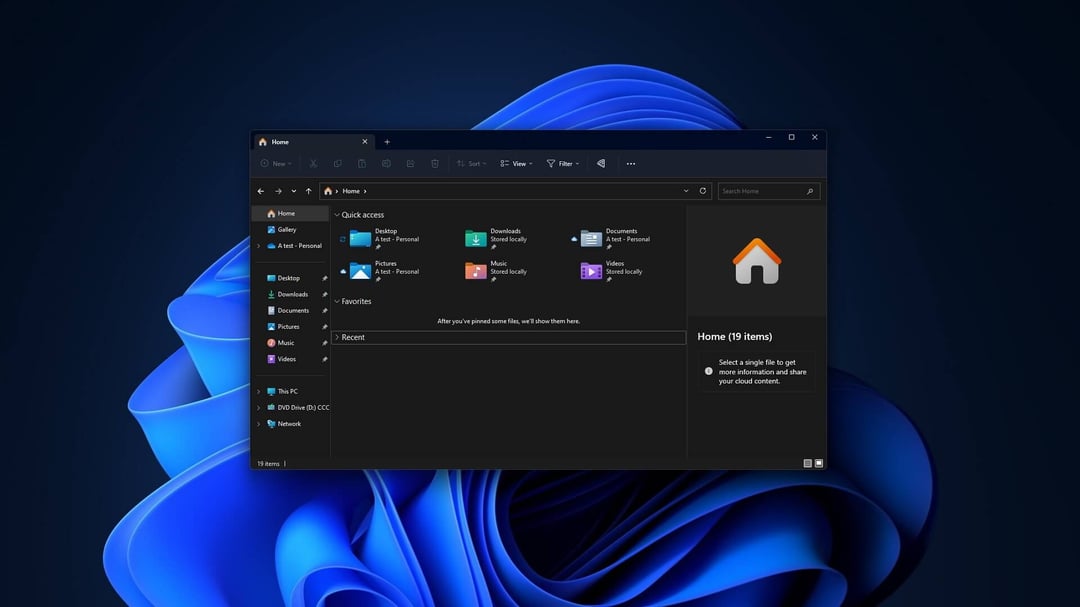
File Explorer is receiving a major overhaul. Microsoft is improving its user interface while also working on performance and reliability.
A cleaner look helps, but File Explorer is one of the most frequently used parts of Windows, so responsiveness and stability are just as important as appearance.
Voice typing support for renaming files
Among the changes rolling out this month is voice typing support for renaming files in File Explorer. It’s a small feature on paper, but it fits the larger pattern of practical usability improvements.
Start Menu improvements are aimed at faster performance
The Start Menu is also getting a significant update. Microsoft is bringing a notable performance boost, improved search indexing, and bug fixes.
Better search indexing in the Start Menu
Improved search indexing should help make the Start Menu more useful and more responsive. Combined with performance gains and bug fixes, the update is meant to make one of Windows 11’s most visible areas work more smoothly.
More Windows 11 improvements rolling out this month
Several additional changes are expected to arrive as part of this round of updates. These include UI refinements, accessibility-related additions, and more device control options.
Updated account dialogs with dark mode support
Account dialogs are being updated with dark mode support, continuing Microsoft’s push toward a more consistent visual experience.
Copilot integration for Narrator
Copilot integration for Narrator is coming to all devices, adding another change aimed at improving the overall experience.
More pen settings options
Microsoft is also adding additional options in pen settings for the pen tail button, giving users more flexibility in how that control works.
Microsoft is also modernizing Command Prompt
Alongside changes to Settings, File Explorer, and the Start Menu, Microsoft is modernizing the classic Command Prompt. The update brings in several features from the open-source Windows Terminal.
This sits in line with the broader pattern across Windows 11 right now: keep familiar tools, but improve them with a more current design and better functionality.
Windows 11 changes reflect a shift toward refinement over new features
The current set of updates suggests a practical change in focus. Instead of pushing headline-grabbing additions, Microsoft is putting effort into polish, usability, and consistency.
That means users can expect:
- Settings consolidation
- clearer Settings pages
- better dark mode support
- File Explorer improvements
- Start Menu performance gains
- bug fixes
- stronger reliability across core Windows tools