
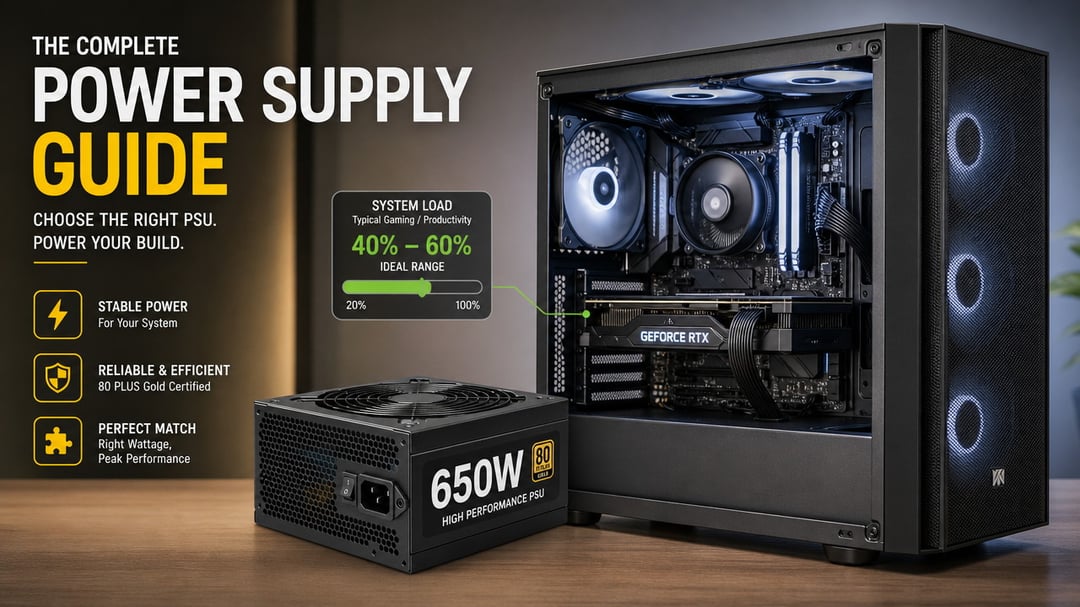
Most people overestimate what PSU wattage they need, then pay extra for capacity they'll never use. A typical gaming PC with a mid-range GPU pulls 300-400W under load, but builders routinely buy 750W or 850W units because "bigger is safer." That logic costs you money upfront and wastes energy every time you turn the machine on.
The right wattage comes from adding up your components' actual draw, accounting for GPU power spikes that TDP ratings don't show, and matching that total to a PSU with the right efficiency curve and connectors. You'll know how to size a power supply that delivers stable power without the markup, the cable clutter, or the energy waste of an oversized unit.
How to calculate your system's actual power draw
Start by adding the TDP ratings for your CPU and GPU. A Ryzen 5 7600X draws 105W, and an RTX 4060 Ti pulls 160W, giving you 265W for the two main components. Next, add 50-100W to cover the motherboard, RAM, storage drives, and case fans. That overhead depends on how many drives and fans you run, but 75W handles most typical builds.
In this example, total system power comes to roughly 340W. That number represents your baseline draw under load, not the PSU wattage you should buy. The actual PSU capacity you need accounts for efficiency losses, transient power spikes from the GPU, and headroom for stable operation.
For a faster estimate, use PCPartPicker's built-in calculator or the online tools from EVGA, Seasonic, and Cooler Master. These pull component specs automatically and give you a wattage recommendation in seconds.
Why GPU transient power spikes matter more than TDP
Modern high-end GPUs pull significantly more power than their rated TDP for brief moments. An RTX 4090 rated at 450W can spike to 600W or more for milliseconds during load changes. These transient spikes happen faster than most monitoring software can capture, but your PSU sees them.
If your PSU is sized too close to your system's calculated wattage, these spikes can trigger overcurrent protection and cause immediate shutdowns, especially during game launches or scene transitions. The system appears unstable even though your sustained power draw stays within spec.
For builds with an RTX 4070 Ti or higher, or an RX 7800 XT and above, add 150-200W of headroom specifically for transient handling. Mid-range cards like the RTX 4060 or RX 7600 have smaller spikes and need less buffer, typically 100W.
How efficiency ratings and connectors narrow your PSU choice
80 Plus ratings (Bronze, Gold, Platinum, Titanium) measure how much AC power from the wall gets converted to usable DC power. A Gold-rated PSU wastes less energy as heat, which lowers your electric bill and keeps the unit cooler, but it doesn't make your system more stable than a Bronze unit of the same wattage. Gold hits the best price-to-efficiency ratio for most builds. Higher ratings matter more for systems that run 24/7 or draw over 500W continuously.
Count the PCIe power connectors your GPU requires. A high-end card may need two or three 8-pin cables, or a single 12VHPWR connector on newer models. Confirm the PSU supplies these natively. Adapters that split a single cable into multiple connectors can overload that cable during transient spikes.
Modular cables let you detach unused connectors to reduce clutter inside the case. They don't change how the PSU delivers power.
Why buying a 1000W PSU for a 400W system wastes money
PSUs run most efficiently at 50-80% load. A 1000W unit powering a 400W system operates at 40% capacity, below its efficiency curve, and wastes electricity as heat. Over years of use, that adds up on your power bill.
Buying more wattage than you need also costs more upfront without delivering any performance or longevity benefit. A system that pulls 400W will never stress a quality 650W unit, so the extra headroom in a 1000W model does nothing.
The only valid reason to oversize is concrete upgrade plans within the next year, like adding a second GPU or moving to a flagship card. Otherwise, size your PSU to 1.3-1.5x your calculated system draw after accounting for transient spikes. For a 400W system with GPU transients factored in, a 550-650W unit is the right fit.
Size your PSU to what you'll use, not what sounds impressive
Calculate your system's actual power draw by adding component TDPs, then multiply by 1.3 to 1.5 to account for GPU transient spikes and efficiency overhead. A typical mid-range gaming build lands between 450W and 650W once you factor in headroom. Match that number to a PSU with the connectors your GPU requires and an 80 Plus Gold rating for the best balance of cost and efficiency. Resist the urge to buy a 1000W unit for a 400W system unless you have concrete upgrade plans within the next year. The right PSU is the one that delivers stable power at the wattage you'll actually use, not the highest number on the box.