
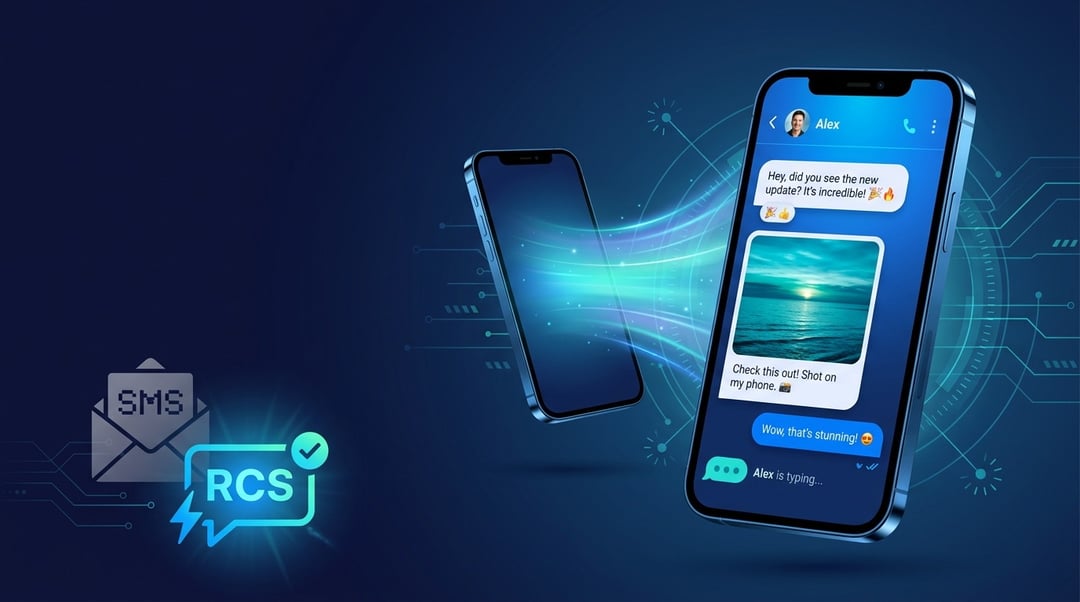
You've probably seen it happen. Someone sends a message and you can see when they're typing. You react to it with a thumbs up instead of sending a separate "haha." The photos load sharp and full-size. And somewhere in the back of your mind you think — wait, when did texting get good?
That's RCS. And chances are, you're already using it.
So What Is RCS Messaging, Exactly?
RCS stands for Rich Communication Services. It's the modern replacement for SMS — the basic text messaging standard that's been around since the early 90s and honestly hasn't changed much since.
Think of it this way: SMS is a flip phone. RCS is a smartphone. Same core idea — send a message to someone — but everything around that core is dramatically better.
The GSM Association (the body that oversees global mobile standards) developed RCS as the official next-generation messaging protocol. Google pushed it into the mainstream by baking it into Google Messages on Android. And as of iOS 18, Apple finally joined in too.
What RCS Can Do That SMS Can't
Here's where it gets tangible. RCS messaging supports:
- Read receipts and typing indicators — you know when your message landed and when someone's writing back
- High-resolution photo and video sharing — no more images that look like they were taken through a foggy window
- Reactions — press and hold a message to respond with an emoji, just like iMessage
- Replies — respond to a specific message in a thread instead of creating confusion
- Better group chats — real group chat functionality, not the clunky SMS group text that notoriously falls apart
- Interactive buttons — businesses can send messages with tap-to-confirm, tap-to-track, or tap-to-reply options built right in
It's basically everything you already love about iMessage or WhatsApp — except it's built into your phone's native messaging app. No download required. No account to create.
How Does RCS Compare to iMessage and WhatsApp?
Fair question. Here's the honest breakdown.
iMessage is great — if everyone you know has an iPhone. The moment you text someone on Android, it falls back to SMS and you get that dreaded green bubble. WhatsApp and Signal work beautifully but require everyone to download the same app and sign up.
RCS sidesteps both problems. It lives natively in your messaging app and works across Android devices without any extra steps. And now that Apple supports it, an iPhone user and an Android user can exchange RCS messages with read receipts, reactions, and full-resolution media — no green bubble friction.
It's not quite as seamless as iMessage-to-iMessage yet, but it's genuinely close. And it's universal in a way neither iMessage nor WhatsApp can claim.
Do You Already Have RCS Turned On?
Probably. If you use Google Messages on Android, RCS is likely active by default. You can confirm by opening Google Messages, tapping your profile icon, going to Messages settings → RCS chats, and checking that it's enabled.
On iPhone, iOS 18 brought RCS support through the built-in Messages app. You don't need to do anything — it activates automatically when messaging someone whose carrier and device also support it.
If both sides support RCS, your conversations will show features like typing indicators and read receipts. If one side doesn't, it falls back to SMS seamlessly. You won't even notice.
Why RCS Actually Matters Beyond the Features
Here's the part that doesn't get talked about enough. RCS messaging is getting end-to-end encryption — Google has been rolling it out in Google Messages, which means your conversations are protected in a way SMS never was.
It also supports verified sender IDs for businesses, which helps cut down on phishing and spam texts impersonating your bank or delivery service.
And for accessibility, RCS supports better media descriptions and message formatting that SMS simply couldn't handle.
Conclusion
RCS messaging is texting, finally fixed. It's not a new app. It's not a subscription. It's just the version of SMS that should have existed a decade ago — and it's quietly rolling out across the devices most of us already carry.
You might already be using it. And if you're not, you probably will be soon.