
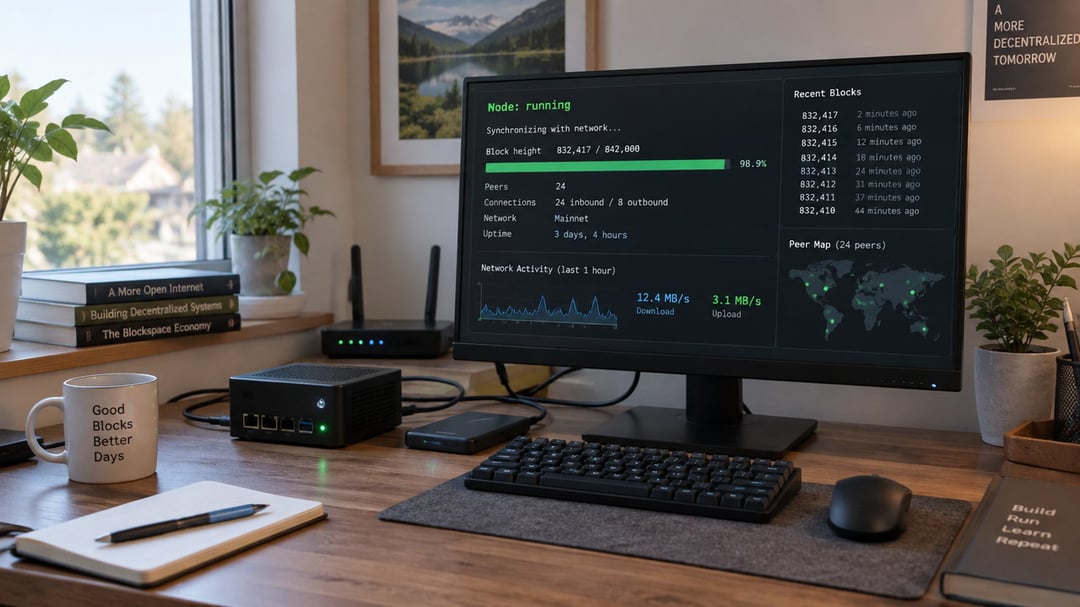
Most people interact with blockchains through exchanges or wallet apps, trusting someone else's infrastructure to validate transactions and relay data. That works until the service goes down, censors a transaction, or gets compromised. A blockchain node is your own copy of the network—software that validates every transaction independently, stores the blockchain's history, and lets you participate without relying on intermediaries.
Running a node at home isn't as complex as it sounds. You don't need a server farm or specialized hardware. A standard computer, an external drive, and a few hours of setup time are enough to run a full Bitcoin or Ethereum node. By the end of this guide, you'll know what kind of node fits your goals, what equipment you need, and how to get your own node running and synchronized with the network.
What is a blockchain node?
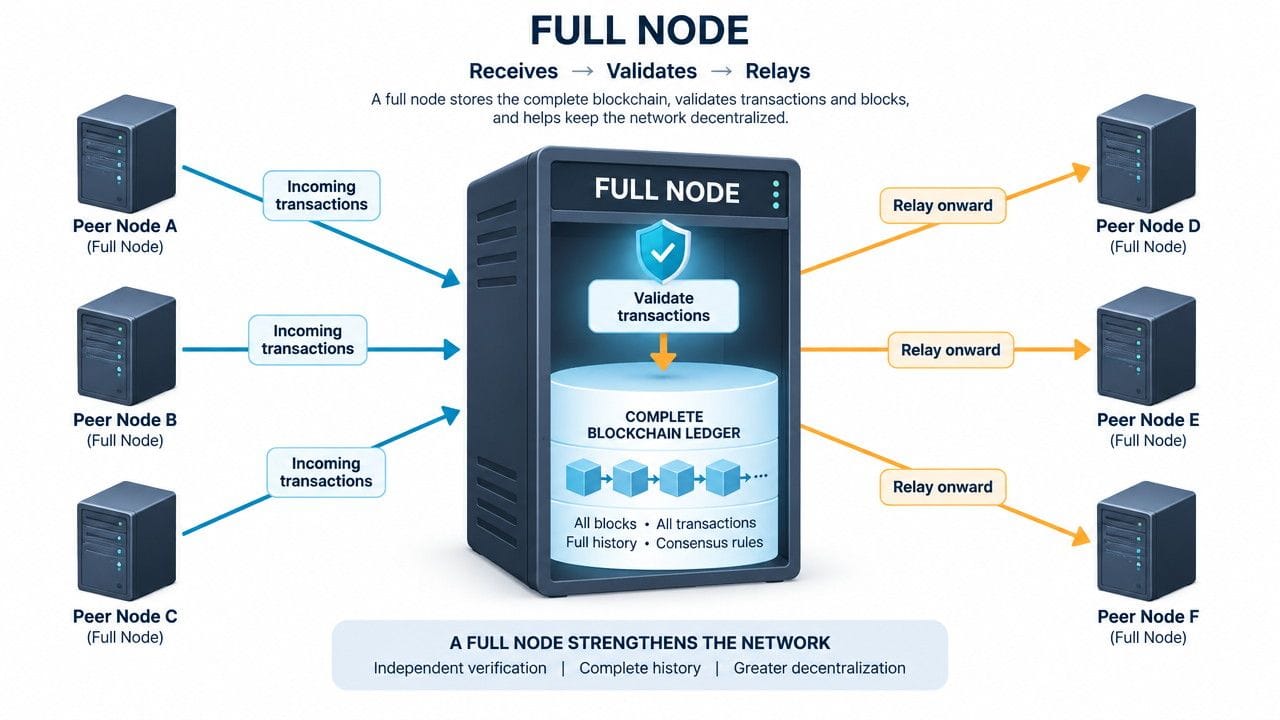
A blockchain node is any computer or device that stores a full or partial copy of the blockchain ledger and participates in the network by relaying transactions and blocks to other nodes. When someone broadcasts a transaction, nodes receive it, check whether it follows the network's rules, and pass it along to their peers if valid.
Nodes act as the network's verification layer. Each node independently validates every transaction and block it receives against the consensus rules: Does this transaction have a valid signature? Does the sender have sufficient balance? Does this block reference the correct previous block? If a block violates any rule, the node rejects it and refuses to build on top of it.
This is distinct from mining. Miners create new blocks by solving computational puzzles and receive block rewards for their work. Most nodes simply validate and relay data without mining. Some mining operations run nodes as part of their infrastructure, but the functions are separate. A network can have thousands of validating nodes and only a few dozen active miners.
Nodes maintain network integrity by forming a distributed verification system. No single entity controls what counts as a valid transaction, because every node enforces the rules independently.
Full nodes: the backbone of blockchain networks
A full node is a device that downloads, stores, and validates the complete history of a blockchain from the genesis block forward. When a new transaction or block arrives, the full node checks it against every consensus rule: valid signatures, correct timestamps, no double-spending, proper block structure. If any rule fails, the node rejects the data, regardless of how many other nodes accept it. This independent verification is what makes blockchains trustless.
Full nodes anchor the network's security. Miners and validators can propose blocks, but full nodes decide whether those blocks are legitimate. If a majority of miners attempted to change the rules, the network's thousands of full nodes would reject the invalid blocks and continue on the legitimate chain. This distributed enforcement prevents any single entity from rewriting history or inflating supply.
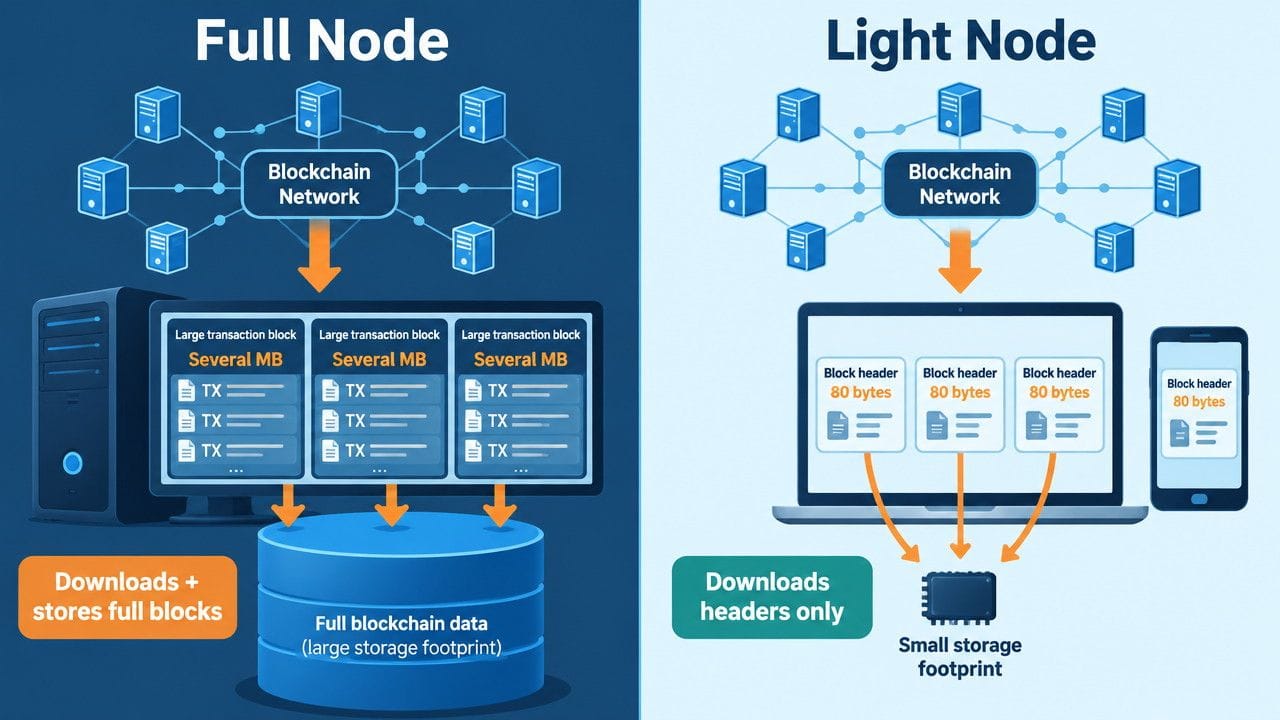
Running a full node requires significant disk space. Bitcoin's blockchain exceeds 500 GB and grows by roughly 60 GB per year. Ethereum's size depends on the client and pruning settings; archive nodes that store every historical state can require multiple terabytes, while pruned full nodes use several hundred gigabytes. These storage demands increase over time, which is why node operators typically plan for expandable drives.
Light nodes (SPV nodes): lower resource requirements
Light nodes, also called SPV (Simplified Payment Verification) nodes, download only block headers rather than full transaction data. A block header is roughly 80 bytes, compared to the megabytes of transaction data in each block. This design allows a light node to verify that a transaction exists in a block without downloading every transaction in that block.
Light nodes rely on full nodes to provide Merkle proofs, which cryptographically confirm that a specific transaction is included in a block. The light node checks the proof against the header it already has. This verification is mathematically sound but comes with a tradeoff: light nodes assume the chain with the most proof-of-work is honest. They cannot detect invalid transactions the way full nodes can because they never see the full transaction set.
The benefit is practical: light nodes typically require a few hundred megabytes of storage instead of hundreds of gigabytes, and they use minimal bandwidth after the initial header sync. This makes them ideal for mobile wallets like Electrum or breadwallet, and for embedded devices where running a full node is not feasible. The security reduction is acceptable for smaller transactions where the convenience outweighs the need for full verification.
Masternodes: nodes with special functions
Masternodes are full nodes that handle additional network services beyond validating and relaying transactions. They maintain a complete copy of the blockchain while performing specialized functions that standard full nodes don't support.
Common masternode services include processing instant transactions that confirm in seconds rather than minutes, facilitating private transactions that obscure sender and receiver details, and participating in governance votes that determine protocol upgrades and treasury spending. The specific functions depend on the network's design.
Running a masternode requires locking a substantial amount of the network's cryptocurrency as collateral. This stake discourages bad behavior since operators risk losing their collateral if they attack the network or go offline frequently. Dash requires 1,000 DASH (roughly $26,000 at recent prices), while PIVX requires 10,000 PIVX. The collateral remains in your control but must stay in a designated wallet address.
In exchange for the collateral requirement and the cost of maintaining reliable uptime, masternode operators receive a portion of each block reward. Dash masternodes typically earn 45% of the block reward, split among all active masternodes. The return varies with the number of active masternodes and the coin's market price.
Why run your own node?
Running your own node keeps your blockchain activity private. When you rely on a third-party service to check your balance or broadcast a transaction, that service sees your addresses, amounts, and transaction history. Your own node queries the blockchain directly without revealing what you're looking up or who you are.
You also verify every transaction and block yourself instead of trusting someone else's infrastructure. Third-party nodes can serve you false balance information or fail to relay your transactions. Your node downloads the full blockchain and checks each block against the consensus rules, so you know the data is legitimate.
More nodes make the network harder to control or censor. Every additional node stores a complete copy of the ledger and relays transactions independently, which distributes the network's infrastructure across more participants and jurisdictions. If one region blocks access or a data center goes offline, the rest of the network continues operating.
Finally, running a node gives you direct insight into how the protocol works. You see blocks arrive in real time, watch the mempool fill and clear, and interact with the network at the protocol level rather than through an abstraction layer.
Hardware and software requirements
Bitcoin full node requirements
A Bitcoin full node stores the entire blockchain, which exceeds 500 GB and grows continuously. You need a quad-core CPU (modern Intel or AMD), 4 GB of RAM minimum (8 GB recommended), and at least 1 TB of SSD storage. SSD is not optional in practice: HDD sync times stretch from days to weeks, and the constant random reads during initial block download will bottleneck on spinning disk seek times.
Bandwidth matters in two phases. Initial sync downloads the full chain, consuming 500+ GB. After sync, a node uses roughly 200 GB per month uploading blocks to other peers and downloading new transactions. Most residential connections handle this, but metered or capped plans will struggle.
Bitcoin Core is the reference implementation and the most widely used node software. It runs on Linux, Windows, and macOS.
Ethereum full node requirements
Ethereum's state size makes it heavier. A full node requires a hex-core CPU, 16 GB of RAM, and 2 TB of SSD storage. Geth is the most common client. Erigon is an alternative that uses less disk space through better compression but needs more RAM during sync. Both support Linux, Windows, and macOS.
Step-by-step: running a Bitcoin node at home
Download Bitcoin Core from bitcoin.org/en/download and verify the release signatures using the SHA256 hashes provided on the downloads page. This confirms the file hasn't been tampered with.
Run the installer and choose a data directory with at least 600 GB of free space. The default location works for most users, but if your primary drive is small, point it to an external drive during setup. Open the software and it will begin syncing the entire blockchain from 2009 to present. Expect this initial sync to take anywhere from a few days to two weeks depending on your internet speed and hardware. The process is CPU and disk-intensive at first, then becomes mostly network-bound.
To accept incoming connections and help other nodes sync, forward port 8333 on your router to your computer's local IP address. Add an exception in your firewall for Bitcoin Core. This step is optional but turns your node into a full network participant rather than a passive downloader.
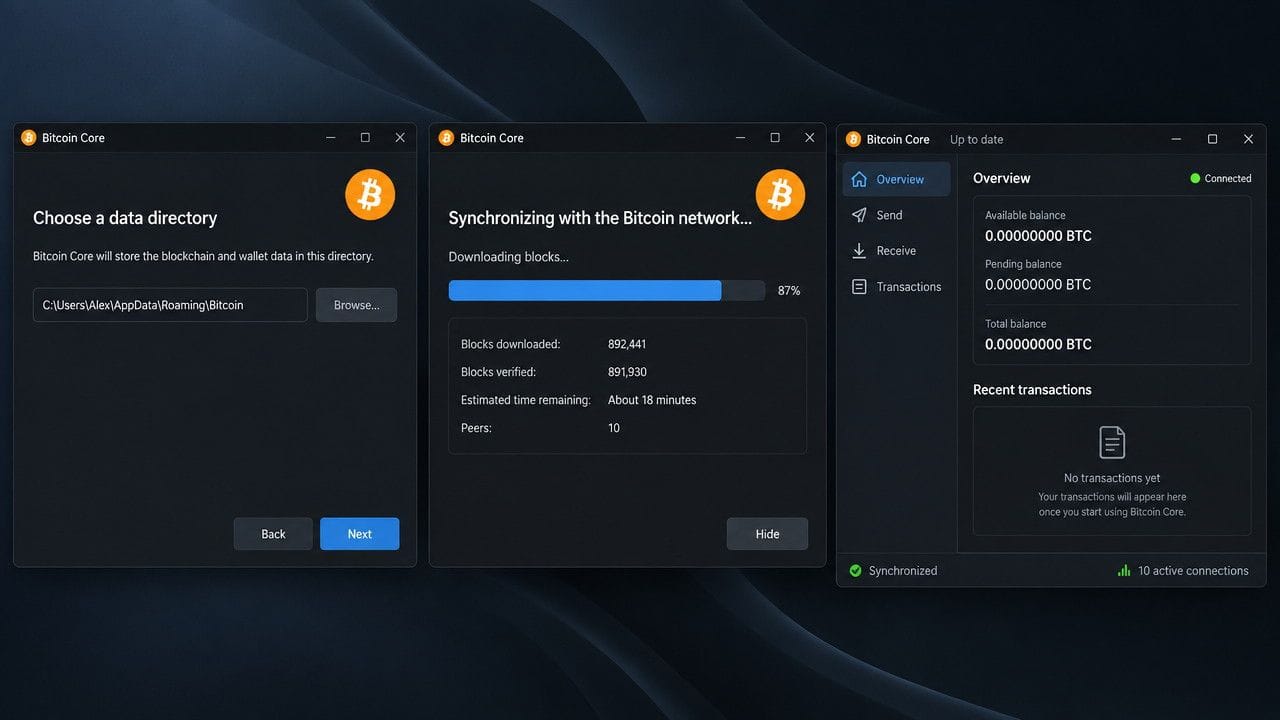
Check the status in the Bitcoin Core interface. Once "Synced" appears and the peer count shows 8 or more connections, your node is operational and validating transactions.
Common issues and how to solve them
Slow sync times usually trace back to disk I/O bottleneck. If you're running on an HDD, the initial blockchain download can take weeks because the node validates every transaction sequentially. An SSD cuts sync time to days or hours depending on the chain. If disk speed isn't the issue, check your internet connection: slow or unstable bandwidth stalls the download. For Bitcoin and Ethereum, enabling pruning during setup reduces the data you need to download and verify, which speeds up the process without breaking functionality for most users.
Disk space fills up faster than expected when running a full archival node. Pruning solves this by discarding old block data after validation, keeping your storage footprint under 50 GB for Bitcoin instead of 500+ GB. The tradeoff: you can't serve historical data to other nodes or query arbitrary old transactions locally. If you don't need the full history, pruning is the practical choice.
Connection problems stem from closed ports or ISP restrictions. Forward port 8333 for Bitcoin or 30303 for Ethereum in your router settings so other nodes can reach you. Some ISPs throttle or block peer-to-peer traffic; switching to a VPN sometimes resolves it.
Nodes crash or stop syncing when system resources run out or the software hits a bug. Restarting usually clears temporary issues. Check logs for memory errors or corrupted database warnings, which may require resyncing from a checkpoint.
Start with a Bitcoin node if you want hands-on experience
Running a blockchain node gives you direct control over how you interact with the network. If privacy and independent verification matter to you, a full node is worth the disk space and setup time. Start with Bitcoin if you want the most stable, well-documented experience—download Bitcoin Core, allocate 600 GB of SSD storage, and let it sync. Ethereum requires more decision-making around clients and sync modes, but the principles are the same. If you're on a budget or just want to test the process, try a pruned Bitcoin node first. You'll still validate every transaction, just without storing the full history. Once it's running, you stop trusting other people's infrastructure and start using your own.