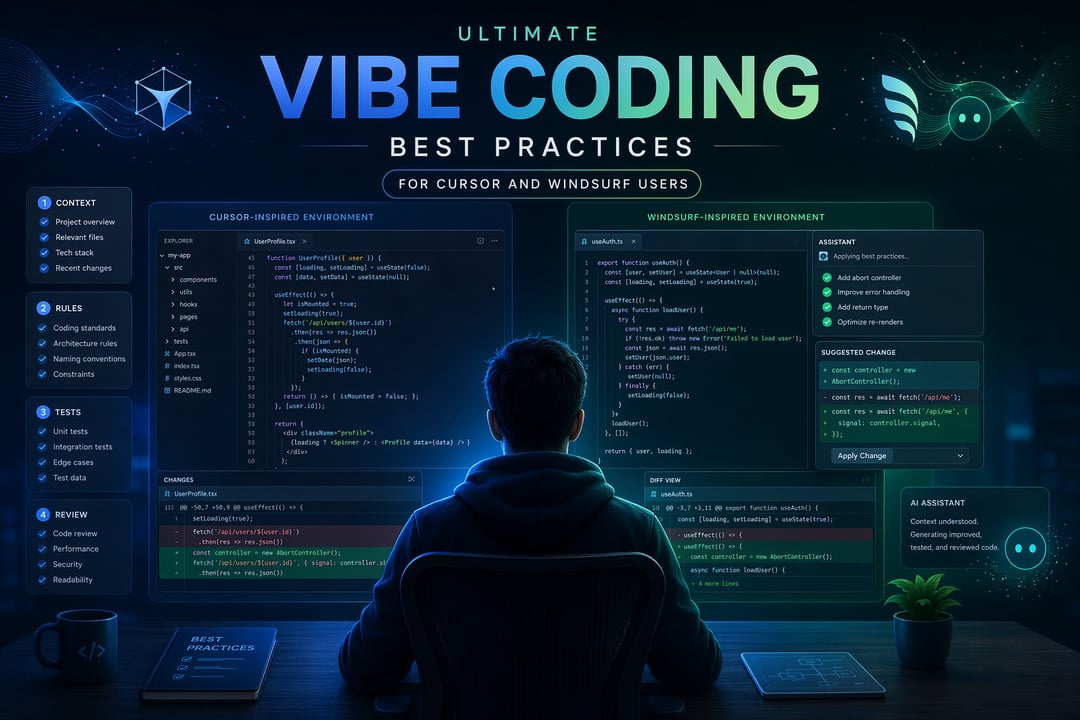
Vibe coding feels amazing when it works. You describe what you want, Cursor or Windsurf starts changing files, and suddenly the blank editor is not blank anymore.
That speed is the whole appeal.
But there’s a quiet trap here. AI-generated code can look confident even when it misunderstands your app, skips an edge case, adds the wrong dependency, or rewrites more than you asked for. The code may compile. The diff may look clean. Still, something can be off.
The best vibe coding is not “let the AI drive.” It’s closer to pair programming with a fast junior developer who has read half your codebase and occasionally makes things up. Helpful? Absolutely. Worth supervising? Every time.
This guide breaks down practical vibe coding best practices for Cursor and Windsurf users who want faster output without messy architecture, fragile fixes, or mystery bugs.
What Vibe Coding Really Means
Vibe coding means using natural language to guide software development. Instead of manually writing every line, you describe the result you want and let an AI coding tool create a first draft.
That does not mean careless coding.
Good vibe coding still depends on clear thinking. You still define the goal. You still review the implementation. You still run tests. You still own the final code.
Cursor and Windsurf both make this workflow easier. Cursor gives you strong control over context, rules, files, and agent behavior. Windsurf’s Cascade experience focuses more on flow, memory, and automatic context. Both can save hours. Both can also create problems quickly if you accept changes without understanding them.
The goal is simple: let AI reduce typing, searching, and boilerplate. Do not let it replace judgment.
Start With a Clear Goal Before Asking for Code
A vague prompt creates vague code.
“Build me a dashboard” sounds harmless. But the AI now has to guess the framework, data shape, components, styling system, loading state, error behavior, and business logic. Every guess becomes a possible cleanup task.
A better prompt gives boundaries:
Build a React dashboard component that shows monthly revenue, active users, and churn rate.
Use the existing Card component.
Do not add new dependencies.
Follow the current file structure.
Include loading, empty, and error states.
This prompt tells Cursor or Windsurf what to build, what to avoid, and what good output looks like. That matters more than prompt cleverness.
Before you ask for code, define:
- The feature or bug you want handled
- The files or areas likely involved
- The patterns the code should follow
- The dependencies it may or may not use
- The tests or checks that should pass
- The edge cases you already know about
Think of your prompt as a tiny project brief. A clear brief creates better code.
Manage Context Like It’s Expensive
Context is the fuel for AI coding. Bad context produces bad suggestions. Too much context creates noise. Too little context forces the model to invent things.
Cursor users should be deliberate. Add the smallest useful set of files. Include the component, related tests, shared types, and nearby utilities. If the task involves authentication, include the auth layer. If it involves UI copy, include the existing component patterns.
Do not dump the whole repo into context unless the task truly needs it.
Windsurf users should treat Cascade’s automatic context as helpful but not magical. Ask it to summarize what it believes before making changes:
Before editing, summarize the relevant project context and list the files you plan to inspect.
That one step can reveal wrong assumptions early.
Also watch for context rot. This happens when a long AI chat collects old requirements, abandoned ideas, and stale decisions. If the task changes, start a fresh thread. If the AI keeps repeating an old assumption, reset. If the diff feels hard to explain, stop.
Fresh context often beats a tired conversation.
Use Rules to Teach Cursor and Windsurf Your Standards
Rules turn repeated instructions into reusable guidance. They help AI tools follow your project instead of generic coding habits.
For Cursor, project rules can define style, naming, folder structure, testing expectations, and security requirements. Cursor’s documentation covers agent behavior, rules, and related configuration in more detail at cursor.com/docs.
A useful rule might look like this:
When modifying API routes:
- Validate all input with the existing schema library.
- Return typed errors.
- Do not expose stack traces to clients.
- Add or update integration tests for changed behavior.
Windsurf has a similar idea through rules and memories. Its Cascade memory documentation explains how memories store local context. Use them carefully.
Here’s a clean split:
- Rules store stable team standards.
- Memories store helpful workspace context.
- Prompts store temporary task details.
Do not put every preference into rules. Bloated rules confuse the model and waste context. Keep them short, direct, and tied to real review comments your team keeps making.
Ask for a Plan Before the First Edit
One of the strongest vibe coding habits is also one of the simplest: ask for a plan first.
Use this prompt:
Before editing files, explain your plan.
List the files you expect to change.
Identify risks, edge cases, and tests.
Wait for approval before writing code.
This slows the AI down exactly where it should slow down. You can catch unnecessary rewrites, missing tests, bad assumptions, and overbuilt abstractions before they hit your codebase.
Treat the plan like a lightweight design review. Push back when Cursor or Windsurf proposes a new dependency for a small problem. Ask why a file needs to change. Request a simpler option.
AI agents move fast. Your job is to keep them pointed at the right target.
Keep Diffs Small and Reviewable
Large AI-generated diffs feel productive until something breaks.
A 600-line change can hide one subtle permission bug, one broken import, and one unnecessary refactor. Now you’re not saving time. You’re untangling a knot.
Keep the work narrow:
- Ask for one fix or feature at a time.
- Block unrelated refactors.
- Review every changed file.
- Commit working checkpoints.
- Run tests before moving on.
After a change, ask:
Explain this diff file by file.
Call out behavior changes, risk areas, and anything unrelated to my request.
This forces the tool to account for its work. It also helps you understand the code before you merge it.
Test AI-Generated Code Like You Don’t Trust It Yet
AI code deserves suspicion without cynicism.
Run the normal checks: tests, type checks, linting, and local smoke tests. Then go further. Try empty states. Try invalid input. Try a user without permission. Try the weird case you know happens every Friday afternoon when real customers use the product.
Security needs special attention. The OWASP Secure Coding Practices are a good reference point. Check input validation, authorization, secret handling, logging, dependency risk, and database queries.
The danger is not ugly code. The danger is plausible code.
Use AI for Debugging Without Outsourcing Understanding
When something breaks, give Cursor or Windsurf evidence.
Bad prompt:
This is broken. Fix it.
Better prompt:
This endpoint returns 500 when the user has no billing profile.
Here is the stack trace.
Explain the root cause before changing code.
Ask for the root cause first. Otherwise, the AI may add a fallback that hides the real issue. That kind of fix feels good for ten minutes and then becomes tomorrow’s production bug.
Good debugging has a rhythm: reproduce, explain, fix, test. Keep that rhythm even when the AI writes the patch.
Final Takeaway: Fast Is Useful Only When It Stays Accountable
Cursor and Windsurf can make coding feel lighter. They help you move from idea to draft quickly. They can explain unfamiliar code, sketch implementation plans, and handle repetitive edits while you stay focused on the bigger problem.
But the best vibe coding still has structure.
Start with a clear goal. Manage context carefully. Use rules for stable standards. Ask for a plan. Keep diffs small. Test everything that matters.
The point is not to make the AI code instead of you. The point is to make your thinking sharper, your feedback loop shorter, and your code safer than it would be if you were rushing alone.