
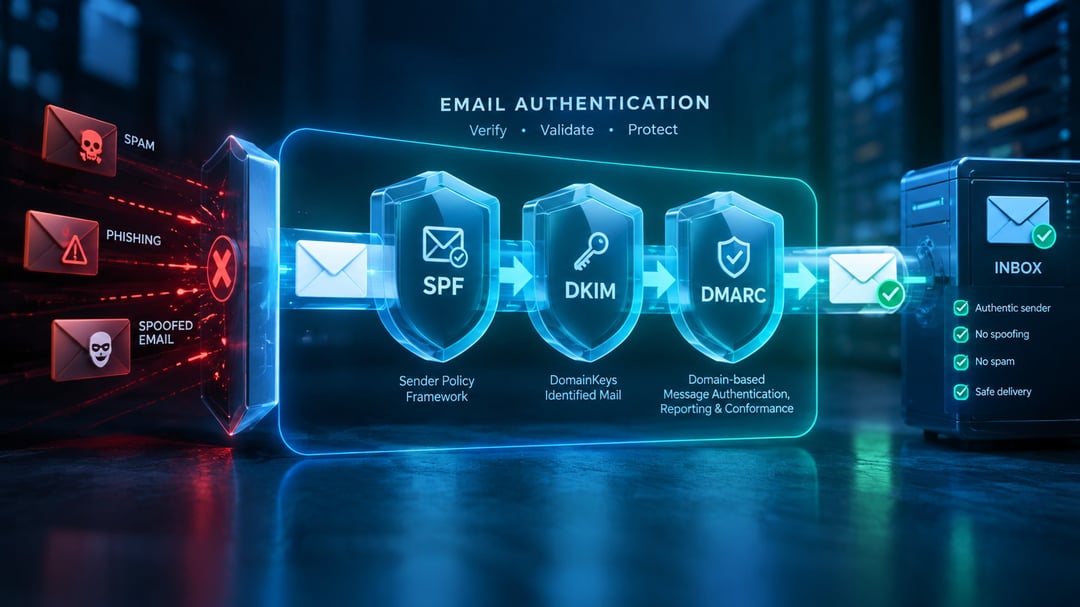
You sent an important email, and it vanished into someone's spam folder. The problem isn't your message or your intentions—it's that receiving servers can't verify you are who you claim to be. SPF, DKIM and DMARC explained simply: they are three authentication standards that prove your emails are legitimate, making it nearly impossible for spammers to impersonate your domain.
Most people assume spam filters analyze content. They do, but the first check happens earlier. Before a server even opens your message, it verifies your sending server's identity, checks for cryptographic signatures, and consults policies you've published. Get these wrong and your emails disappear regardless of what they say. Get them right and you gain the same sending reputation enterprises rely on to reach every inbox.
Why legitimate email lands in spam folders
Email has a fundamental design flaw: the From address is trivially easy to fake. When you send an email, you declare who you are in the message headers, but the original SMTP protocol includes no mechanism to verify that claim. A spammer can write "From: [email protected]" in their headers and route the message through a server in another country, and the receiving mail server has no built-in way to confirm the sender actually controls that domain.
This creates a verification problem. Receiving servers must decide whether to trust each incoming message, but the From header alone provides no proof of identity. Without authentication, legitimate mail from a newly configured server or a domain with no sending history looks identical to forged spam. The result is that servers default to suspicion, and legitimate email gets filtered alongside actual threats.
SPF, DKIM and DMARC were designed to solve this problem by giving domain owners a way to prove their messages are authentic and giving receiving servers a reliable method to verify those claims.
SPF: verifying the sending server
SPF (Sender Policy Framework) is a DNS TXT record that lists which mail servers are authorized to send email on behalf of your domain. When a receiving server gets a message claiming to come from @yourdomain.com, it looks up your SPF record and checks whether the sending server's IP address appears in that list.
If the IP matches, the message passes SPF. If it doesn't match, it fails. A pass increases the likelihood your email reaches the inbox. A fail often triggers spam filtering or outright rejection, depending on the receiver's policy.
A basic SPF record looks like this:
v=spf1 ip4:192.0.2.10 include:_spf.google.com ~all
This authorizes the IP 192.0.2.10 and any servers Google lists in its SPF record. The ~all means messages from unlisted servers should soft-fail.
SPF breaks when email gets forwarded because the forwarding server's IP won't match your original SPF record. The check also relies on reverse DNS: if the sending IP has no valid PTR record, some receivers treat it as suspicious regardless of SPF status.
DKIM: cryptographic proof the message wasn't altered
DKIM (DomainKeys Identified Mail) attaches a digital signature to every outgoing email. The sending server generates this signature by hashing the message body and selected headers, then encrypting the hash with a private key. That signature appears in the email's DKIM-Signature header and travels with the message wherever it goes.
The server also publishes the matching public key as a TXT record in DNS, typically at selector._domainkey.example.com. When a receiving server gets the email, it retrieves the public key, decrypts the signature, and recalculates the hash from the message. If the two hashes match, the message passed through unmodified.
Because the signature stays in the header, DKIM survives forwarding. An SPF check might fail after a forward, but the DKIM signature remains valid as long as the forwarder doesn't rewrite the message body or signed headers.
DKIM proves the message content is intact. It does not prove the From address is legitimate—a spammer can sign mail from a domain they control and still forge the visible sender name.
DMARC: telling servers what to do when authentication fails
DMARC (Domain-based Message Authentication, Reporting and Conformance) is a policy layer that tells receiving servers what to do when SPF or DKIM checks fail. A domain owner publishes a DMARC record in DNS specifying one of three policies: reject (block the message), quarantine (send to spam), or none (monitor only).
The critical piece DMARC adds is alignment. For a message to pass DMARC, the domain in the visible From header must align with either the domain that passed SPF or the domain that signed with DKIM. This prevents attackers from passing SPF and DKIM with their own infrastructure while forging a trusted brand in the From address the recipient sees.
DMARC also sends aggregate reports to domain owners showing all mail sent using their domain, whether legitimate or spoofed. This visibility lets organizations spot unauthorized senders and gradually move from monitoring to enforcement. Because DMARC blocks display-name spoofing at scale, phishing campaigns impersonating major brands become much harder to execute once those brands publish strict DMARC policies.
Getting SPF, DKIM and DMARC working on your domain
If you run a domain that sends email, check whether SPF, DKIM and DMARC records exist in your DNS. Start with SPF to authorize your mail servers, add DKIM signatures for message integrity, then publish a DMARC policy set to monitor mode so you can see who is sending mail claiming to be from your domain. Once the reports confirm legitimate traffic is authenticating correctly, tighten the policy to quarantine or reject. If you are troubleshooting delivery problems, ask your mail provider whether authentication is configured. Missing records or misaligned domains are why legitimate mail gets blocked. For background on how DNS ties into server identity, see the reverse DNS and server trust material in the Internet Protocols pillar.