
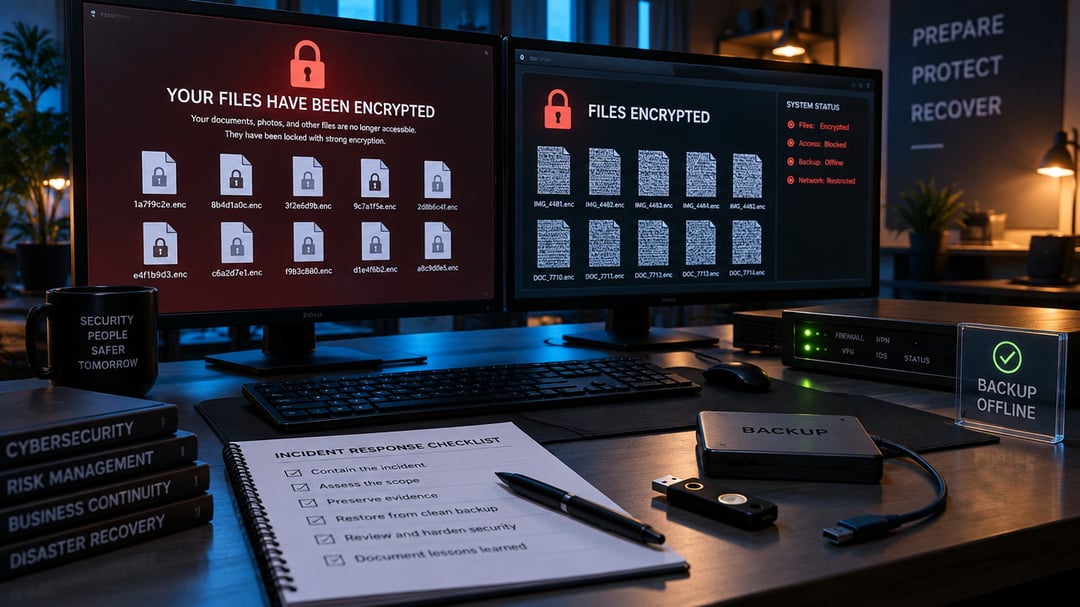
There’s a particular kind of panic that sets in when a business opens on Monday morning and nothing works. Shared folders won’t open. Customer records are gone. A message on the screen demands payment to restore access.
That’s ransomware. And it’s rarely just a locked computer anymore.
Modern ransomware attacks can interrupt daily operations, expose confidential information, and leave teams scrambling to understand what happened. The good news is that preparation changes the equation. You may not control every threat, but you can make an attack much harder to execute and far less painful to recover from.
What Is Ransomware?
Ransomware is malicious software that blocks access to systems or encrypts files so they cannot be read. Attackers then demand money, usually through cryptocurrency, in exchange for a decryption key.
But the damage often starts before the ransom note appears.
Many criminal groups now steal sensitive files first. They may take customer data, financial documents, employee information, contracts, or internal emails. Then they encrypt systems and threaten to publish the stolen material if the victim does not pay.
This approach is known as double extortion. It puts pressure on organizations even when they have reliable backups. A backup can restore files. It cannot pull copied data back from an attacker’s hands.
How Ransomware Attacks Happen
Most ransomware attacks do not begin with someone dramatically “breaking into” a network. They begin with a small opening that should not have existed: a stolen password, an unpatched server, or one convincing email.
Phishing Emails and Stolen Credentials
Phishing remains one of the most common routes into an organization. An attacker may send an email that looks like a vendor invoice, a password-reset request, or a message from a senior executive. The goal is simple: get someone to open an attachment, click a harmful link, or sign in to a fake website.
Once an attacker has a username and password, they may access email, cloud storage, VPNs, or remote-desktop tools. And if that password has been reused elsewhere, one stolen credential can unlock several systems.
That’s why multi-factor authentication matters. A password alone is like a house key that can be copied without you knowing. Multi-factor authentication adds another check, such as an app approval or security key, before access is granted.
Unpatched Systems and Exposed Remote Access
Software updates can feel inconvenient. Still, delayed patching gives attackers time to exploit publicly known flaws in operating systems, applications, firewalls, and remote-access services.
Remote Desktop Protocol, VPN services, and remote-management tools deserve special attention. These services help employees work from anywhere. They also create a direct path into the network when organizations expose them to the internet without strong controls.
Attackers often scan for these openings automatically. They do not need to know your company personally. They are looking for an unlocked door.
Moving Quietly Through the Network
After gaining initial access, experienced attackers often wait. They explore the environment, search for valuable data, and try to obtain more powerful account permissions.
This stage is called lateral movement. An attacker moves from one compromised device or account to another, much like someone who gets through a building’s front entrance and then searches for keys to every locked office.
They may target administrator accounts because those accounts can access servers, business applications, shared drives, and backup systems. They may also create hidden accounts, disable security tools, or change backup settings. None of this is accidental. It is preparation.
Stealing Data and Launching the Attack
Once attackers understand the environment, they often copy sensitive data out of the network. Then they deploy ransomware across many systems at once.
They frequently choose evenings, weekends, or holidays. Fewer people are available to notice suspicious activity, isolate affected machines, and stop the spread.
By the time the ransom note appears, the attackers may already have encrypted files, damaged backups, and taken copies of data. This is why ransomware preparedness must happen before an incident, not during one.
How to Prepare for Ransomware Attacks
Strong ransomware prevention does not depend on a single cybersecurity product. It depends on layers. If one control fails, another should slow the attacker down or stop the attack altogether.
Protect Accounts and Limit Access
Start with identity security. Require multi-factor authentication for email, cloud applications, VPNs, remote-access tools, and administrator accounts. This single step can block many attacks that rely on stolen passwords.
Next, apply the principle of least privilege. People should have access only to the systems and data they need for their job. A standard employee account should not have administrator rights just because it is convenient.
Review privileged accounts regularly. Remove accounts that no longer belong to active staff. Separate everyday accounts from administrator accounts. These basics are not glamorous, but they close the gaps attackers count on.
Patch Systems and Watch for Warning Signs
Maintain an accurate inventory of devices, software, cloud services, and network-connected equipment. You cannot secure systems you do not know exist.
Apply patches promptly, especially for internet-facing services and critical business software. Use reputable endpoint protection that can identify unusual behavior, such as attempts to disable security tools or encrypt large numbers of files quickly.
Watch for red flags, including:
- Repeated failed login attempts or sign-ins from unfamiliar locations
- Sudden creation of administrator accounts
- Large, unexplained transfers of data
- Security software that stops reporting
- Unexpected changes to backup settings
- Files renamed with unfamiliar extensions
One alert may be harmless. Several together deserve immediate investigation.
Build Backups You Can Actually Restore
Backups are your recovery lifeline, but only if attackers cannot destroy them too.
A useful model is the 3-2-1 backup rule:
- Keep at least three copies of important data
- Store copies on two different types of media
- Keep one copy offsite or isolated from the primary network
Consider immutable or offline backups for essential systems. An immutable backup cannot be changed or deleted for a defined period. That matters because ransomware operators often look for connected backup systems before they trigger encryption.
And test restoration. Regularly. A backup that has never been restored is not a recovery plan. It is a hopeful assumption.
What to Do During a Suspected Ransomware Incident
If ransomware is suspected, act quickly but do not panic.
First, isolate affected devices from the network to limit spread. Preserve evidence such as ransom notes, suspicious emails, file extensions, and security logs. Notify internal IT leaders or your incident-response partner immediately.
Do not rush to erase devices, restart systems, or negotiate with attackers. Those actions can destroy evidence and complicate recovery. Bring in qualified cybersecurity, legal, and insurance professionals to assess the situation.
Recovery should begin only after the organization confirms that attackers no longer have access. Restore systems from known-clean backups, reset exposed credentials, monitor for reinfection, and communicate clearly with affected stakeholders when necessary.
Ransomware Preparedness Is a Business Responsibility
Ransomware is not only an IT problem. It affects customer trust, revenue, operations, legal obligations, and the people trying to keep the business running when every minute feels expensive.
The practical next step is simple: review your multi-factor authentication, test a backup restoration, identify your most critical systems, and rehearse your response plan.
You do not need perfect security. Nobody has it. But with layered controls and a tested plan, a ransomware attack becomes a serious incident you can manage rather than a crisis that brings everything to a halt.