
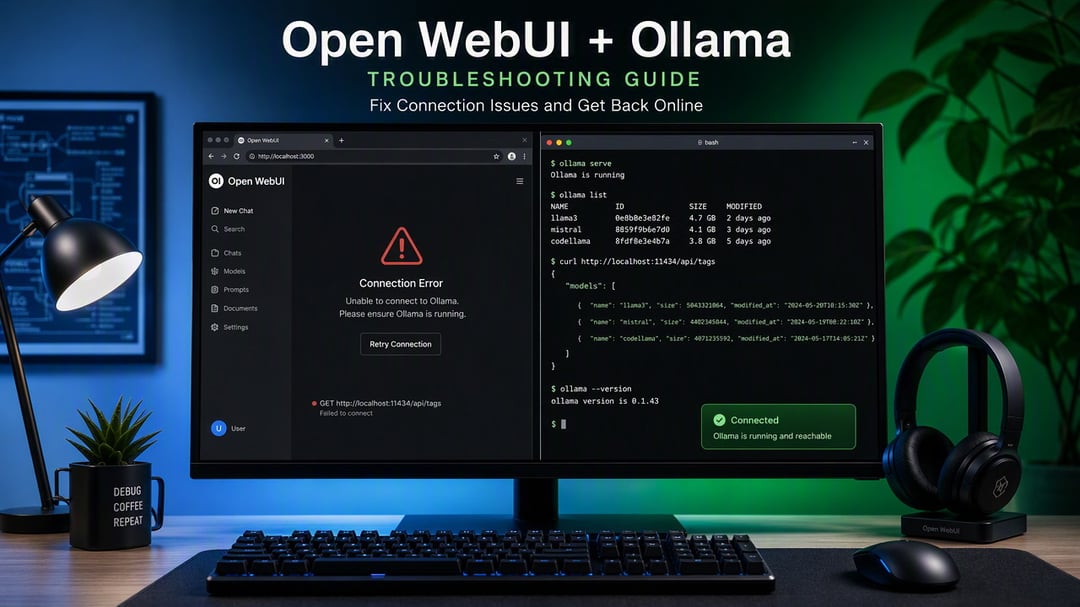
The page loads fine. The model dropdown sits empty, or you get a server connection error. Ollama is running, you can prove it, and Open WebUI still behaves as though it does not exist.
Nearly every case comes down to one thing: the Open WebUI backend is looking for Ollama at an address it cannot reach. That is a configuration problem, not a bug. Work down the list below and stop when your models appear.
First, Confirm Ollama Is Actually Running
On the machine running Ollama, run this:
curl http://localhost:11434
A healthy server replies that Ollama is running. If you get connection refused, the problem is Ollama itself. Start the service and test again before you change anything in Open WebUI.
If curl works but Open WebUI still cannot see it, the address is wrong. Keep going.
Why Open WebUI Cannot Find Ollama
Two causes account for almost all of these failures.
The first is that Ollama binds to 127.0.0.1 by default. That address accepts connections from the same machine only, and a Docker container does not count as the same machine even when it runs on that hardware.
The second is subtler. Open WebUI resolves the Ollama URL from its backend, not from your browser. Inside a container, localhost means the container. So http://localhost:11434 can work perfectly when you paste it into a browser tab and still fail when Open WebUI uses it. If your logs show something like Connect call failed ('127.0.0.1', 11434), this is what you are looking at.
Fix 1: Make Ollama Listen on All Interfaces
Set OLLAMA_HOST=0.0.0.0, then restart Ollama. The restart matters. Ollama reads the variable at startup, so nothing changes until the process comes back up.
Where you set it depends on your platform:
- Linux with systemd: run
sudo systemctl edit ollama.serviceand addEnvironment="OLLAMA_HOST=0.0.0.0"under[Service]. Then runsudo systemctl daemon-reload && sudo systemctl restart ollama. A variable exported in your shell will not survive a service restart. - macOS and Windows: set it in the environment the Ollama application inherits, then quit and relaunch the app.
- Ollama in Docker: pass it with
-e OLLAMA_HOST=0.0.0.0.
One caution. Binding to 0.0.0.0 exposes port 11434 to your whole network. On a home network behind a router that is usually fine. On a VPS or anything with a public IP, firewall the port. Ollama ships no authentication of its own.
Fix 2: Point Open WebUI at an Address It Can Reach
The setting is OLLAMA_BASE_URL, and the right value depends on where each piece runs.
- Docker Desktop on macOS or Windows, Ollama on the host: use
http://host.docker.internal:11434and add--add-host=host.docker.internal:host-gatewayto your run command. - Linux, Ollama on the host: host networking is the simplest fix, since it removes the isolation entirely. Watch the port change: with
--network=host, Open WebUI serves on 8080 rather than 3000. - Docker Compose with both services in one stack: use the service name,
http://ollama:11434. Compose puts containers on a shared network where names resolve. - Podman on macOS: use
http://host.containers.internal:11434.
The Linux command from the official documentation:
docker run -d --network=host -v open-webui:/app/backend/data \
  -e OLLAMA_BASE_URL=http://127.0.0.1:11434 \
  --name open-webui --restart always ghcr.io/open-webui/open-webui:main
Open it at http://localhost:8080.
If you would rather avoid the networking question altogether, the bundled open-webui:ollama image runs both in a single container.
The Setting Will Not Save, or Keeps Reverting
You correct the URL in your environment, restart, and the old broken one is still sitting there.
Any URL saved through the UI is stored in the database, and that stored value takes precedence over your environment variables. Three ways out, in order of bluntness:
- Fix it directly in Admin Settings, under Connections.
- Set
RESET_CONFIG_ON_START=trueso environment values override the database on the next boot. - Set
ENABLE_PERSISTENT_CONFIG=falseto keep environment variables authoritative for good. The tradeoff is that changes made in the UI stop surviving restarts.
It Connects, But the Model List Spins Forever
Different symptom, different fix. Open WebUI queries every endpoint you have configured and waits on each one. The default wait is 10 seconds per unreachable endpoint, and a few dead endpoints stack into a settings page that feels broken.
Delete stale Ollama and OpenAI URLs under Connections. If you need to keep an endpoint that goes down sometimes, lower AIOHTTP_CLIENT_TIMEOUT_MODEL_LIST so it fails fast instead of hanging.
If It Still Will Not Connect
Read the Open WebUI backend logs before guessing again. They name the address that failed, which usually ends the investigation in one line.
Then check the firewall on the machine running Ollama for port 11434. Windows blocks it more often than people expect.
If Open WebUI sits behind a reverse proxy or HTTPS, you may have a CORS or WebSocket problem dressed up as a connection error. That is a separate fix, and the Open WebUI connection troubleshooting docs cover it in detail.