
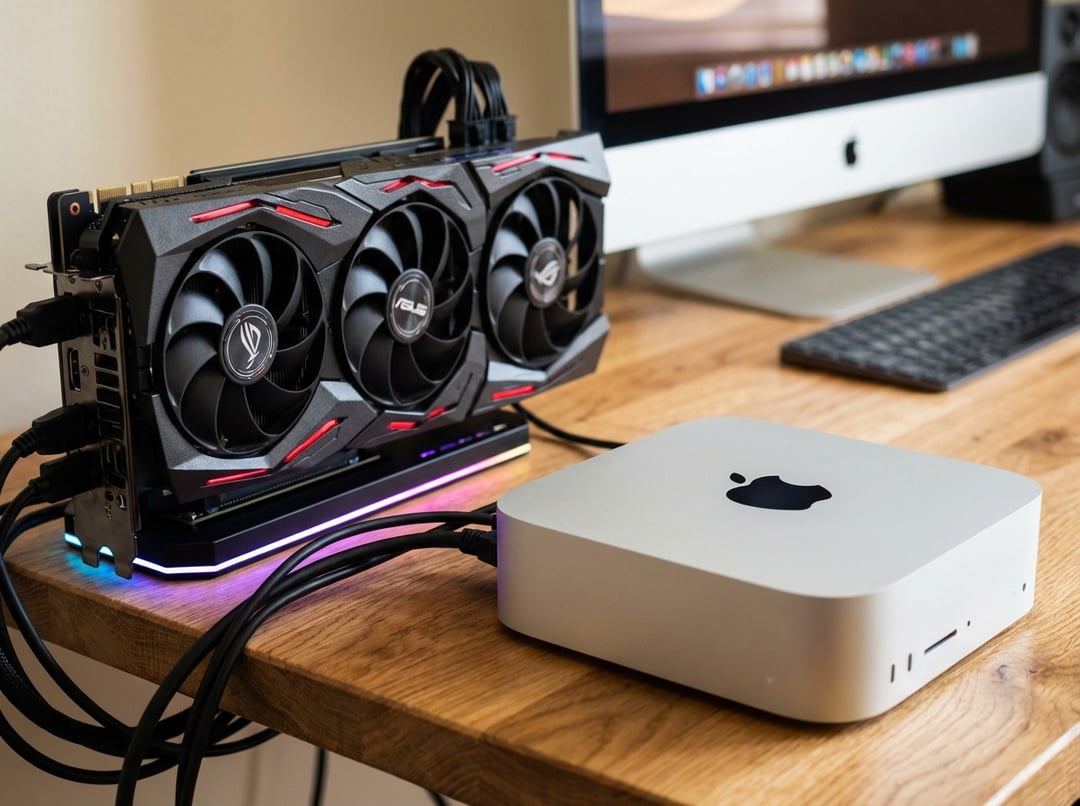
Apple Silicon Mac Mini eGPU Support for AI Workloads
Apple Silicon Macs have built a strong reputation around efficiency and close hardware-software integration, but external GPU support has not been a natural fit. That has now changed in a very specific and meaningful way for AI work.
Apple has officially approved TinyGPU, a driver that allows external GPUs to work as AI accelerators on Apple Silicon systems. For Mac Mini users, that opens the door to using high-performance AMD and Nvidia GPUs for AI tasks without bypassing built-in protections like SIP.
This is important because it eliminates the need for complicated solutions. Instead of relying on unofficial tricks or changing system protections, users now have an official way to add powerful AI acceleration to a compact Mac.
TinyGPU Official Approval Changes Mac Mini AI Expansion
Official driver approval removes the usual friction
The big shift is not just that eGPUs work. It is that TinyGPU now has official approval from Apple for both AMD and Nvidia use in this AI-focused setup.
That approval changes the experience in practical ways. Users no longer need to disable or work around system protections to get external GPU acceleration running for AI. The process becomes cleaner, more direct, and much easier to trust for people who want capability without breaking the system’s normal security model.
AI acceleration, not traditional graphics output
TinyGPU is not positioned as a general-purpose graphics solution. Its role is focused on AI workloads.
The driver is designed to let supported Apple Silicon devices use external GPUs to run AI models directly, rather than turning the setup into a traditional graphics-output eGPU environment. In other words, the value here is compute for AI, not standard display acceleration.
TinyGPU Compatibility on Apple Silicon Macs
Supported macOS versions and connection standards
TinyGPU supports macOS 12.1 and later. It also requires a system equipped with USB4 or Thunderbolt 3 or 4.
That means the setup depends on modern high-speed external connectivity. For users with a compatible Mac Mini or another supported Apple Silicon device, those ports are the foundation that makes this kind of external AI acceleration possible.
Supported AMD and Nvidia GPUs
GPU compatibility is clearly defined.
- AMD GPUs are supported from the RDNA3 generation onward
- Nvidia GPUs are supported from the Ampere series onward
This gives users a clear baseline for hardware selection. If the goal is to build a compact Apple Silicon AI machine with external compute power, the supported GPU generation matters from the start.
How AI Workloads Run on TinyGPU
Native AMD workload support
AMD workloads can run natively in this setup. That gives AMD hardware a more direct path for AI execution through TinyGPU on supported Macs.
For users who want a simpler route, this native support is an important advantage. It reduces extra setup requirements and keeps the workflow more straightforward.
Nvidia requires Docker Desktop and NVCC
Nvidia support is available, but it comes with an extra step. Nvidia GPUs require a Docker Desktop setup to run AI computations through NVCC.
So while both AMD and Nvidia are supported, the path is not identical. AMD runs natively, while Nvidia depends on a container-based workflow for execution. That difference is worth knowing before choosing hardware for a Mac Mini AI build.
Tinygrad provides the compute layer
TinyGPU relies on tinygrad as its computational framework. That framework provides the interface needed for AI acceleration on this setup.
The result is a more streamlined way to run AI workloads through external GPUs on Apple Silicon Macs. What had previously been out of reach is now presented as a workable path for running serious models on compact Mac hardware.
Running Large AI Models on a Mac Mini With eGPU
Once the driver is installed and approved by the system, demanding models can run effectively. One example mentioned is Qwen 2.5 27B.
That example shows the practical goal of the setup. This is not about a minor performance boost for light tasks. It is about enabling a Mac Mini or another supported Apple Silicon machine to handle substantially heavier AI workloads by offloading compute to external AMD or Nvidia GPUs.
For anyone who has looked at a small Mac and wished it had more AI headroom, this is the real unlock: a compact machine gaining access to much larger model execution capability through officially approved external acceleration.
Why the Mac Mini AI eGPU Upgrade Is Important
For a long time, Apple Silicon systems were admired for efficiency but seen as limited when it came to external GPU use. TinyGPU changes that in a targeted way by focusing on AI acceleration instead of broad graphics support.
That narrow focus is part of why this development stands out. It does not try to solve everything. It solves one high-value problem: giving compatible Macs a legitimate, approved way to tap into external GPU power for AI workloads.
The timing is also notable because it arrives alongside the permanent discontinuation of the Mac Pro. In that context, the ability to extend Mac Mini AI capability with external compute feels even more significant for users who want more performance from smaller Apple hardware.
Mac Mini eGPU for AI: Key Requirements at a Glance
|
Requirement
|
Details
|
|
Driver
|
TinyGPU
|
|
Approval status
|
Officially approved by Apple
|
|
Mac support
|
Apple Silicon Macs
|
|
OS requirement
|
macOS 12.1 or later
|
|
Ports
|
USB4 or Thunderbolt 3/4
|
|
AMD support
|
RDNA3 and newer
|
|
Nvidia support
|
Ampere and newer
|
|
Nvidia setup
|
Requires Docker Desktop and NVCC
|
|
Primary use
|
AI acceleration only
|
|
Example model
|
Qwen 2.5 27B
|