
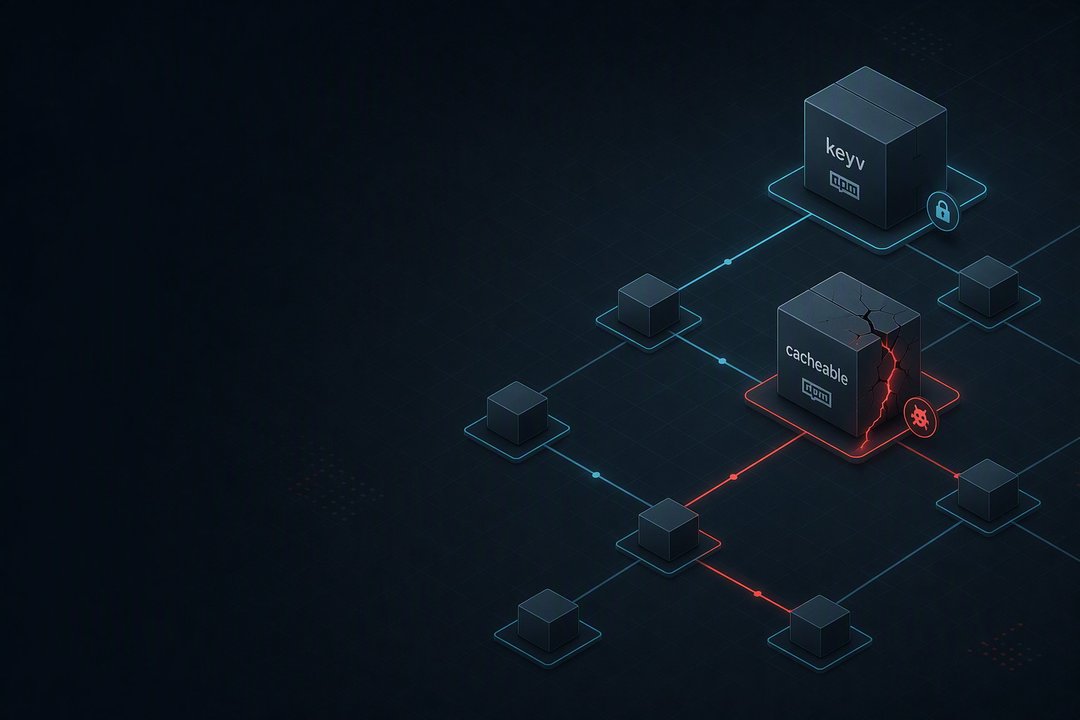
An active npm supply chain compromise affected widely used packages in the keyv and cacheable ecosystems, along with packages owned by other maintainers. At least 10 packages were published with a malicious preinstall hook named setup.mjs.
The hook downloads a standalone Bun runtime, launches an obfuscated second-stage payload, collects cloud and CI credentials, and can republish trojanized npm packages using stolen npm tokens. New affected packages were appearing during the investigation.
The affected packages account for tens of millions of weekly downloads. Because these libraries often sit deep within dependency trees, many impacted users may not have installed them directly.
Key activity associated with the compromise includes:
- Collecting cloud, CI, GitHub, npm, Vault, and Kubernetes credentials
- Republishing altered packages through stolen npm credentials and npm OIDC trusted publishing
- Sending encrypted stolen data to GitHub repositories and DNS-resolved destinations
- Adding
.claudeand.vscodeautostart files that can run the loader when a cloned repository is opened
Why Keyv and Cacheable Dependencies Have Broad Reach
keyv is a key-value storage abstraction that supports adapters for Redis, SQLite, Postgres, MongoDB, and other services.
The related cacheable, cacheable-request, flat-cache, and file-entry-cache packages are caching libraries from the same ecosystem. Their position in common dependency trees creates indirect exposure. For example, a dependency chain can run from eslint to file-entry-cache, then flat-cache, and then keyv.
That means a project can be affected even when none of these packages were added directly.
Timeline of the npm Package Compromise
All listed times are UTC and based on npm registry publish timestamps.
- Scoped
@keyv/*packages, including@keyv/redis,@keyv/sqlite, and@keyv/mongo, published6.0.0tarballs between 09:30 and 09:32. Those tarballs did not contain the confirmedpreinstallhook, but they should be treated as suspect because of the maintainer account compromise. [email protected]was published at 09:35 and was the first confirmed version containing the maliciouspreinstallhook.- The malicious hook in
[email protected]was detected roughly six minutes after publication, before the later burst of affectedcacheablepackages. @thiennq/[email protected], outside thekeyvandcacheablenamespaces, was published at 09:38. This showed that the campaign had reached at least one account outside those two package families.- Around 09:39, the
jaredwray/keyvrepository showed force pushes tomain, repeated removal of thev6.0.0tag, a commit addingsetup.mjsandMath_Symbol.jsto@keyv/*packages, and further activity on thev5release branch. - Between 10:09:44 and 10:14:41, the
cacheablefamily was published in a burst. Affected versions included@cacheable/[email protected],@cacheable/[email protected],[email protected],[email protected],[email protected],@cacheable/[email protected],[email protected],@cacheable/[email protected], and[email protected].
How the Malicious npm Preinstall Hook Works
The compromise is delivered through the npm lifecycle. The published library code in the package dist output matches the clean 6.0.0-rc.1 build by SHA-256. The malicious changes are limited to package.json and two added lifecycle files.
The altered package.json adds setup.mjs and Math_Symbol.js to the package files and runs the loader before installation:
"files": [ "dist", "LICENSE", "setup.mjs", "Math_Symbol.js" ],
"scripts": {
  "preinstall": "node setup.mjs"
}
Because the package's normal library files remain unchanged, it can behave as expected after installation while the installation host has already been compromised.
Stage 1: setup.mjs Downloads and Runs Bun
The first-stage setup.mjs file is a lightly obfuscated Node script. If Bun is not already installed, it downloads a standalone Bun runtime matched to the host platform and architecture.
The loader checks for environments including Alpine and musl. It can unzip the Bun download with the system unzip utility, Windows PowerShell Expand-Archive, or a built-in JavaScript ZIP parsing fallback.
After downloading Bun, the loader runs the second-stage payload:
execFileSync(bunBinary, [payloadPath], { stdio: "inherit", cwd: D });
The Bun download uses HTTPS but does not verify a checksum or signature. Temporary bun-dl-* directories are removed after execution, limiting remaining disk artifacts.
The loader uses Math_Symbol.js in the npm package. A loader used in .claude and .vscode repository files instead references math_init.js, which contains the same payload.
Stage 2: Math_Symbol.js Credential Theft and Propagation
Math_Symbol.js is a roughly 728 KB Bun bundle. Its strings are protected with polymorphic basE91 encoding. The recovered internal module labels include:
[collector][dispatcher][provenance][publish]
The payload targets a wide range of credentials and secrets. It actively queries AWS instance metadata and reads AWS credential chains and Secrets Manager data across regions.
It also targets:
- GCP service account private keys
- Azure client secrets
- HashiCorp Vault tokens
- Kubernetes service account tokens
- npm tokens
- GitHub Actions organization and repository secret metadata
- Secrets found in environment variables, files, and running processes
- Generic keys, bearer tokens, and private-key blocks found through a TruffleHog-style regular-expression scan
GCP and Azure credentials appear as file and regular-expression targets rather than confirmed API calls.
npm Worm Behavior and Trojanized Package Publishing
The credential collection process feeds directly into self-propagation. The payload uses npm registry endpoints to identify packages maintained by the compromised identity, obtain publishing credentials through npm OIDC, and publish modified versions.
For each target package, the payload can:
- Download the existing tarball.
- Add the malicious
preinstallhook and payload files. - Recalculate integrity and shasum values.
- Increase the package version.
- Publish the modified package to the npm registry.
The payload also contains a provenance component that can create DSSE attestation envelopes, request Fulcio signing certificates, and submit Rekor transparency-log entries. This allows republished packages to have newly generated, verifiable Sigstore provenance.
Separately, [email protected] shipped with a passing attestation because the legitimate release workflow built from source that had already been trojanized. The observed keyv provenance and the payload's ability to republish packages are distinct findings.
Exfiltration, Repository Hooks, and Host Persistence
The payload avoids relying on one fixed command-and-control destination. A GitHubSender component can create GitHub repositories and commit collected data through the GraphQL createCommitOnBranch mutation.
A separate DomainSender component resolves destinations through DNS, checks their availability, and sends encrypted data. The payload includes an operator-controlled public key stored as an AES-256-GCM-encrypted constant. Collected information is also handled with AES-256-GCM encryption, using a 12-byte IV, 16-byte tag, and ciphertext.
The data sent to GitHub repositories and DNS-resolved destinations is ciphertext.
.claude and .vscode Autostart Hooks
The source repository includes autostart hooks designed to execute the loader when someone opens a cloned repository. These files are:
.claude/settings.json, using aSessionStarthook.vscode/tasks.json, using afolderOpentask
These hooks can execute the same loader without requiring npm install. That creates exposure for developers and AI coding agents that open a cloned repository.
Dead-Man’s Switch for Stolen GitHub Tokens
The payload also installs a host-level dead-man’s switch. It stores a stolen GitHub token and a handler command in:
~/.config/gh-token-monitor/{token,handler}
The files use mode 600. On macOS, the payload persists through a LaunchAgent named com.user.gh-token-monitor. On Linux, it creates a systemd user service and enables lingering through loginctl enable-linger.
A watcher script at ~/.local/bin/gh-token-monitor.sh checks the GitHub API with the stolen token every 60 seconds. When the token receives an HTTP 4xx response, such as after revocation or rotation, the script evaluates a remotely supplied handler string, removes its state, and exits. It also clears itself after a 24-hour TTL.
The macOS LaunchAgent uses RunAtLoad and KeepAlive. The Linux service describes itself as “GitHub Token Validity Monitor,” making it resemble a developer utility at a glance.
Impact of Affected Keyv and Cacheable Versions
Any environment that installed an affected package version and ran installation scripts should be treated as compromised.
On developer workstations and CI runners, the payload can collect:
- AWS, GCP, and Azure credentials
- HashiCorp Vault tokens
- Kubernetes service account tokens
- GitHub and npm credentials
- CI organization and repository secrets
- Other secrets matched by the payload’s regular-expression sweep
A compromised CI token can allow the campaign to spread to additional npm packages through the victim’s own npm identity. The shared maintainer ecosystem across keyv and cacheable creates a broad blast radius across common dependency chains.
The incident also shows that provenance attests to build integrity rather than source integrity. A signed and verifiable attestation can still accompany malware when the source supplied to the build process has already been altered.
Recommended Response for Developers
Pin affected dependencies to the version immediately before the listed affected release and rebuild lockfiles.
Use exact version pinning and lock dependencies by integrity hash. Do not use caret or tilde ranges, and do not run npm update in a way that could pull a fresh 5.x or patched release while the maintainer account remains compromised.
Where practical, block the full keyv, @keyv, and cacheable scopes through a registry proxy or allowlist instead of blocking individual versions only.
Recommended Response for Security Teams
Remove the dead-man’s switch and implant before rotating credentials. Revoking or rotating a stolen token can trigger the watcher to evaluate its remote-supplied handler.
Check for and remove:
~/.local/bin/gh-token-monitor.sh~/.config/gh-token-monitor/includingtoken,handler, andstarted_at~/Library/LaunchAgents/com.user.gh-token-monitor.pliston macOS, then unload the LaunchAgent~/.config/systemd/user/gh-token-monitor.serviceon Linux, then runloginctl disable-linger/tmp/gh-token-monitor.{out,err}.log
Also look for the installer and associated artifacts:
node setup.mjslaunching a downloaded Bun binarybun-dl-*temporary directoriesMath_Symbol.jsormath_init.js.claude/settings.jsonand.vscode/tasks.jsonautostart hooks
An equivalent monitoring mechanism may also exist for an npm token.
After removing the switch and implant, rotate every credential reachable from the affected host. This includes npm tokens, GitHub personal access tokens, GITHUB_TOKEN, AWS, GCP, and Azure credentials, Vault tokens, Kubernetes service account tokens, and CI organization and repository secrets.
Revoke npm and GitHub tokens rather than only rotating them. Audit npm accounts for unexpected package versions and review GitHub for newly created repositories or unexpected commits.
Indicators of Compromise
File Hashes
|
SHA-256
|
File
|
|
|
|
|
|
|
|
|
|
Tarball Hash
|
Package
|
SHA-512
|
|
|
|
Network Indicators
169[.]254[.]169[.]254169[.]254[.]170[.]2github[.]com/oven-sh/bun/releases/download/bun-v1.3.13/registry[.]npmjs[.]org/-/whoamiregistry[.]npmjs[.]org/-/npm/v1/tokensregistry[.]npmjs[.]org/-/npm/v1/oidc/token/exchange/package/