
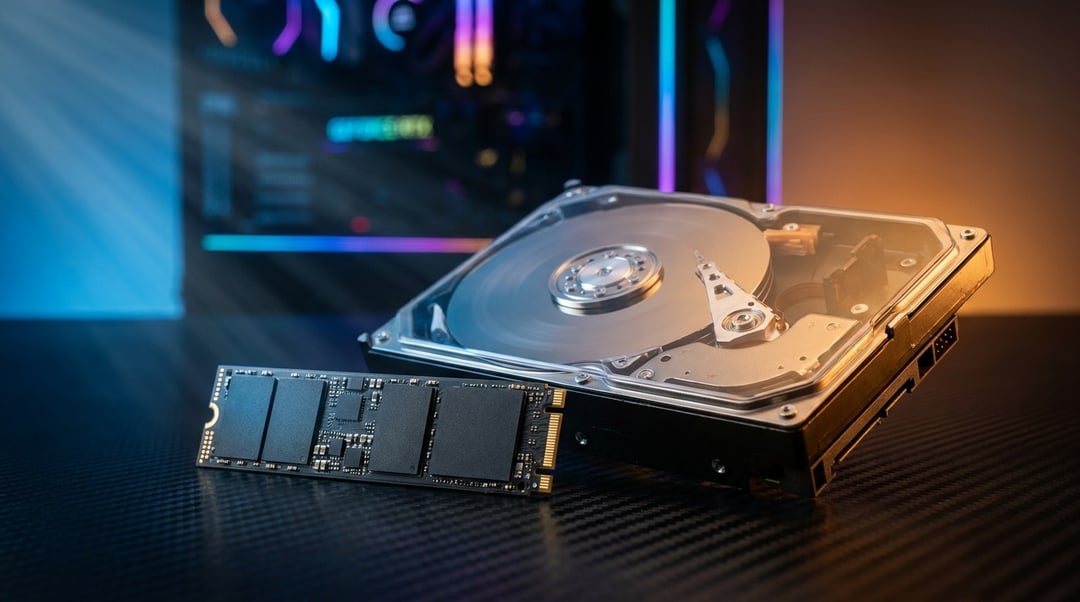
You're building or upgrading a gaming PC and you hit the storage section. Suddenly you're staring at drives with specs that might as well be written in binary — HDD, SSD, NVMe, SATA, megabytes per second. It's a lot. But here's the thing: your storage choice will affect your gaming experience more than most people expect. And the answer to "which one do I need" is actually clearer than most guides make it seem.
What Actually Separates an HDD from an SSD?
An HDD works like a record player. Magnetic platters spin at high speed while a mechanical read arm retrieves and writes data. That spinning mechanism creates a hard ceiling on how fast information can move.
An SSD stores data on NAND flash chips — no platters, no moving parts. Data reads happen electronically so the speed difference is dramatic.
The numbers tell the story. A typical 7200 RPM HDD reads at around 100–160 MB/s. A standard SATA SSD runs at 500–550 MB/s. An NVMe SSD clears 3,500 MB/s or more. That's not a modest upgrade — it's a different category of hardware entirely.
How Storage Actually Affects Your Gaming Experience
Load Times: The Most Immediate Impact
The most obvious difference shows up the moment you launch a game.
Elden Ring averages 30–45 seconds per zone load on a traditional HDD. On an SSD that same load drops below 10 seconds. For competitive multiplayer titles the stakes are higher — slow loads mean missing round starts, joining matches mid-game, and sitting through respawn screens longer than your opponents. That's not just frustrating but a real performance disadvantage.
Texture Streaming and Open-World Stutter
This is the argument most people don't know about and it matters a lot.
Open-world games like Cyberpunk 2077, Red Dead Redemption 2, and Microsoft Flight Simulator stream textures and geometry continuously as you move through the world. The engine constantly pulls new assets off your drive in real time. When the drive can't feed data fast enough you get texture pop-in, visual stutters, and the kind of immersion-breaking delays that make a $400 GPU feel cheap.
HDDs can't keep up with modern asset streaming demands. Microsoft's DirectStorage API — designed to cut load times and enable richer real-time streaming — is built specifically for NVMe speeds. HDD users are functionally excluded from that entire optimization path.
Overall System Responsiveness
Storage affects more than just loading screens. When your operating system lives on an HDD the whole PC feels sluggish — background Windows processes compete with game reads on the same slow drive. An SSD as your OS drive alone changes how the entire machine feels even before you open a single game.
The Case for Still Using an HDD
HDDs aren't obsolete. They're just the wrong tool for a primary game drive.
Where they still make sense is bulk storage. A 4TB HDD costs around $60–80. A 4TB SSD still runs $200 or more. If you have a large library of older titles, completed single-player campaigns, or games you cycle through occasionally, a secondary HDD as an archive drive is genuinely cost-effective. Install your active games on the SSD and store everything else on the hard drive.
The mistake is making an HDD your only drive and hoping for the best.
Why SSD Is Now the Baseline Standard for Gaming
The industry has already moved. The PS5 and Xbox Series X both ship with NVMe SSDs as their minimum viable storage solution. Some PC titles — including Forspoken and the PC port of Ratchet & Clank: Rift Apart — list SSD as a minimum system requirement. Not recommended. Minimum.
The cost argument against SSDs has also largely collapsed. Prices dropped roughly 60% over the past four years. A reliable 1TB SATA SSD now regularly sells for under $60. The barrier to entry is genuinely low and the reasons to skip an SSD have mostly disappeared.
So Which One Should You Actually Buy?
Here's the breakdown by scenario:
Tight budget (sub-$400 build): Get a 500GB–1TB SSD for your OS and most-played games. Use any HDD you already own for overflow storage. Don't trade the SSD for more hard drive space — the SSD matters more.
Mid-range build ($400–$800): A 1TB NVMe SSD as your primary drive paired with a 2TB HDD for secondary storage covers most needs. Speed where it counts and capacity where you need it.
No storage budget concern: A 2TB NVMe SSD and skip the HDD entirely. Simplicity and speed win.
If you play open-world games, multiplayer shooters, or any modern title from the last three years — an SSD is the right call for your primary game drive. That's just where the platform is now.
Conclusion
The HDD vs SSD debate is settled for gaming. Use an SSD for your active game library. Add an HDD for overflow storage if you need the space later.
The real mistake isn't picking the wrong drive type. It's spending money on extra HDD capacity when a modest SSD would have changed how your entire setup performs. As DirectStorage matures and next-gen streaming requirements grow, the case for SSD only gets stronger.
Start with the SSD. Add the hard drive later if you need it. Then get back to gaming.