
Most people never think about their hard drive until the moment it stops responding. By then, the real question is not how long the drive lasted; it is what got lost with it. Understanding actual hard drive lifespan changes that equation entirely. Instead of reacting to failure, you can anticipate it.
The short answer: most hard drives last between three and five years under typical use, though the range varies dramatically based on drive type, workload, and environment. The rest of this answer requires context, because a single average number hides more than it reveals.
What the Data Actually Says About Hard Drive Lifespan
Average Failure Rates From Real-World Studies
Manufacturer specifications often cite theoretical lifespans measured in hundreds of thousands of operating hours. Real-world data tells a different story. Cloud storage providers that operate massive drive fleets, Backblaze among the most cited, publish ongoing reliability reports tracking thousands of drives across years of continuous operation. These reports consistently show annualized failure rates climbing after the three-year mark, with a smaller but persistent spike within the first few months of a drive's life. Early failures typically stem from manufacturing defects; later failures come from accumulated mechanical wear.
HDD vs. SSD Longevity
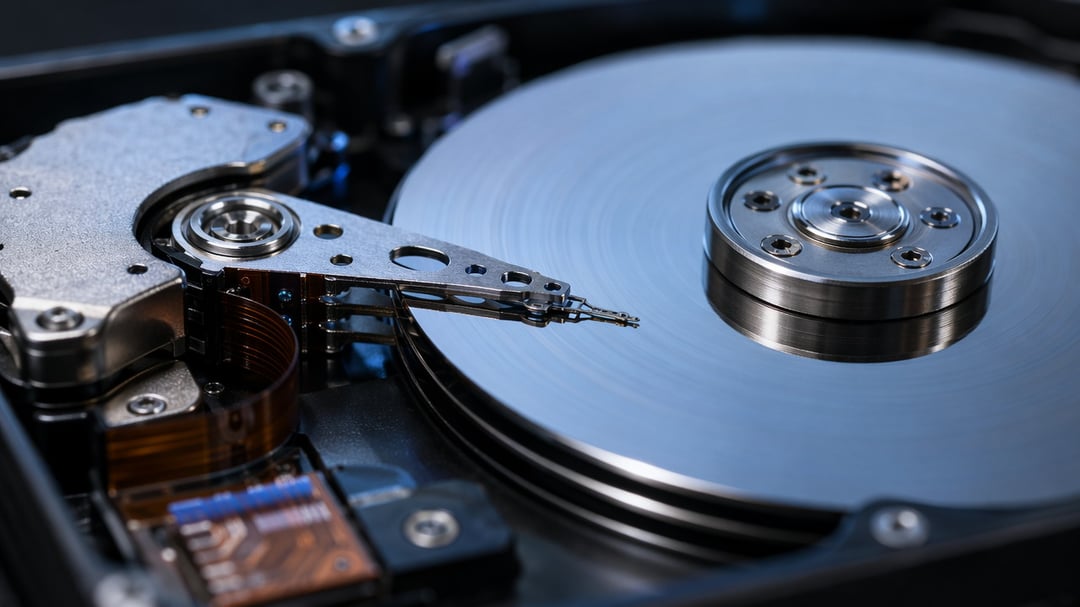
Traditional hard disk drives (HDDs) rely on spinning platters and moving read/write heads, mechanical components that wear down through friction and repeated motion. Solid-state drives (SSDs) have no moving parts. Instead, they wear through a finite number of write cycles per memory cell. This distinction matters practically. HDDs tend to fail gradually, often with warning signs. SSDs frequently fail abruptly, sometimes with little notice beyond a sudden inability to read data. Neither pattern is inherently safer; each demands a different monitoring approach.
The Real Factors That Determine How Long a Drive Survives
Heat and Operating Environment
Sustained high temperatures accelerate almost every failure mechanism inside a drive. A hard drive running consistently above its rated thermal range will degrade faster than an identical unit kept cool and well-ventilated. Dust accumulation compounds this problem by trapping heat inside enclosures.
Usage Intensity and Duty Cycle
A drive powering an occasional home backup faces a fundamentally different workload than one running inside a network-attached storage (NAS) system around the clock. Manufacturers rate drives accordingly. Consumer drives typically assume limited daily usage; NAS and enterprise drives are engineered for continuous operation. Using a consumer-grade drive in a 24/7 role often shortens its effective lifespan well below its rated expectations.
Power Cycling and Physical Shock
Frequent powering on and off stresses mechanical components more than steady, continuous operation. Physical shocks, even minor drops or vibrations during transport, can misalign internal components in ways that are not immediately obvious. Damage accumulates quietly until it surfaces as failure.
Build Quality Tier
Not all drives are engineered equally, even within the same storage capacity. Consumer-grade, NAS-grade, and enterprise-grade drives differ in internal tolerances, vibration resistance, and expected duty cycles. Choosing the appropriate tier for your actual use case is one of the most overlooked lifespan factors.
Warning Signs Your Hard Drive Is Failing
Software-Level Indicators
Self-Monitoring, Analysis, and Reporting Technology (SMART) data offers an early window into drive health, tracking metrics like reallocated sector counts and read error rates. A rising reallocated sector count signals that the drive is actively compensating for physical damage. Noticeably slower read and write speeds often accompany this decline.
Physical and Audible Symptoms
Clicking or grinding sounds indicate mechanical distress, frequently tied to head or platter damage. Intermittent recognition failures, where a drive occasionally disappears from the system before reappearing, suggest deteriorating connections or failing components. No single symptom guarantees imminent failure, but multiple symptoms appearing together warrant immediate action.
How to Extend a Hard Drive's Lifespan (and When to Just Replace It)
Keeping drives cool, minimizing unnecessary power cycling on always-on systems, and avoiding physical shock all contribute to longevity. None of these measures, however, replace a solid backup strategy. The 3-2-1 approach, three copies of your data across two different storage types with one copy off-site, protects against failure regardless of how well a drive is treated.
As a practical rule: once a heavily used drive crosses the three-to-five-year mark, or shows any SMART warning, treat backup as immediate rather than optional. Waiting for confirmation of failure means waiting too long.
Conclusion: Plan for Failure, Don't Wait for It
Hard drive lifespan is not a fixed number; it is a planning tool. Knowing the realistic range, understanding what accelerates wear, and recognizing early warning signs turns an eventual failure from a crisis into a scheduled event.