Gemini Spark Turns Google Workspace Into a 24/7 AI Workspace Assistant
Google’s latest Workspace update is not just another round of helpful AI buttons sprinkled across apps. The standout is Gemini Spark, a 24/7 personal AI agent designed to take action across Google Workspace while staying under the user’s direction.
Instead of simply answering questions, Gemini Spark can actually do things. It can send emails, add Calendar events, and complete tasks across Workspace apps. That changes the basic idea of what a productivity suite is supposed to handle. The old model was simple: you opened an app, made a decision, typed something, moved something, scheduled something, and closed the loop yourself. Gemini Spark pushes Workspace closer to an always-on assistant that can keep moving work forward in the background.
The key detail, though, is control. Gemini Spark asks before handling high-stakes tasks, and users can decide whether they want to enable it at all. That matters because an AI agent that sends emails and books meetings is useful only if it doesn’t feel like it’s running loose in the middle of someone’s workday.
Gemini Spark is coming soon in preview for Workspace business customers in the Gemini app.
What Gemini Spark Can Do Across Workspace
Gemini Spark is built to handle practical Workspace actions, including:
- Sending emails
- Adding calendar events
- Completing tasks across Workspace apps
- Running long background tasks
- Acting under user direction
- Asking before high-stakes actions
It runs on Gemini 3.5 and is built on Antigravity, which allows it to perform long-running tasks in the background. That’s the part that makes it feel less like a chatbot and more like a digital assistant that keeps working even when you’re not actively sitting in front of the screen.
Gmail Live Brings Voice Search to the Inbox
Gmail is getting one of the most direct and practical voice-based Workspace upgrades: Gmail Live.
The idea is simple. You can search your inbox using your voice. Ask something like, “What’s my flight’s gate number?” and Gmail Live can go through the booking details in your inbox to find the answer instantly.
That’s a very different experience from opening Gmail, searching for an airline name, finding the right email, scanning through the booking information, and hoping the gate detail is easy to spot. Gmail Live makes the inbox feel more conversational. You ask, and Gemini searches the email content for the specific answer.
Why Gmail Live Matters for Everyday Workspace Use
Gmail already holds a lot of important personal and work information. Travel details, meeting logistics, files, confirmations, reminders — it’s all in there, but finding one specific answer can still be annoying.
Gmail Live aims to make that process faster by letting users talk to their inbox naturally. Instead of building a perfect search query, users can just ask the question they actually have.
It’s one of three voice-based Workspace features coming this summer.
Docs Live Turns Spoken Ideas Into Structured Documents
Docs Live goes further than voice search. It can help create and edit documents through spoken input, turning what you say into something more organized and usable.
That’s helpful for the kind of thinking that starts messy. You talk through an idea, jump between points, add a detail you forgot, circle back, and then realize the whole thing needs structure. Docs Live is designed to take those spoken rambles and shape them into structured documents.
It can also pull needed context from Gmail, Drive, and the web, but only with user permission.
Voice-Based Document Creation and Editing
With Docs Live, users can create a new doc and edit it using their voice. Speak what’s on your mind, and Gemini helps with the rest.
That means Workspace is not just adding voice as a command layer. It’s using voice as a drafting and organizing tool. Instead of typing every sentence manually, users can start by speaking naturally and let Gemini help turn that into a more workable document.
Docs Live is part of the larger push to bring conversational AI into Gmail, Google Docs, and Keep.
Google Keep Converts Speech Into Organized Notes and Lists
Google Keep is also getting a meaningful AI update. Users can talk, and Keep converts the transcript into organized notes and lists.
That sounds small until you think about how people actually use notes. Quick thoughts rarely arrive neatly formatted. They show up while walking, commuting, switching between tasks, or trying not to forget something before the next meeting. Keep’s new voice-based feature gives users a way to capture that information quickly and have it organized into something cleaner.
How Keep’s AI Update Fits Into Workspace
Keep’s role in Workspace is different from Gmail or Docs. Gmail holds communication. Docs holds longer-form work. Keep catches fragments — notes, reminders, rough lists, half-formed ideas.
By turning spoken transcripts into organized notes and lists, Keep becomes better suited for fast capture. It helps bridge the gap between “I need to remember this” and “I need this sorted enough to use later.”
Availability for Gmail Live, Docs Live, and Keep Voice Features
The three conversational features coming to Gmail, Docs, and Keep are rolling out this summer.
They will be available in full to Google AI Pro and Ultra subscribers. Workspace business customers will get them in preview.
That gives Google two tracks for the new voice-based Workspace experience: full access for AI subscription users and preview access for business customers.
Google Pics Adds Gemini-Powered Image Creation and Editing
Google also introduced Google Pics, a new image creation and editing tool built on the Gemini Nano Banana model.
Its key feature is object differentiation. Users can select an element in an image and move, resize, or transform it without affecting the rest of the image. That’s the core appeal: more precise control without needing to rebuild the whole image.
Google Pics also supports in-photo text editing and translation, collaborative canvases, and integration with Slides and Drive.
Google Pics Features for Image Editing and Collaboration
Google Pics includes several creative and Workspace-friendly capabilities:
- Image generation
- Image editing
- Object differentiation
- Moving selected image elements
- Resizing selected image elements
- Transforming selected image elements
- In-photo text editing
- In-photo translation
- Collaborative canvases
- Slides integration
- Drive integration
The tool is meant to reduce the hassle of complex image generation and editing. Instead of treating an image as one fixed object, Google Pics can work with individual elements inside the image.
Google Pics Availability
Google Pics is live for Trusted Testers now. It is rolling out in preview to business customers this summer.
Google AI Pro and Ultra subscribers are also set to get Google Pics this summer.
AI Inbox Expands Beyond Ultra Subscribers
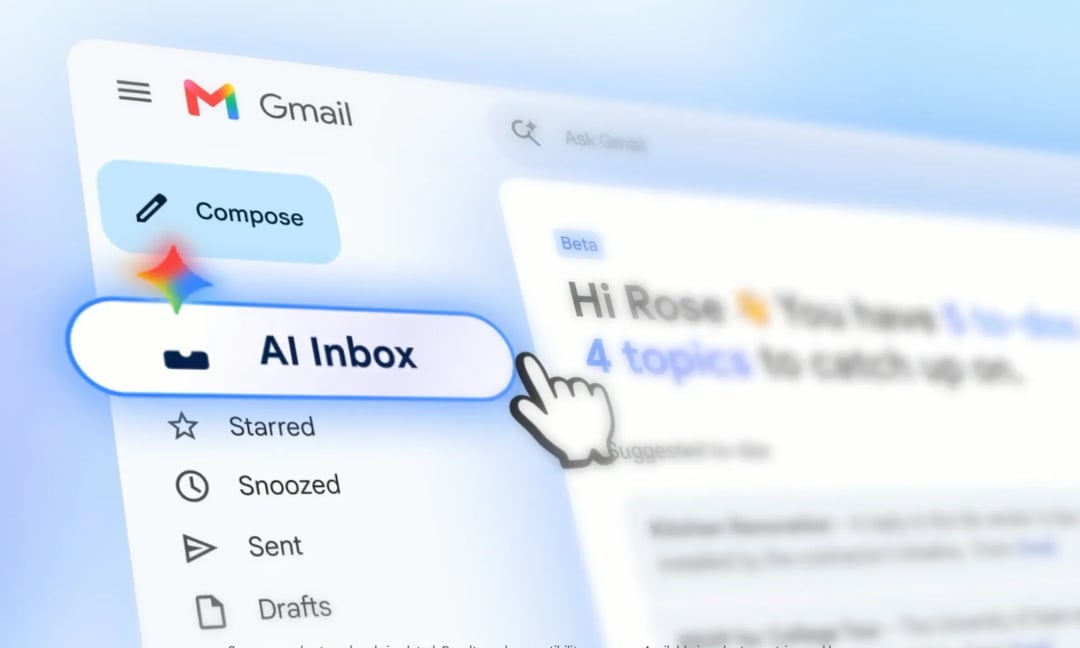
AI Inbox is also getting a broader rollout. It was previously available to Ultra subscribers, but it is now expanding to all Google AI Plus and Pro subscribers in the United States.
Along with the wider availability, AI Inbox is gaining several useful features: personalized draft replies, file access, and one-click task management.
What AI Inbox Adds to Gmail
AI Inbox is designed to make Gmail more active and helpful. Rather than just showing messages, it can assist with replies, connect to files, and help manage tasks quickly.
Its new capabilities include:
- Personalized draft replies
- File access
- One-click task management
That fits the larger Workspace direction: fewer manual steps, more AI-assisted actions, and more work handled directly inside the apps people already use.
Google Workspace Is Moving From AI Answers to AI Actions
The biggest shift across these Workspace updates is action.
Gmail Live answers spoken questions from the inbox. Docs Live turns spoken thoughts into structured documents. Keep turns speech into organized notes and lists. Google Pics lets users manipulate specific image elements. AI Inbox drafts replies, accesses files, and manages tasks. Gemini Spark sends emails, creates Calendar events, and completes work across Workspace apps.
That is the real pattern here. Google is pushing Workspace beyond AI as a helper that waits for prompts and into AI as something that can organize, retrieve, edit, create, and act.
The Workspace Apps Getting Major AI Updates
The update touches several major Workspace tools and AI products:
|
Product
|
Main AI Update
|
|
Gemini Spark
|
24/7 personal AI agent for Workspace actions
|
|
Gmail Live
|
Voice-based inbox search
|
|
Docs Live
|
Voice-based document creation and editing
|
|
Google Keep
|
Speech-to-notes and organized lists
|
|
Google Pics
|
Gemini-powered image generation and editing
|
|
AI Inbox
|
Personalized drafts, file access, and task management
|
Google announcing all of this at once is a lot. But Gemini Spark is the piece that changes the shape of the whole thing. A productivity suite that can answer questions is useful. A productivity suite that can act on your behalf, with permission and direction, is something else entirely.