

You search for things you would never say out loud in a crowded room.
A symptom that scared you. A debt question at midnight. A workplace problem. A relationship worry. A legal phrase you barely understand. Search feels private because it happens on your own screen. But every search can carry context: your account, your device, your location, your clicks, and sometimes your history.
That does not mean every Google search gets poured directly into an AI training machine. The reality is more layered. Google uses data to provide services, personalize results, improve products, protect users, and support newer AI features under different rules. Consumer Search, Gemini, Google Workspace, and Google Cloud do not all work the same way.
Still, the practical question is simple: how do you reduce what you share with Google Search and AI tools?
Here’s the clear version.
What Google Search Data Actually Includes
Google Search data is not just the phrase you type into the search box.
It can include your search terms, clicked results, voice inputs, general location, device details, language settings, and interaction patterns. If you’re signed into a Google Account with activity tracking enabled, that data can also connect to your account history.
That context matters. Searching “therapy near me” while signed out in a separate browser profile is different from searching it while signed into your main account with Web & App Activity turned on.
Google explains its general data practices in its Privacy Policy. The key point for regular users is this: privacy depends less on one dramatic setting and more on several small choices that work together.
AI Training Is Not the Same as Search Personalization
People often use “AI training” as a catch-all phrase for any data use. That makes the issue feel foggier than it needs to be.
Search personalization means Google may use your activity to tailor results, suggestions, recommendations, and ads. Product improvement means Google analyzes how people use services to make them work better. AI improvement can involve interactions with AI features depending on the product, account type, settings, and applicable terms.
For example, activity in Gemini has separate controls from standard Search history. Google’s help documentation says users can review, delete, and turn off Gemini Apps activity through Gemini activity settings.
Workspace and Cloud users may have different protections. Google states in its Google Cloud privacy materials that customer data is not used to train Google’s models without permission in covered enterprise contexts. That distinction matters if you handle business, school, legal, or regulated information.
Start With Web & App Activity
If you want to reduce Google Search data sharing, start with Web & App Activity.
This setting controls whether activity from Google sites and apps gets saved to your Google Account. When it is on, Google can store searches and related activity for personalization and other account-based features.
Go to Google Activity Controls, find Web & App Activity, then review what it saves. You can turn it off or limit what gets included.
This may make Google feel less tailored. Search suggestions may become less personal. Recommendations may lose some memory. For many privacy-conscious users, that tradeoff feels perfectly reasonable.
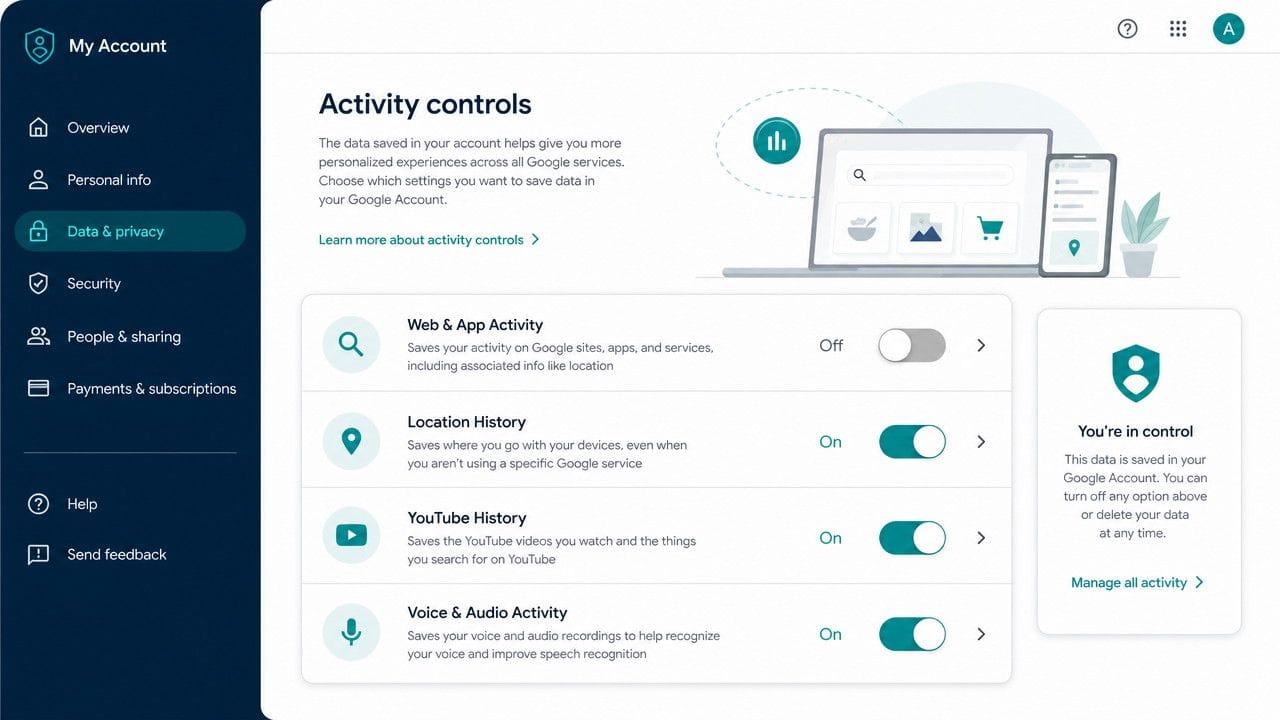
A good rule: if personalization makes you uneasy more often than it helps, turn it down.
Delete Old Search Activity Too
Changing future settings does not automatically clean up the past.
Visit Google My Activity and review what your account has stored. You can delete activity by date, by product, or across all time. If auto-delete is available, choose the shortest practical window.
This step matters because old searches can tell a story. A single query might reveal little. Years of searches can reveal health concerns, political interests, financial stress, travel habits, hobbies, shopping patterns, and personal relationships.
That is the quiet power of search history. It turns small moments into a timeline.
Treat Gemini Prompts as More Sensitive Than Searches
People often paste more detail into AI tools than they would ever type into Search.
A search might say, “mold tenant rights.” A Gemini prompt might include the landlord’s name, the child’s bedroom, the home address, photos, dates, medical symptoms, and a draft complaint letter. That richer context can become much more sensitive.
Before using Gemini or any consumer AI assistant, strip out details the tool does not need.
Instead of:
Write a letter to my landlord, Mark Jensen, about mold in my daughter Ava’s bedroom at 18 Birch Street.
Use:
Write a firm letter to a landlord about mold in a child’s bedroom. Mention documentation and repair deadlines.
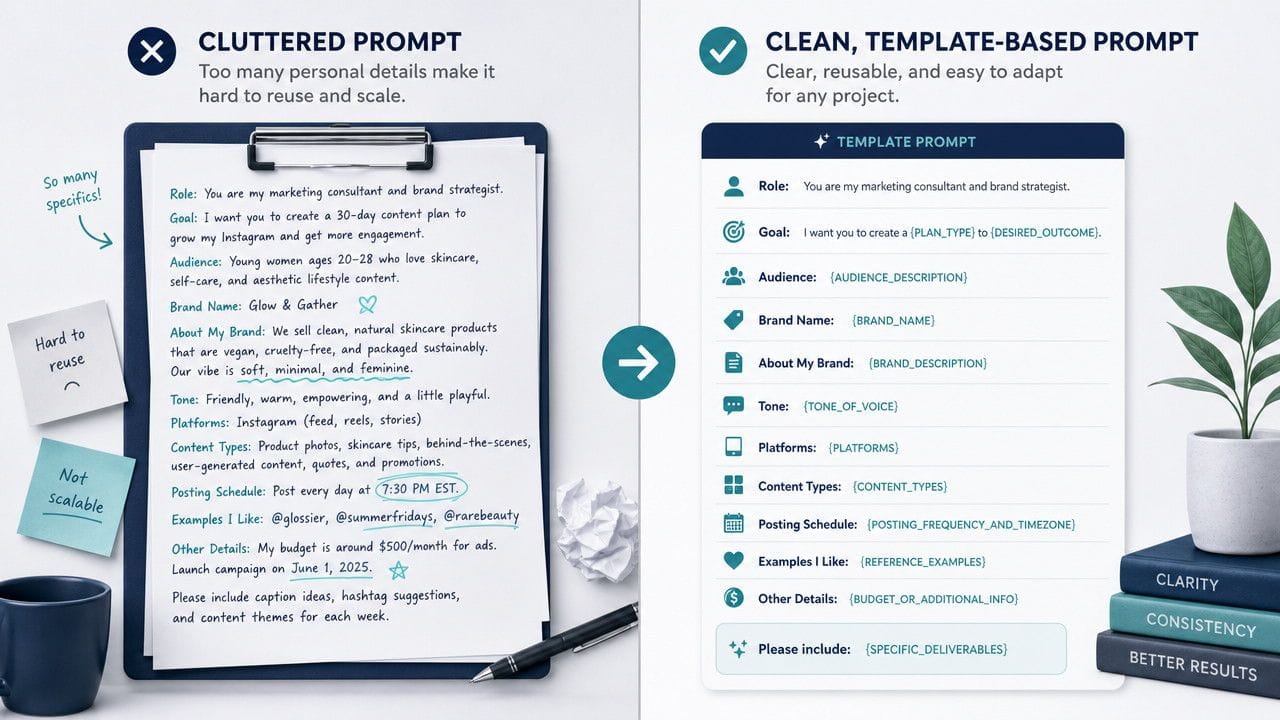
The second version gets you almost the same result with much less personal exposure.
Use Signed-Out Search for Sensitive Topics
Signed-out Search is not magic invisibility. Google may still receive your IP address, browser details, approximate location, and security signals.
But signed-out searching can reduce direct account association. That helps for sensitive topics like health questions, legal research, job searches, financial trouble, family conflict, identity issues, or political concerns.
For extra separation, use a dedicated browser profile for sensitive searches. Do not sign into your main Google Account there. Clear cookies regularly. Consider a privacy-focused browser or search engine when the topic feels especially personal.
The point is not paranoia. It is separation.
Reduce Location Signals
Location can turn an ordinary query into a revealing one.
“Clinic hours” says one thing. “HIV testing near me” from a precise location says much more. “Divorce lawyer near me” or “bankruptcy help near me” can carry similar weight.
Review location settings through Google Activity Controls. Also check app permissions on your phone. Many people focus on account settings while forgetting that mobile apps may have their own location access.
Use approximate location when possible. Turn off location access for apps that do not truly need it. Delete location history if it no longer serves you.
Do Not Put Work Secrets Into Personal AI Tools
This deserves its own warning.
Do not paste confidential work documents, client data, internal strategy, source code, contracts, employee issues, or financial reports into a personal AI account. Even if a tool seems helpful, your employer may have strict rules about approved systems.
If your organization uses Google Workspace or Google Cloud AI tools, ask what protections apply. Google’s Workspace privacy materials describe stronger commitments for certain business and education contexts. Personal accounts should not be treated the same way.
When in doubt, assume personal AI tools are not appropriate for confidential work.
What You Cannot Fully Prevent
Privacy controls reduce exposure. They do not make you anonymous.
Google may still process data needed to deliver services, maintain security, prevent abuse, estimate general location, and operate core systems. Private browsing also has limits. Chrome’s incognito mode mainly hides activity from other users on the same device. It does not automatically hide you from websites, employers, schools, internet providers, or services you sign into. Google explains this in its Chrome Incognito help page.
So the goal is not perfection. The goal is less unnecessary memory.
A Practical Checklist to Reduce What You Share
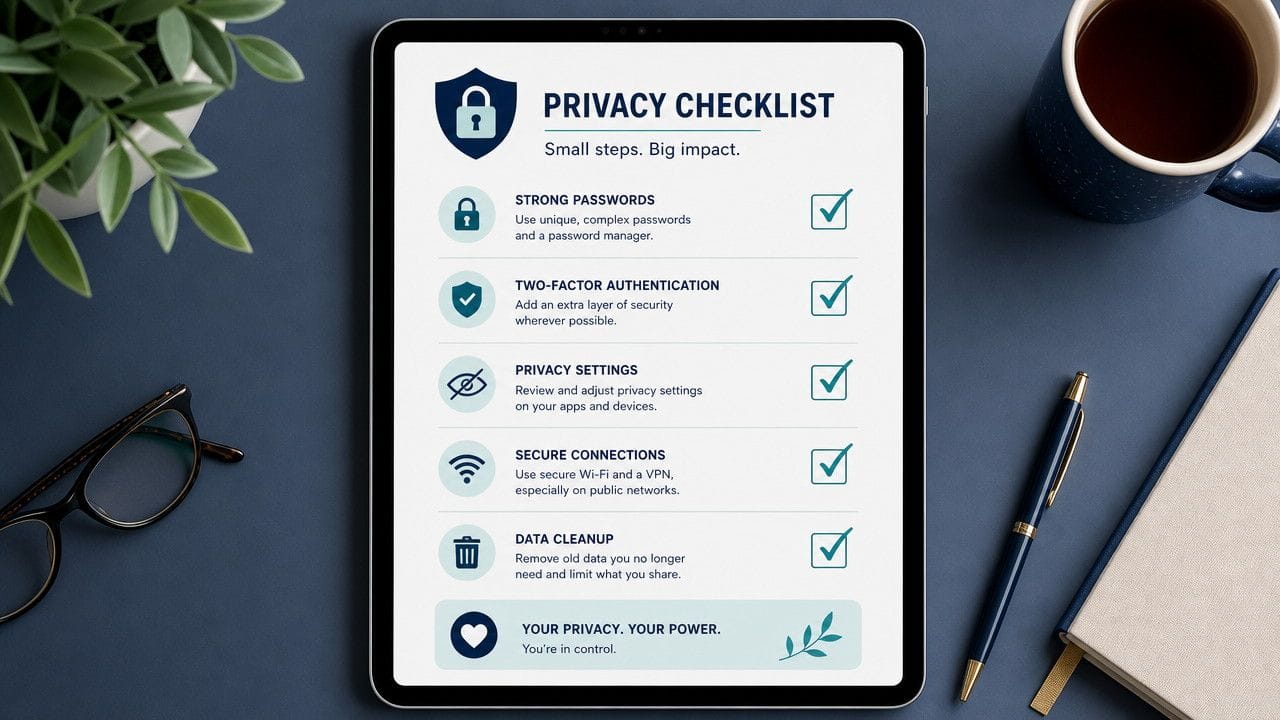
Use this as your quick privacy reset:
- Turn off or limit Web & App Activity
- Delete old searches in Google My Activity
- Set auto-delete to the shortest available period
- Review and delete Gemini Apps Activity
- Avoid personal names, addresses, account numbers, and private documents in AI prompts
- Search signed out for sensitive topics
- Use a separate browser profile for private research
- Limit location permissions
- Turn off ad personalization in My Ad Center
- Keep work data out of personal AI tools
Final Takeaway
Google Search data and AI training can sound like an abstract technical issue. But it really comes down to everyday judgment.
You do not need to treat every recipe search or weather check like a state secret. But when a search touches your health, money, family, identity, job, or legal situation, slow down for ten seconds.
Ask one simple question:
Does this service need this much detail from me?
Often, the answer is no. And that small pause is where better privacy begins.