
What Google's New Information Agents Actually Do
Google has started rolling out AI Search agents that keep an eye on the web for you and ping you when something relevant changes. The feature is called information agents, and the whole idea is built for those searches that never really land on a single answer. You know the ones — the questions you keep retyping because the situation keeps shifting. Instead of running the same query again and again, you can now ask Google to follow a topic in the background and let it do the watching for you.
It first showed up at Google I/O 2026 as part of a much bigger AI Mode overhaul. That same update brought a redesigned search box, Gemini 3.5 Flash, new personal intelligence features, and agentic tools for building mini apps and dashboards. Information agents are just one piece of that wider push — but honestly, they might be the most practical piece for everyday searching.
How Google's AI Search Agents Work
Information agents live inside AI Mode in Google Search. You write a prompt asking Google to follow a specific topic, product, event, price, score, or development, and from there the agent keeps scanning a range of sources on your behalf — the open web, financial data, sports scores, and social posts among them. It's not a one-and-done lookup. It keeps going.
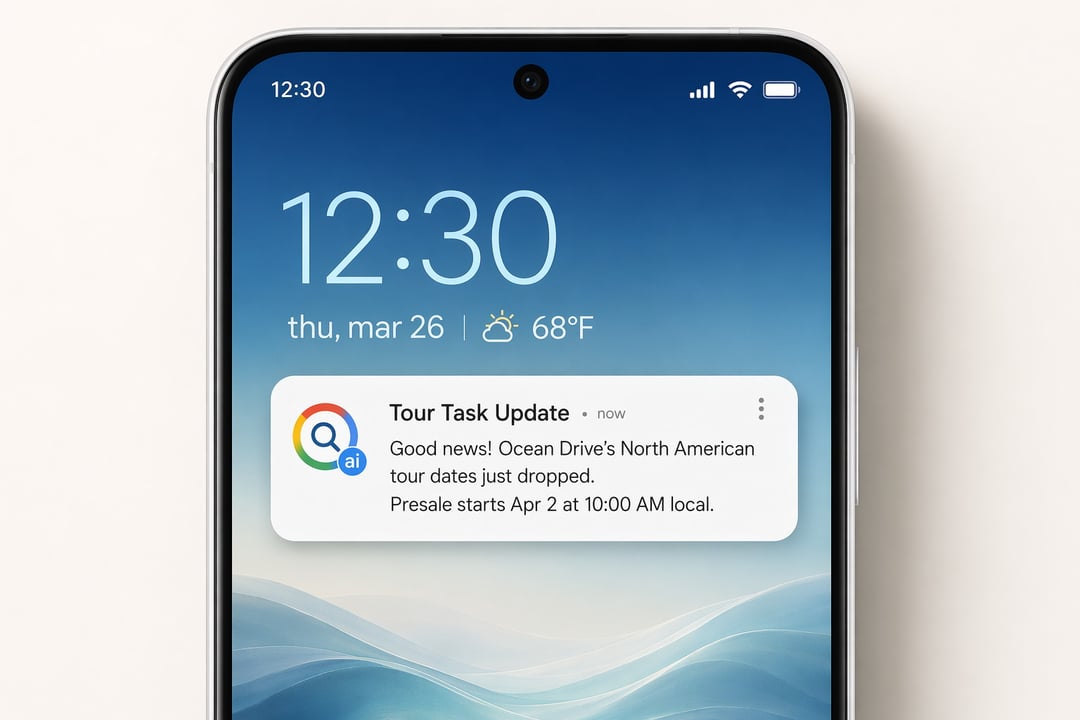
When the agent spots something that's genuinely changed, Google sends you a short summary of what's new or updated, along with links so you can dig into the sources yourself. So you get the quick "here's what moved" version, plus a clear path to the full details whenever you want them.
Natural Language Instead of Rigid Keyword Alerts
Here's the part that makes this more flexible than the old-school alert. You don't have to box yourself into exact keywords. Because you can write the request in plain, natural language, you can describe what you're after the way you'd actually say it out loud — and the agent works from that. That's a real step up from traditional alerts, which only fire when your precise terms show up word for word.
The Kinds of Things You Can Track
The use cases are pretty broad. A few examples of what you could hand off to an agent:
- Tracking flight prices
- Monitoring updates on a product launch
- Following job openings in a specific role
- Keeping an eye on housing listings
- Watching a developing news story
When anything relevant shifts on one of these, the notification comes through the Google app.
Who Can Use Information Agents and What It Costs
Back at I/O 2026, Google said information agents would land first for Google AI Pro and AI Ultra subscribers. The current rollout looks like it's kicking off with AI Ultra users inside AI Mode, a tier that starts at $99.99 per month. It's arriving across all AI Mode languages and markets for AI Ultra subscribers, with the agent working around the clock to send detailed updates and links the moment something changes.
How to Set Up an Information Agent in AI Mode
Getting one going is straightforward. Open AI Mode in Google Search and ask it to monitor something for you. Phrases like "keep me updated on" or "alert me when" in the prompt window are what trigger it. And once your agent is up and running, you manage it from your AI Mode history — that's where you go to adjust what it's tracking or stop it altogether.
It's a genuinely useful-sounding feature. That said, it'll need real-world testing before we know how well it actually holds up in practice.