
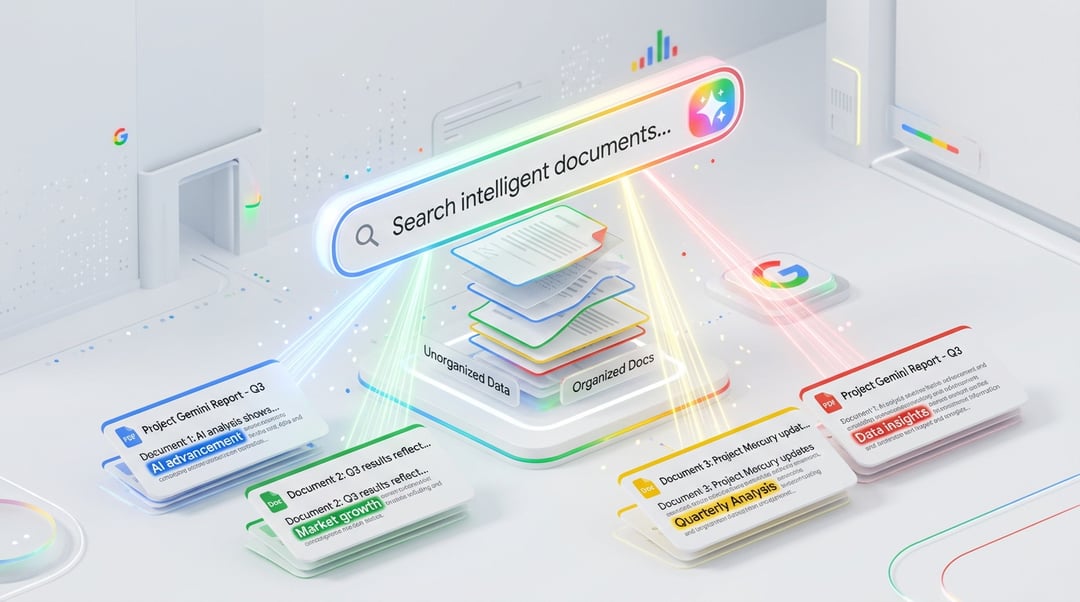
AI Overviews in Google Drive Search Results
When you search in Google Drive now, something different happens. Instead of just a list of files, Gemini delivers an AI Overview at the top of your search results, highlighting key details pulled from related documents.
Here’s what that means in real life.
Say you ask Gemini to “pull all of the files I have on sleep research.” Instead of digging through folders or opening ten tabs, you get a clear overview showing all relevant files — and brief descriptions next to each one outlining what’s inside.
Not just file names. Actual context.
And that’s the shift. Google Drive search isn’t just about locating documents anymore — it’s about understanding them instantly.
Ask Gemini: Instant Summaries and Follow-Up Questions
Ask Gemini Button Inside AI Overviews
At the top of those AI-generated results, there’s an “Ask Gemini” button. It’s simple, but honestly, it changes how you work.
You can:
- Request a summary of selected files
- Ask for clarification on specific details
- Surface key points from a document
- Dive deeper without opening anything manually
Instead of clicking, scrolling, scanning, repeating… you just ask.
It feels less like searching and more like having a smart assistant sitting next to you, flipping through documents on your behalf.
AI-Powered Summaries Without Opening Files
AI Overviews outline file contents directly in search results. So if you store a large number of documents — research papers, meeting notes, contracts, reports — you don’t have to open multiple files just to find one paragraph.
The summary surfaces the most relevant information immediately.
And if you need more? You ask for it.
No endless scrolling. No guessing which file contains what.
Context-Aware Insights Across Drive, Gmail, Calendar, and the Web
Here’s where it gets interesting.
The AI Overview doesn’t just look at the documents stored in Drive. It can also consider relevant information from:
- Your emails
- Your calendar
- The web
That broader context makes the results smarter.
So if a project was discussed in Gmail, scheduled in Calendar, and documented in Drive, Gemini can connect those dots. It’s not just pulling isolated files — it’s identifying relationships between them.
That kind of contextual awareness turns Google Drive into something closer to a connected workspace rather than a digital filing cabinet.
Productivity Benefits for Heavy Google Drive Users
If you manage dozens — or hundreds — of documents, this feature isn’t just convenient. It’s practical.
Faster Access to Key Information
Instead of:
- Opening five documents
- Scanning pages of text
- Searching inside each file
You get AI-generated highlights upfront.
That saves time. And mental energy.
Reduced Manual Searching and Scanning
Digging through documents for one statistic or summary line? You can now ask Gemini directly for clarification or key points from a file.
The system handles the scanning. You focus on the decision-making.
It’s a small shift in workflow, but it adds up — especially in research-heavy or documentation-heavy environments.
Availability and Subscription Requirements
AI Overviews and Ask Gemini in Google Drive are rolling out globally in US English to:
- Google AI Pro subscribers
- Google AI Ultra subscribers
- Enterprise customers on the Gemini Alpha business plan
This aligns with Google’s broader rollout of AI-powered search summaries across its ecosystem, including Gmail earlier this year.
For organizations already using Gemini tools, this extends AI assistance directly into document discovery and file management.
Google Drive AI Overviews vs Traditional Search
Traditional Drive search shows you files that match keywords.
AI Overviews show you:
- What’s inside those files
- Why they’re relevant
- How they connect
It’s the difference between seeing a bookshelf and having someone summarize every book for you in seconds.
And when you’re under pressure — preparing a presentation, responding to a client, finishing research — that difference matters.