
Gemini Automation on Android: Turning Intent Into Action
There’s something quietly powerful about not having to repeat yourself to your phone.
You know the feeling—you're juggling messages, maybe walking out the door, and you think, I need a ride… and maybe dinner, too. Normally that means hopping between apps, tapping through menus, confirming addresses, double-checking details.
Now, Google’s Gemini on Android can handle some of that for you.
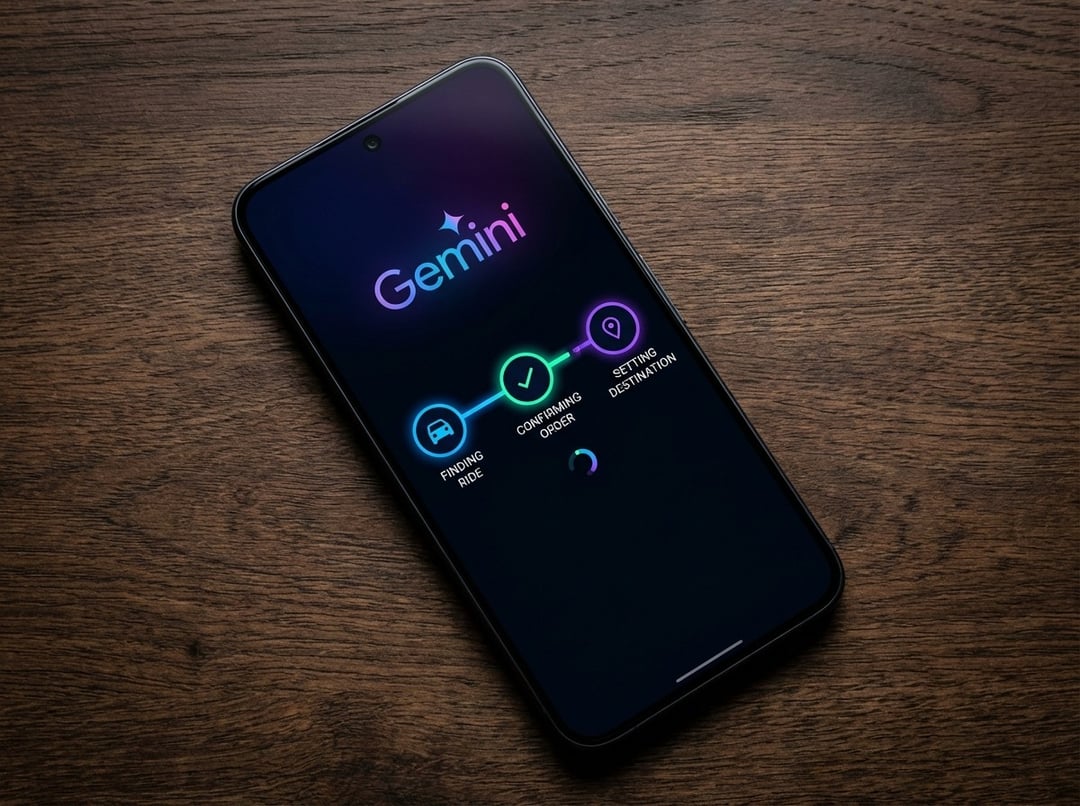
The new automation feature allows Gemini to complete multi-step tasks like ordering a rideshare or arranging food delivery. Not just suggesting. Not just searching. Actually carrying out the steps inside supported apps.
It’s still in beta. And right now, it works with select apps in food, grocery, and rideshare categories. But the shift is clear: Gemini is moving from answering questions to taking action.
And that’s a big deal.
How Gemini Executes Multi-Step Tasks Across Android Apps
From Prompt to Completion Inside Supported Apps
Here’s what’s different.
Instead of saying, “Here are some ride options,” Gemini can follow through. You ask for an Uber to the airport, and it navigates the steps required inside the rideshare app. Same idea for ordering food or groceries.
The automation is built into the Gemini app experience on Android. It isn’t a separate workflow builder. It’s conversational. You ask. It acts.
That matters because multi-step tasks are where friction lives. Selecting the right service. Confirming location. Choosing timing. Finalizing the request. Gemini compresses that back-and-forth into a single, guided flow.
Beta Access, Device Support, and Regional Availability
Right now, this feature is limited.
It’s available on:
- Pixel 10
- Pixel 10 Pro
- Samsung Galaxy S26 series
And only in:
- The United States
- Korea
That’s intentional. Google is testing automation in a controlled rollout, which makes sense. When AI starts acting on your behalf, reliability matters more than speed of expansion.
Expect broader device and regional support over time as the beta matures.
Built-In Safeguards to Prevent Unintended Actions
Let’s be honest. The idea of an AI placing orders without you could feel… uncomfortable.
Google says safeguards are in place to ensure automations don’t trigger without user initiation. That means Gemini won’t spontaneously book rides or order groceries because it “thought” you needed them.
You stay in control. The AI acts when you ask it to.
That distinction is critical for trust—and trust is the backbone of AI adoption on personal devices.
Expanded On-Screen Intelligence With Gemini
Search Everything on Your Screen, Not Just One Object
Gemini’s update isn’t just about task automation.
Google has expanded its “Circle to Search” capability. Before, you could circle or scribble over a single item to search for it. Now, Gemini can search everything visible on your screen.
Every item in an outfit. Every accessory. Multiple products in a scene. Even a cluster of related objects tied to a broader topic.
It’s a shift from object-level recognition to contextual understanding.
You’re no longer isolating one thing—you’re exploring the whole picture.
Identifying and Understanding On-Screen Content
Gemini can also identify items directly from what’s displayed on your device. That’s useful for shopping comparisons, research, or simply satisfying curiosity when something catches your eye.
And since Gemini integrates deeply into Android—replacing the traditional Google Assistant experience—it can be triggered with familiar gestures like pressing and holding the power button or saying “Hey Google.”
That continuity matters. It keeps the experience natural instead of forcing users to learn an entirely new interface.
Enhanced Scam Detection for Phone Calls
AI on your phone shouldn’t just be convenient. It should protect you.
Google is expanding scam detection capabilities for phone calls. While details remain limited, the focus is clear: identify suspicious behavior in real time and help users avoid fraudulent interactions.
With scams becoming more sophisticated, especially those leveraging AI voice techniques, this layer of defense strengthens Android’s position as an AI-powered ecosystem—not just an AI-powered assistant.
Gemini’s Role in the Broader Android AI Ecosystem
Gemini isn’t a standalone feature anymore. It’s becoming the core intelligence layer across Android.
Google has been steadily integrating Gemini into its operating system updates and Pixel Drops. At the same time, competitors are navigating delays in rolling out comparable AI-powered assistants.
The automation update signals a strategic move: Gemini isn’t just here to generate text or summarize emails. It’s here to act as an intelligent agent inside your mobile environment.
From answering questions about what’s on your screen to completing real-world tasks in supported apps, Gemini is evolving into something closer to a digital operator.
And that’s the direction AI on smartphones seems to be heading.