
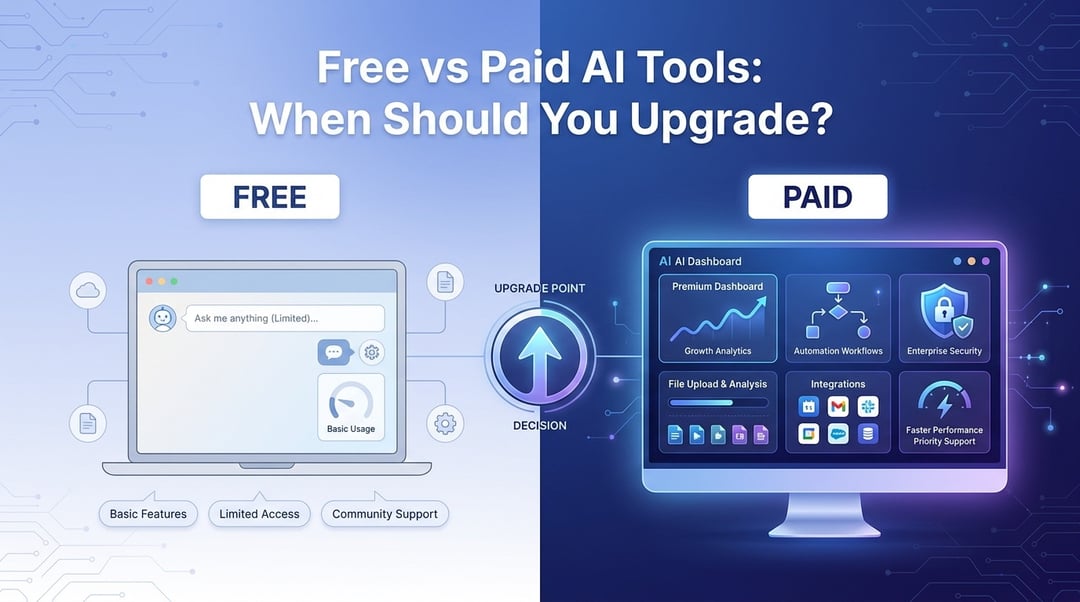
Free AI tools are a bit like the free sample tray at a grocery store. Useful. Tempting. Sometimes surprisingly good. But they’re not always enough for dinner.
At first, a free AI tool feels like a shortcut you can’t believe is real. It can rewrite an email, summarize an article, brainstorm names for a project, or explain a confusing topic in plain English. Then one day you hit the wall. The tool slows down. The answer feels generic. You can’t upload the file you need. You run out of prompts right when you’re finally getting somewhere.
That’s when the real question shows up: should you upgrade from free to paid AI tools?
The short answer: upgrade when AI stops being a fun helper and starts becoming part of your actual work.
Free vs Paid AI Tools: What’s the Real Difference?
The biggest difference between free and paid AI tools isn’t just price. It’s reliability.
Free AI tools usually give you basic access. They’re great for testing, learning, and handling simple tasks. You might get limited messages, slower responses, fewer features, smaller file limits, and access to less advanced models.
Paid AI tools usually give you more power. That can mean better reasoning, faster output, larger uploads, stronger privacy options, integrations, team features, automation, and more consistent performance.
Think about it this way. A free AI tool is like using a public computer at a library. It works. It’s helpful. But you probably wouldn’t build your whole business around it. A paid AI tool is closer to having your own workstation with the right software installed.
What Free AI Tools Are Best For
Free AI tools are perfect when the stakes are low.
If you’re writing a casual email, planning a vacation, summarizing a public article, creating study notes, brainstorming social media captions, or asking for a simple explanation, free AI is often enough. You don’t need a premium subscription just to ask why your sourdough keeps collapsing or how to make your resume sound less stiff.
Free tools are also the best place to learn how AI works. You can practice writing better prompts, compare answers, spot weak responses, and figure out which tasks actually save you time. That learning matters. Paying for AI before you know your use case is how people end up with five subscriptions they barely open.
And honestly, free AI tools are better than many people give them credit for. For everyday personal use, they can be more than enough.
Where Free AI Tools Start to Fall Short
Free AI tools start to feel limiting when you rely on them often.
Maybe you’re using AI to draft client proposals, analyze meeting notes, summarize long documents, write product descriptions, or organize research. Suddenly, limits matter. A free tool that cuts you off halfway through a project doesn’t feel free anymore. It feels expensive in a different way.
Quality can also become an issue. Free plans may use less capable models or restrict advanced features. The output may sound fine at first glance yet miss nuance, context, or accuracy. That’s risky when the work affects customers, money, reputation, or decisions.
Privacy deserves real attention too. You should avoid putting sensitive data into any AI tool unless you understand how the provider handles it. That includes contracts, passwords, medical details, financial records, private customer data, internal strategy, or confidential source code. For deeper guidance, review resources such as the NIST AI Risk Management Framework, the Microsoft Trust Center, and the privacy policies of the tools you use.
Not dramatic. Just practical.
What Paid AI Tools Usually Offer
Paid AI tools tend to offer three things people actually notice: better answers, fewer limits, and smoother workflows.
Better models can follow more complex instructions, handle longer documents, and produce more useful responses. For example, a free AI tool might summarize one article well. A paid tool might compare five reports, identify contradictions, pull out key numbers, and draft a clean executive summary.
That’s a different level of usefulness.
Paid plans may also include larger file uploads, image generation, voice tools, spreadsheet analysis, custom instructions, memory features, faster responses, and priority access during busy periods. Some tools connect directly with apps you already use like Google Workspace, Microsoft 365, Notion, Slack, Zoom, or developer environments.
That integration matters because the best AI tool isn’t always the smartest one. It’s the one that fits into your day without making you copy and paste everything like it’s 2009.
When Should You Upgrade from Free to Paid AI Tools?
You should upgrade when the paid tool saves more value than it costs.
Here’s a simple example. If an AI subscription costs $20 per month and saves you two hours, that may already be a good deal. If your time is worth $30, $50, or $100 per hour, the math gets clear fast.
Upgrade when AI helps with recurring work such as:
- Writing reports, briefs, proposals, or articles
- Summarizing meetings or long documents
- Analyzing customer feedback
- Creating presentations or outlines
- Reviewing code or technical material
- Producing client-facing content
- Organizing research into usable insights
You should also upgrade when accuracy and consistency matter. Paid AI still needs human review. Let’s be clear about that. But stronger tools often reduce the amount of cleanup you need to do.
For teams, the decision gets bigger. A business may need admin controls, user permissions, billing management, data protections, audit features, and compliance support. At that point, the question isn’t “Is this fun to use?” It’s “Can we safely make this part of how we work?”
When You Should Not Upgrade Yet
Don’t pay for AI just because everyone’s talking about it.
If you use AI once a week to rewrite a message or get dinner ideas, stay with free tools. There’s no prize for collecting subscriptions.
You also shouldn’t upgrade without a clear use case. Before paying, name three tasks you want the tool to improve. If you can’t name them, wait.
A paid AI tool won’t magically fix a messy workflow. It can speed up a good process. It can support clear thinking. But it can’t decide what matters for you.
And watch out for subscription creep. One writing tool, one image tool, one meeting assistant, one research assistant, one browser extension... suddenly your “productivity stack” costs more than your internet bill.
Start with one paid tool. Test it for 30 days. Then keep it only if you actually use it.
A Simple Decision Framework: Frequency, Risk, and Value
Use the frequency, risk, and value test.
First, ask how often you use AI. If you use it daily or several times a week, paid tools become easier to justify.
Second, ask what’s at stake. If the work involves clients, money, privacy, public content, or business decisions, you need better reliability and stronger safeguards.
Third, ask what value the upgrade creates. Does it save time? Improve quality? Reduce errors? Help you earn more? Make annoying work less painful?
If only one factor applies, stay free. If two apply, try a paid plan for one month. If all three apply, upgrading probably makes sense.
Final Verdict: Are Paid AI Tools Worth It?
Paid AI tools are worth it when AI becomes part of your routine rather than an occasional experiment.
Free AI tools are excellent for casual tasks, learning, brainstorming, and low-risk personal use. Paid AI tools make sense when you need better quality, higher limits, stronger privacy, smoother integrations, or dependable performance.
So here’s the clean answer: upgrade when the tool saves more time, money, or mental energy than it costs.
Before you pay, list your top three AI tasks. Estimate how much time a better tool could save each month. If the value clearly beats the subscription price, upgrade. If not, keep using the free version.
No pressure. No hype. Just the right tool at the right time.