
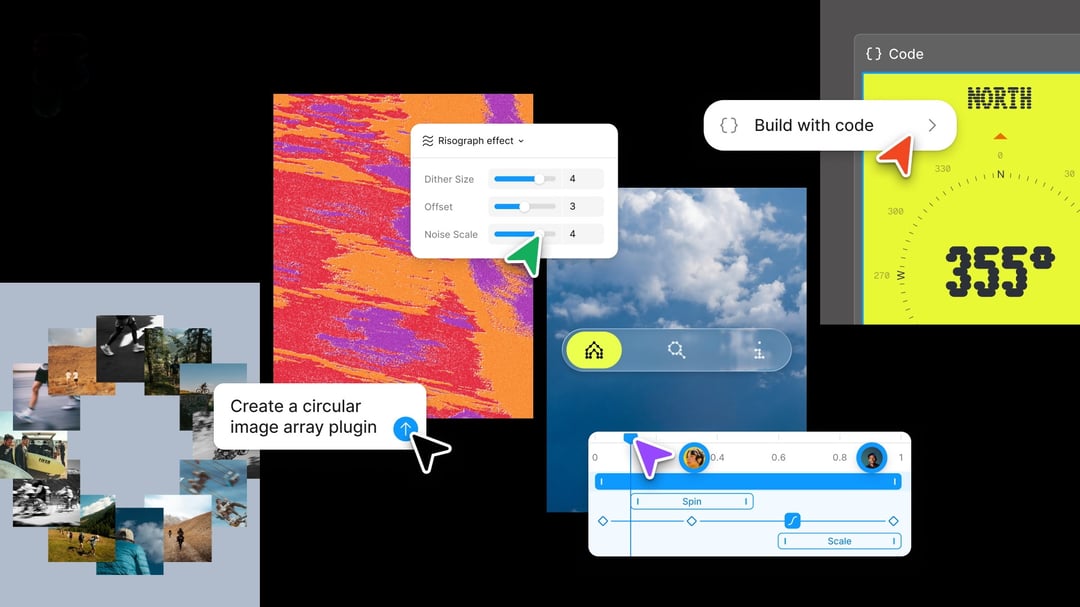
A Big Step Toward Merging Design and Code
Figma just rolled out an update that changes how design and code work together inside the platform. The headline additions are a new code layer, native support for animations and shaders, and a way to build custom AI-powered plug-ins. And honestly, this feels like the next logical move for a company that's been chipping away at the wall between designers and engineers for a while now.
This isn't Figma's first swing at blending code into its workflow. Last year, the company introduced Figma Make, an AI prompt-based prototyping tool, and followed that up with integrations for Claude Code and Codex to smooth out the handoff between coding and design work.
Code Layers Let Teams Bring Repositories Right Into the Canvas
Here's the headline feature: code layers are now built directly into Figma's collaborative canvas. Teams can clone repositories and pull flows straight from code into design layers, which makes it a lot easier to test ideas without bouncing between separate tools.
Why Figma's Leadership Thinks This Changes How Teams Work
Yuhki Yamashita, Figma's chief product officer, explained that code layers free designers, product managers, and engineers to focus on exploring ideas rather than worrying about writing flawless, production-ready code. He described the multiplayer canvas as a space built for rapid experimentation, where the goal is testing out different directions quickly rather than polishing code for deployment. The hope, he said, is that this shifts behavior across the whole team, not just for designers, but for engineers and PMs too.
That's a pretty telling comment. It suggests Figma sees this less as a coding feature and more as a way to get everyone, regardless of role, thinking and building in the same shared space.
Animations, Transitions, and 3D Transforms Now Live Natively in Figma
Motion design just got a lot less complicated. Figma now supports animations, transitions, and 3D transforms directly inside the platform. That's a real shift from how things used to work, where designers had to build animations in separate software and then convert everything into code Figma could actually read.
Now that whole extra step disappears. Designers can build and integrate animations and transitions without ever leaving Figma.
AI Steps In to Help With Shaders and Fills
On top of native animation support, Figma is also letting AI handle some of the more technical visual work. The update adds AI-assisted creation of shader effects and fills, so designers can generate certain visual assets without manually building them from scratch.
Weavy Integration Brings AI Workflow Tools Deeper Into Figma
Figma acquired Weavy, a node-based tool, last year. Weavy let designers run workflows across different AI models so they could compare outputs side by side. Now Figma is working on tying the two platforms together more closely, and later this year, users will be able to generate Weavy workflows directly inside Figma itself.
New AI Assistant Skills Make the Canvas More Capable
Figma's AI assistant, which launched on the collaborative canvas, is getting a useful upgrade too. Users can now write text prompts to build repeatable "skills" that AI agents can use going forward. That means you're not starting from zero every time you want the AI to handle a similar task.
To make those skills even more useful, Figma now lets users connect outside tools like Notion, Granola, Excel, and GitHub, or attach files directly, giving the AI assistant more context about what it's actually being asked to do.
Custom AI-Generated Plug-ins for Specialized Tasks
The update also adds a feature for building custom plug-ins using prompts. Think tools like layout generators or vector path tracers; things that used to require dedicated development work can now be created through a simple prompt-based workflow.