
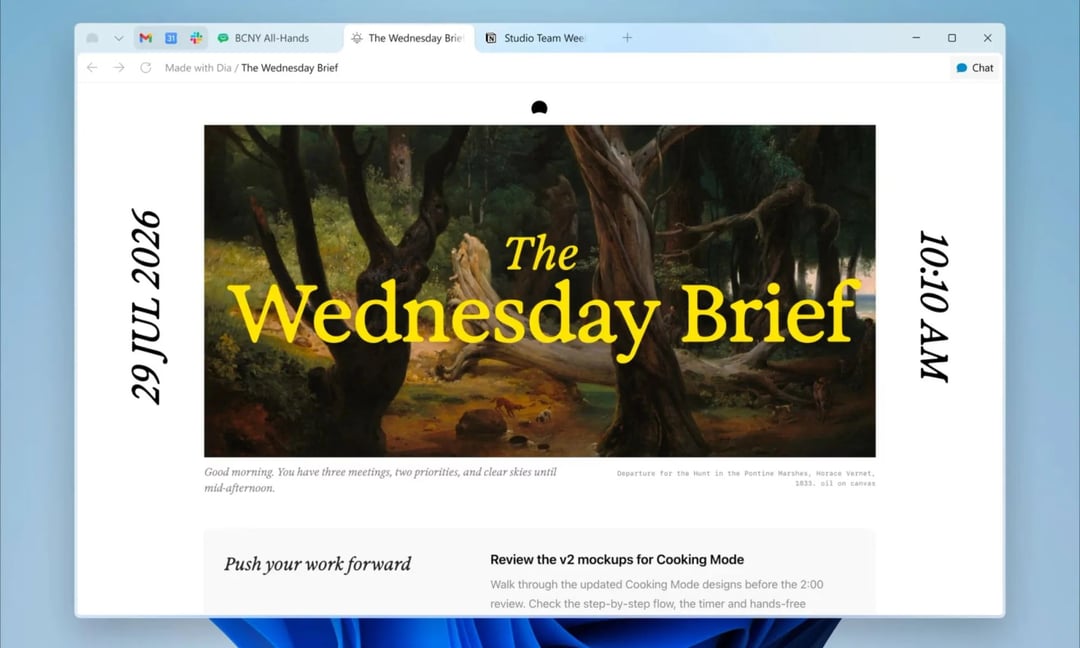
Dia is set to arrive on Windows this fall, bringing its AI-first browsing experience beyond macOS for the first time. There is not yet a specific release date, but Windows users can join the beta waitlist now and wait for invitations to begin.
The move gives people outside Apple’s ecosystem a chance to try a browser built around AI as part of the normal act of browsing—not as something separate that requires another app or another tab.
Dia’s Windows Beta Is Planned for This Fall
The Browser Company has confirmed a Windows beta for Dia this fall. That is the only firm launch timing available so far, and the company has not announced an exact day or detailed rollout schedule.
People who want early access can register through the official beta waitlist. Signing up does not guarantee immediate access, but it puts interested users in line as invitations become available.
Dia had been limited to macOS for months, so this is the first official timeline for a Windows version. For Windows users who have watched the browser gain attention on Apple devices, the beta is the first clear sign that access is getting close.
Why Dia Browser Has Drawn Attention
Dia began on macOS as the successor to Arc, a browser known for taking a different approach to how people move around the web. Dia is built on Chromium, the same browser engine used by Chrome and Edge, but its focus is on making AI a built-in part of the experience.
Rather than treating AI as a tool you open separately, Dia is designed to use what is already happening in your browser. It can work with the information across your open tabs, which is where much of the appeal comes from.
Users have also responded positively to its uncluttered design and the way its AI features fit into ordinary browsing. That combination has made the Windows release a long-awaited expansion for people who have not been able to use the browser on their primary device.
Dia AI Browser Features Available Today
Dia’s current AI capabilities are centered on helping users work with information that is already open in their browser. Its features include:
- Understanding activity across open tabs
- Summarizing information
- Answering questions using browsing context
- Comparing products across several pages
- Providing background context on an article without requiring a new tab
These tools are meant to reduce the back-and-forth that often happens while researching, comparing options, or trying to understand a topic spread across multiple pages. Instead of opening more tabs to find context or manually piece together details, the browser can help make sense of what is already in view.
That integrated approach is a key part of what separates Dia from a standard browser with an AI feature added on the side.
What Is Confirmed for Dia on Windows
The Windows beta is confirmed for fall, and the waitlist is open. Beyond that, many details are still unknown.
The company has not said which Dia features will be included when the Windows beta launches. That means users should not assume the Windows version will arrive with every capability currently associated with the macOS experience.
It is also unclear whether the Windows release will follow Dia’s existing pricing structure.
Dia’s Current Freemium and Pro Plans
Dia currently uses a freemium model. Free users have a limit on AI usage, while the Pro plan costs $20 per month and offers unlimited access.
There is no confirmation that the Windows version will launch under the same arrangement. Until more details are shared, both the feature set and the plan structure for Windows remain open questions.
Privacy and Data Handling Concerns Around AI Browsers
AI browsers can be useful precisely because they can work with browsing context, open tabs, and information across pages. But that same level of access raises real questions about privacy and data handling.
Experts have raised concerns about AI-first browsers like Dia in these areas. Anyone considering the Windows beta should keep those concerns in mind, especially while the company has not yet outlined the Windows launch features or other release details.
The appeal is clear: fewer extra tabs, faster summaries, and help connecting information across the web. Still, it makes sense to balance that convenience against how much browsing information an AI-powered browser may need to handle.
Dia’s Place Among AI-Powered Browsers on Windows
If the Windows version delivers the same kind of experience that made Dia popular on macOS, it could become a serious competitor among AI-powered browsers on Windows before the end of the year.
For now, the practical next step is simple: join the beta waitlist if you want access when invitations begin. Just keep expectations measured until Dia confirms its Windows feature lineup, release timing, and pricing details.