

AI coding tools are easy to hype when the demo is clean.
Ask one to build a to-do app, and it usually looks brilliant. Ask it to center a button, write a helper function, or explain a regex, and all three major assistants — Claude, Gemini, and ChatGPT — can feel almost magical.
But real coding work is messier.
Real projects have old files nobody wants to touch. Weird edge cases. Half-written tests. Naming conventions from three developers ago. A bug that only appears when two users click the same thing at the same time.
So I tested Claude, Gemini, and ChatGPT on real coding tasks instead of toy prompts. Not to find the “perfect” AI coding assistant, because that doesn’t exist. The better question is simpler: which one would I actually trust when the code matters?
Here’s the honest breakdown.
How I Tested Claude, Gemini, and ChatGPT for Coding
For this comparison, I gave each AI assistant the same set of coding tasks and judged the results on five things:
- Did the code work?
- Did it solve the actual problem?
- Was it secure?
- Did it fit the existing code style?
- How much cleanup would a human developer need to do afterward?
The tasks covered five common developer workflows:
- Debugging an existing bug
- Building a new backend feature
- Refactoring messy code
- Writing test coverage
- Working across a larger multi-file project
This matters because “Claude vs ChatGPT vs Gemini for coding” isn’t one question. It’s several different questions hiding inside one.
The best model for debugging may not be the best model for quick prototypes. The cheapest model may not be the safest. And the model with the biggest context window may not always write the cleanest code.
Task 1: Debugging Existing Code
The first test was a backend bug in a small Node.js app. The issue involved shared state being updated during concurrent requests. Nothing crashed. That was the annoying part. The app looked fine until multiple requests hit the same route at once, and then the data became inconsistent.
Claude’s debugging result
Claude handled this one the best.
It didn’t just point at the file where the bug appeared. It explained the root cause: shared mutable state was being updated without proper protection. It also suggested a fix that addressed the actual concurrency issue rather than covering it up with extra error handling.
The code it gave back was clean, and the explanation was practical. Not too academic. Not too vague. It basically said: “This breaks because two requests can read and write the same value before either one finishes.”

That’s the kind of explanation that helps you fix the bug and understand why it happened.
ChatGPT’s debugging result
ChatGPT found the general area of the problem, but its first fix was more of a workaround. It reduced the chance of the bug showing up, but it didn’t fully solve the race condition.
This is something I noticed a few times with ChatGPT. It often gives you code that looks immediately useful. And sometimes it is. But you still need to read it carefully because it can solve the visible symptom instead of the deeper issue.
Gemini’s debugging result
Gemini moved quickly and gave a confident answer, but it missed the main cause on the first try. It suggested better error handling, which is nice, but error handling wasn’t the problem.
That’s an important distinction. A try/catch block can make a failure less ugly. It doesn’t fix broken logic.
Winner: Claude
For debugging, Claude gave the most accurate first-pass answer and the clearest reasoning.
Task 2: Building a Real Backend Feature
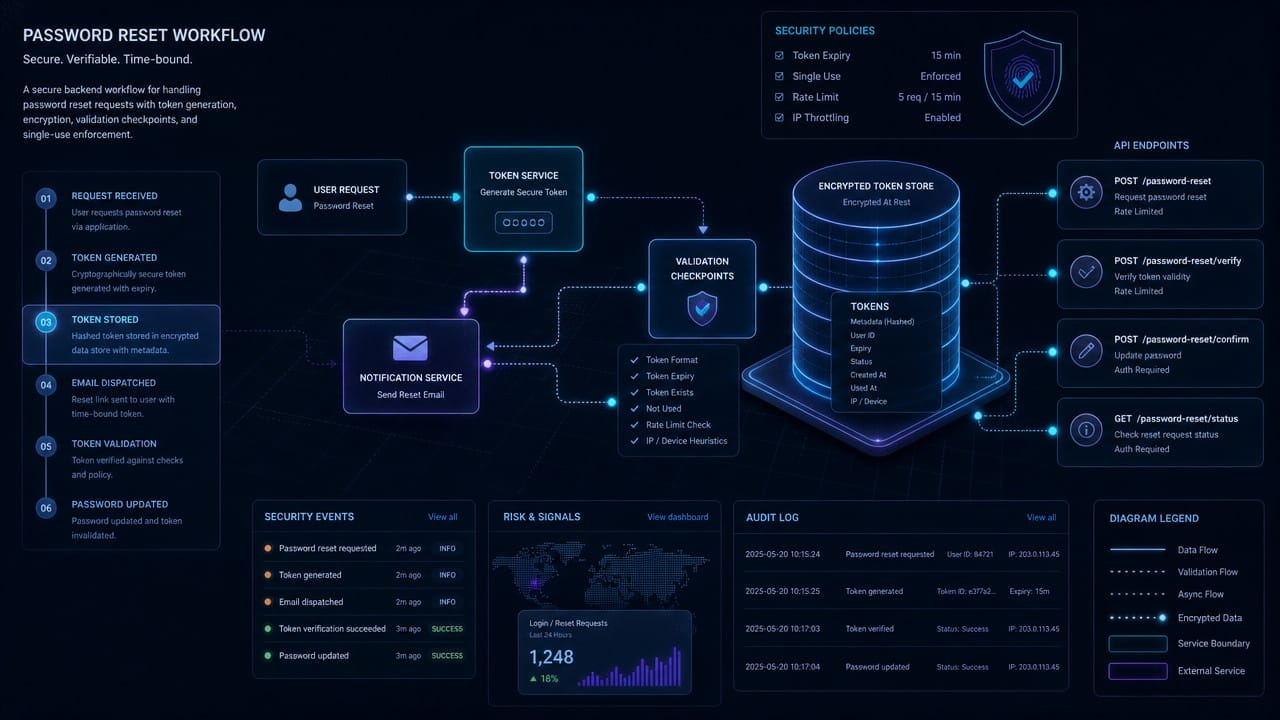
Next, I asked each model to build a password reset feature for a web app. This included token generation, expiration, validation, rate limiting, and safe database access.
This is a good test because it looks simple until you think about security. A password reset flow can’t just “work.” It has to work safely.
Claude’s feature implementation
Claude produced the strongest implementation. It hashed reset tokens before storing them, added expiration checks, included input validation, and handled rate limiting in a sensible way.
What stood out was that security wasn’t an afterthought. Claude didn’t wait to be asked, “Can you make this safer?” It built with safer defaults from the start.
That’s a big deal for general users and newer developers. If you don’t know what to look for, insecure AI-generated code can look perfectly fine.
ChatGPT’s feature implementation
ChatGPT built a working password reset flow and the structure was easy to follow. But one part of the database query was too loose and would need to be rewritten before production use.
This is where ChatGPT can be tricky. It’s fast, readable, and often very close. But “very close” is not enough when the feature touches authentication.
If you use ChatGPT for backend work, especially anything involving users, payments, accounts, or permissions, review the output carefully.
Gemini’s feature implementation
Gemini’s answer was solid in broad strokes. It understood the feature and produced usable code, but some choices were less polished. The rate limiting was basic, and one expiration check needed adjustment.
It felt like Gemini understood the assignment, but Claude understood the risk.
Winner: Claude
For security-sensitive coding tasks, Claude was the model I’d trust most.
Task 3: Refactoring Messy Code
The third test was a long Python function with nested conditionals, repeated logic, unclear names, and no tests. The goal was not to make it fancy. The goal was to make it easier to read without changing behavior.
This is where AI tools often get themselves into trouble.
A refactor is not a rewrite. If the behavior changes, even slightly, you may have just created a new bug with cleaner formatting.
Claude’s refactor
Claude took the most careful approach. It split the large function into smaller helpers, added clearer names, and preserved the original logic.
It also flagged that tests should be added before merging the refactor. That sounds obvious, but it’s exactly the kind of practical caution you want from an AI coding assistant.
ChatGPT’s refactor
ChatGPT made the code look cleaner, but one edge case changed. The original function returned an empty list in one scenario. ChatGPT’s version returned None.
That’s the kind of bug that can sneak through if you only scan the code and think, “Looks better.”
Gemini’s refactor
Gemini produced a working refactor, but it overcomplicated the design. It introduced more structure than the task needed. Instead of making the function easier to maintain, it moved toward a heavier architecture.
Sometimes Gemini feels like it wants to organize the whole house when you only asked it to clean the desk.
Winner: Claude
Claude kept the refactor boring, and in this case, boring was exactly right.
Task 4: Writing Test Coverage
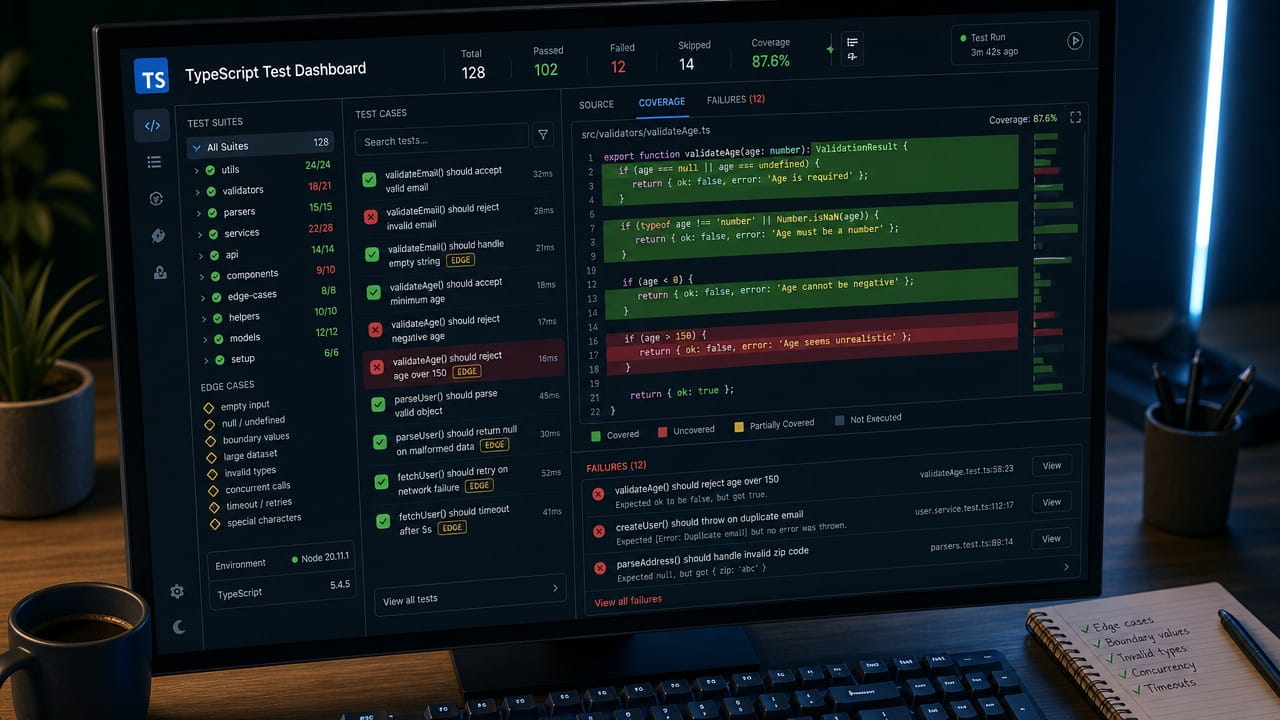
For the test-writing task, I gave each model an existing TypeScript utility file with no tests and asked for coverage across normal behavior, edge cases, and failure paths.
Claude’s test generation
Claude wrote the best tests overall. The test names were clear, the cases were meaningful, and it covered edge cases like empty inputs, null-like values, and unusual strings.
The strongest part: Claude noticed a couple of behaviors in the original code that looked buggy and wrote tests that exposed them.
That’s what good test generation should do. Not just increase coverage numbers, but help you understand where the code is fragile.
ChatGPT’s test generation
ChatGPT wrote a decent test suite. It covered the main paths and produced something a developer could build on. But the edge case coverage was thinner, and some test names were generic.
Still useful. Just not as sharp.
Gemini’s test generation
Gemini wrote the most tests, but more wasn’t better. Some tests overlapped, and a few tested implementation details instead of user-facing behavior.
That can become a maintenance problem. If your tests are too tied to how the code works internally, they break during harmless refactors.
Winner: Claude
Claude wrote the tests I’d be most comfortable keeping in the codebase.
Task 5: Working Across a Larger Project
The final test involved a larger React and TypeScript project. The task required changes across routing, API calls, components, state, and shared types.
This is where context really matters.
Claude on multi-file coding
Claude did very well. It followed existing project patterns, noticed shared types, and made changes that mostly fit the codebase.
Its context window may not be the largest of the three, but it used the context well. That distinction matters. Having more room to read code is helpful, but reasoning across that code is the real skill.
ChatGPT on multi-file coding
ChatGPT was also strong here. It understood most dependencies and wrote clean component logic. But it missed one shared type update, which caused a TypeScript issue.
Not a disaster. Easy to fix. But still something a human would need to catch.
Gemini on multi-file coding
Gemini’s biggest advantage showed up here: large context. It was very good at taking in a lot of code at once and summarizing how the project fit together.
But its actual code changes were slightly less aligned with the project’s style. It understood the map, but Claude drove the route better.
Winner: Claude for code quality, Gemini for raw context
If I needed to understand a large repo quickly, I’d use Gemini. If I needed to change it safely, I’d lean Claude.
Claude vs Gemini vs ChatGPT for Coding: The Final Verdict
After testing Claude, Gemini, and ChatGPT on real coding tasks, my takeaway is pretty clear:
Claude is the best choice for production code
Claude was the most reliable across debugging, refactoring, test writing, and security-sensitive backend work. It made fewer risky assumptions and gave answers that felt closer to what a careful senior developer would suggest.
Use Claude when correctness matters.
ChatGPT is the best fast generalist
ChatGPT is quick, flexible, and easy to work with. It’s great for prototypes, small scripts, explanations, and getting unstuck.
But don’t treat its first answer as finished code. Review it, test it, and pay special attention to security.
Use ChatGPT when speed matters.
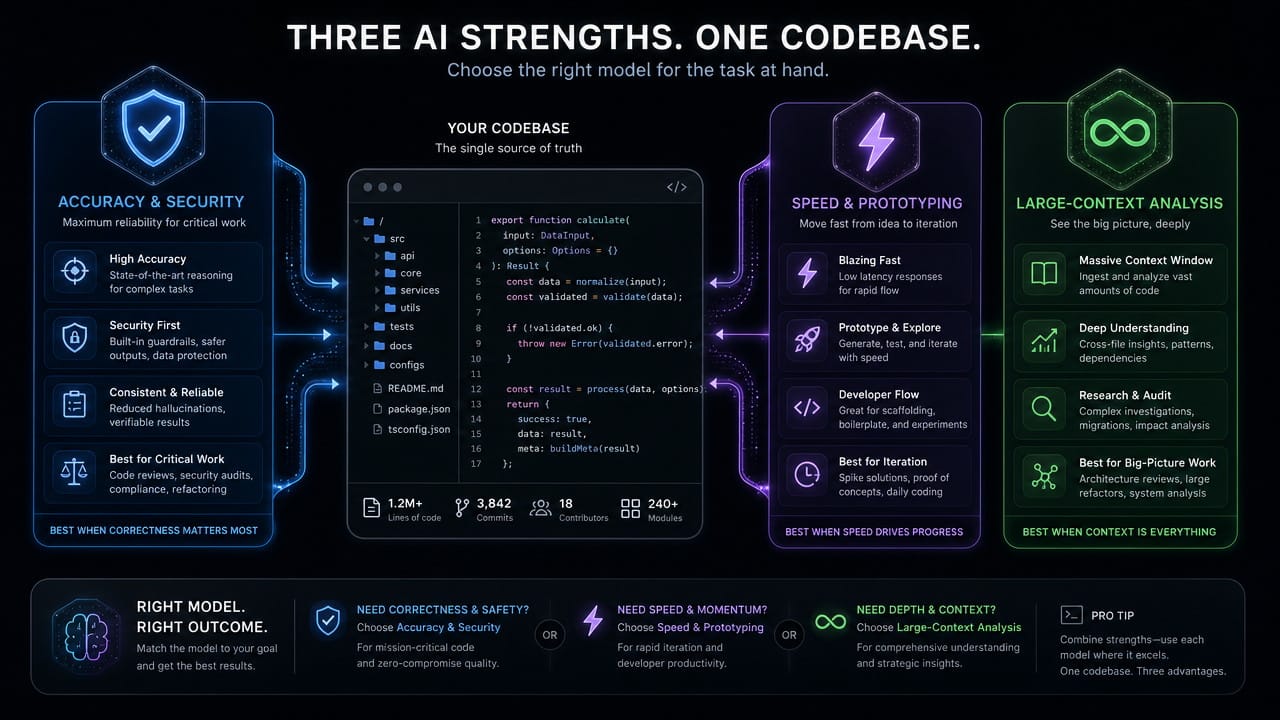
Gemini is best for large context and cost-conscious work
Gemini shines when you need to feed in a lot of information. Large files, long docs, big repositories — that’s where it feels most comfortable.
Its code output wasn’t always the best, but for understanding a project or working within budget limits, it’s genuinely useful.
Use Gemini when context size or cost matters.
The Smart Answer: Use More Than One
The real lesson isn’t “Claude wins, everyone else loses.”
The better workflow is to use each tool where it’s strongest:
- Use Gemini to understand a large codebase.
- Use Claude to write or refactor the important code.
- Use ChatGPT to prototype quickly or explain unfamiliar concepts.
- Then test everything yourself.
That last part matters most.
AI coding assistants are powerful, but they’re not a replacement for judgment. They can save hours. They can also create bugs that look clean enough to trust.
So treat them like very fast junior developers with moments of genius.
Helpful? Absolutely.
Autonomous? Not yet.