
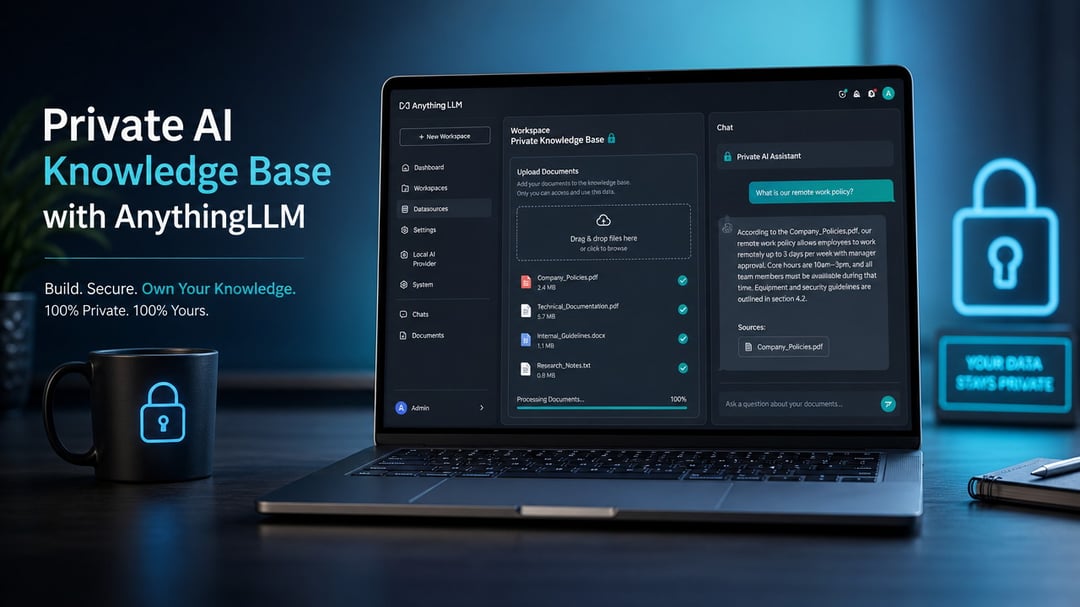
Understanding Private Knowledge Bases
Private knowledge bases give you full control over your data. You store sensitive information locally without sending it elsewhere. This setup blocks external access and reduces breach risks. Retrieval happens on your own systems for faster responses. You combine the base with custom large language models to handle complex questions. The result feels personal and secure. Users query data that stays completely under your management.
What AnythingLLM Offers
AnythingLLM serves as an open source platform for private knowledge bases. It runs entirely on your hardware and supports multiple large language model providers. Embeddings and vector storage remain local by default for maximum privacy. You access a clean chat interface that feels intuitive. The tool handles document processing automatically and generates relevant responses from your uploaded files. Documentation at https://docs.anythingllm.com/ details every option available. You select from various embedding models to match your needs exactly.
Prerequisites for Your Setup
You need a stable computer running Linux or Windows. Docker simplifies installation on most systems. At least eight gigabytes of ram prevents performance issues during large collections. A graphics processing unit speeds up processing for bigger datasets. You prepare api keys for the chosen large language model services. The platform supports various embedding models from hugging face. Check the official requirements at https://github.com/Mintplex-Labs/anything-llm for your hardware details.
Installing AnythingLLM
Visit the official AnythingLLM website first. Clone the repository using git. Follow the docker compose instructions next. Run the container with a single command. The setup wizard guides you through initial configuration. You enable local vector storage immediately. Performance tests confirm smooth operation after installation.
Creating Your Initial Knowledge Base
Open the AnythingLLM dashboard after setup. Choose the create new base option. Select your preferred large language model provider. Configure the embedding model to match your needs. Enable local storage to keep everything private. Define a name for your collection. The system generates default embeddings automatically.
Uploading Documents
Drag and drop files into the upload area. Support covers pdfs text documents and more. The platform processes each item automatically. It creates embeddings using your selected model. Organize files into folders for better management. You can batch upload multiple documents at once. Retrieval accuracy improves with clean source material.
Querying Your Knowledge Base
Type your questions directly in the chat window. AnythingLLM searches the vector store efficiently. Relevant documents appear with their sources. Responses draw from the uploaded context only. You refine queries for sharper results. The interface displays confidence scores clearly. Advanced users add filters for specific collections.
Advanced Features and Workflows
Link external tools through the api. Build custom agents that query your base. Use workflows to automate document updates. AnythingLLM supports multiple agents simultaneously. You combine embeddings with semantic search. The platform handles large datasets without issues. Explore the full feature list on the documentation site.
Best Practices for Effective Use
Choose embeddings that fit your document type. Set optimal chunk sizes for retrieval. Maintain separate collections for different topics. Update models regularly for better accuracy. Monitor system resources continuously. Test queries with varied examples. Backup your knowledge base files regularly. These steps ensure reliable performance.
Troubleshooting Common Problems
Clear the cache if queries slow down. Update the application to the latest version. Resolve embedding errors through model selection. Address connection issues with large language model providers. Refer to the troubleshooting section in the documentation. Restart the service if crashes occur. The built-in diagnostics tool helps identify root causes.
Conclusion
Building a private knowledge base with AnythingLLM empowers your data management. You achieve security and customization. The process requires minimal technical expertise. Start with the official installation guide. Explore the full capabilities in the documentation. This approach delivers professional results for your projects.