
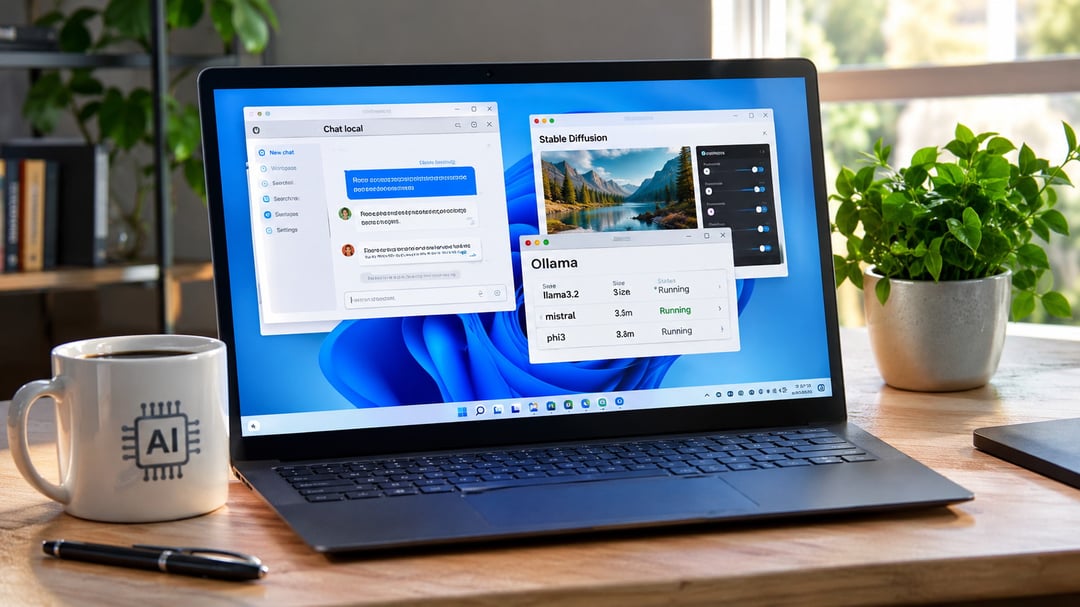
Windows users discover powerful artificial intelligence capabilities without relying on external servers. Open-source projects deliver complete control over data handling and model customization. Beginners gain practical insights into machine learning processes while maintaining full privacy. These tools run locally on personal devices. Setup involves straightforward downloads and basic configurations. You experiment freely with powerful models. This approach builds essential skills for future technology projects.
Understanding Local Open-Source AI Tools for Windows
Local open-source AI tools execute entirely on your computer. You process information directly without cloud transmission. These solutions provide transparency in algorithms and models. Beginners learn effectively through hands-on interaction. Windows systems support them via standard installation methods. You avoid data exposure risks common in remote services. This method suits general users seeking accessible technology exploration. Local execution ensures consistent performance after initial setup.
Essential Concepts for Local AI on Windows Devices
Local AI operates independently from internet connections. You manage all computations on your hardware resources. Open-source licenses enable free modification and distribution. Beginners benefit from visible code structures and model behaviors. Windows users install these applications using familiar executable files. They reduce privacy concerns associated with third-party services. You configure options according to your hardware capabilities. Grasping these fundamentals empowers confident and informed experimentation.
Top Open-Source AI Tools for Local Windows Use
Ollama Enables Local Large Language Model Execution
Ollama allows installation of advanced large language models directly on Windows systems. Users visit the official website and download the installer. Then they execute simple terminal commands to load models such as Llama 3. Beginners appreciate the minimal setup requirements. You engage with models via command-line interfaces or custom scripts. The application optimizes performance on both CPU and GPU hardware. It loads models quickly during inference sessions. Ollama serves as an excellent entry point to local artificial intelligence. You explore its features through straightforward commands.
GPT4All Provides User-Friendly Local Chat Interfaces
GPT4All offers an intuitive platform for running artificial intelligence models locally. Users download the installer from its official repository. Then they select models after the application launches on your desktop. Beginners appreciate its guided installation wizard. You converse with models through a clean chat window. The tool supports multiple languages and complex contexts effectively. It runs efficiently on modest Windows configurations. Many users report fast response times. GPT4All delivers an excellent starting experience for newcomers. You discover its simplicity through daily practice.
Open WebUI Delivers Web-Based Interfaces for Ollama
Open WebUI creates browser-based interfaces for local models. Users download the package from its official GitHub page. Then they configure settings after extraction to your preferred directory. Beginners benefit from its intuitive dashboard design. You manage conversations through responsive web layouts. The tool integrates seamlessly with Ollama backends. It runs efficiently on Windows servers. Many users report enhanced usability. Open WebUI transforms basic terminals into engaging interfaces. You explore its features through your preferred browser.
Stable Diffusion WebUI Enables Local Image Generation
Stable Diffusion WebUI allows generation of images using open-source models. Users download the installer from its official repository. Then they launch the application after setup completion. Beginners appreciate its visual interface for prompt engineering. You create images through detailed text descriptions. The tool supports various model variants effectively. It runs efficiently on Windows systems with GPU acceleration. Many users report creative results quickly. Stable Diffusion WebUI opens doors to artistic applications. You experiment with style variations freely.
AnythingLLM Facilitates Local Document Processing
AnythingLLM enables local handling of documents and knowledge bases. Users download the application from its official site. Then they upload files after installation to your local folder. Beginners benefit from its organized workspace. You query documents through natural language prompts. The tool integrates multiple models effectively. It runs efficiently on standard Windows hardware. Many users report accurate extractions. AnythingLLM proves useful for personal research tasks. You organize information locally without cloud uploads.
LibreChat Offers ChatGPT Alternatives Locally
LibreChat provides an open-source ChatGPT-like experience. Users download the code from its official GitHub repository. Then they run the server after setup. Beginners appreciate its familiar chat layout. You engage in conversations through a web interface. The tool supports multiple open models effectively. It runs efficiently on Windows servers. Many users report reliable performance. LibreChat delivers a complete local alternative. You customize responses to your preferences.
Text Generation WebUI Supports Advanced Model Training
Text Generation WebUI allows fine-tuning and generation with local models. Users download the installer from its official repository. Then they launch the application after configuration. Beginners benefit from its modular design. You train models through step-by-step workflows. The tool supports various architectures effectively. It runs efficiently on Windows systems with GPU support. Many users report successful experiments. Text Generation WebUI suits intermediate local artificial intelligence projects. You build custom solutions from scratch.
Comparing Open-Source AI Tools for Windows Beginners
You compare tools based on installation simplicity and model variety. Ollama excels in performance and model selection. GPT4All focuses on ease of use for novices. Open WebUI adds visual appeal to interfaces. Stable Diffusion WebUI targets creative applications. AnythingLLM suits document analysis tasks. LibreChat provides familiar chat experiences. Text Generation WebUI enables deeper customization. Local artificial intelligence tools foster genuine skill development. You select based on specific interests and hardware. This evaluation process guides informed choices.
Getting Started with Local AI Tools on Windows
You begin by selecting one tool from the options above. Then you download the installer from its official source. Next you follow the on-screen setup instructions carefully. You verify system requirements before proceeding. After installation you test basic features immediately. You explore available models through simple interfaces. Local artificial intelligence tools reward consistent experimentation. You document your discoveries for future reference. This process builds confidence gradually.
Potential Challenges and Best Practices
You address hardware limitations through careful selection. Low-end computers may slow model responses. You optimize by using smaller models initially. Windows users enable GPU acceleration when available. You update tools regularly for security patches. Local artificial intelligence tools require basic troubleshooting knowledge. You consult community forums for solutions. Best practices include backing up configurations. You maintain ethical usage standards always. These steps ensure smooth operation.
Future Outlook for Local Open-Source AI on Windows
Local artificial intelligence continues evolving rapidly on Windows platforms. You anticipate improved performance in upcoming releases. Open-source communities drive continuous improvements. Windows users benefit from active development cycles. Beginners positioned today will thrive in this ecosystem. Local tools align with growing privacy concerns. You prepare for expanded capabilities soon. This technology landscape promises exciting opportunities. You stay informed through reliable sources.
Embracing Local Open-Source AI Tools
You now understand the value of local open-source artificial intelligence tools for Windows. These options empower beginners effectively. You gain practical skills through hands-on exploration. Local execution delivers privacy and control advantages. Windows compatibility makes adoption straightforward. You experiment safely with powerful models. This journey opens doors to deeper technology understanding. You discover satisfaction in self-reliant computing. Local open-source artificial intelligence tools represent a smart choice for the future.