
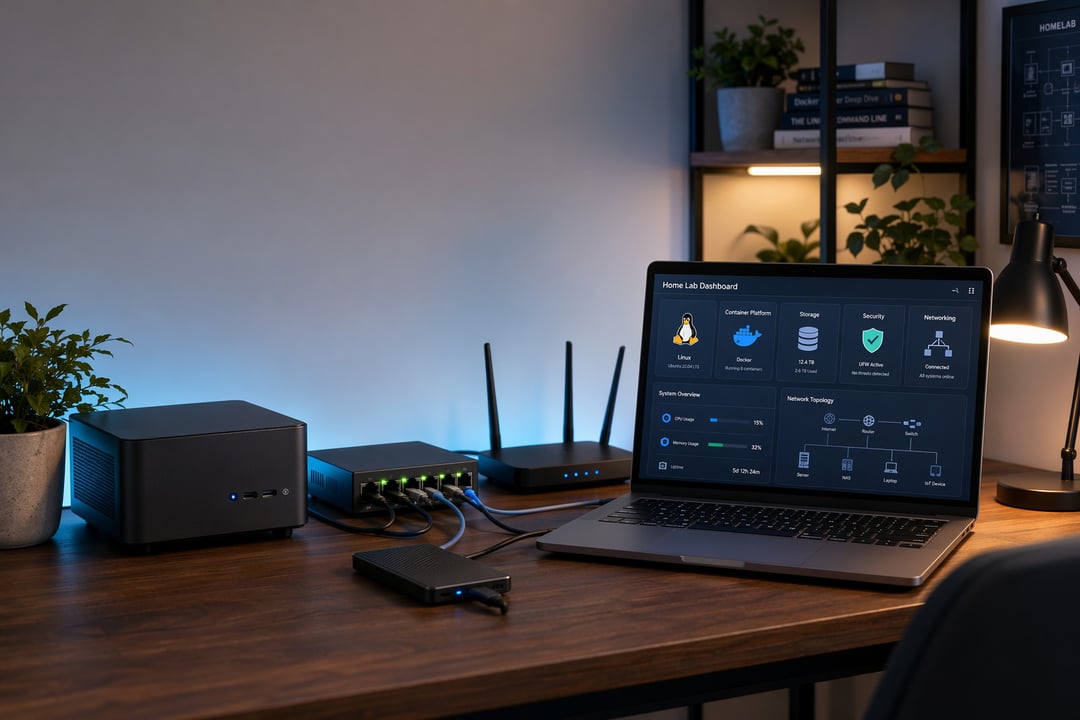
A home lab can look intimidating when you first see one online. Someone has a full rack in the basement, blinking switches, labeled cables, dashboards, storage arrays, and enough fans to make the room sound like a tiny airport.
But here’s the truth: you don’t need all of that to start.
Home lab infrastructure is simply the hardware, software, network, and storage you use to learn technology at home. It gives you a safe place to test ideas, break things, fix them, and slowly understand how real systems work.
For a beginner, the best home lab is not the biggest one. It’s the one you actually use.
What Is Home Lab Infrastructure?
Home lab infrastructure is the foundation that supports your personal technology projects. It can include a spare laptop, a small desktop, a mini PC, a network switch, storage drives, virtual machines, containers, and basic monitoring tools.
Think of it as a small practice environment. Instead of experimenting on your main computer or risking important files, you create a separate space where mistakes are expected. That’s the whole point.
A home lab can help you learn:
- Linux server administration
- Networking basics
- Virtual machines
- Docker and containers
- File sharing
- Backups
- Cybersecurity fundamentals
- Media servers
- Smart home tools
- Private cloud services
You don’t need to master everything at once. In fact, trying to learn everything at once is usually how people end up frustrated. Start with one useful project. Then build from there.
Why Build a Beginner Home Lab?
A beginner home lab gives you hands-on experience that tutorials alone can’t provide. Watching someone install Linux is helpful. Installing it yourself, misconfiguring the network, losing access, and then finding your way back teaches the lesson properly.
This matters because infrastructure is practical. You learn by touching it.
Maybe you want to block ads across your home network with Pi-hole. Maybe you want to run a Jellyfin media server. Maybe you’re studying for an IT certification and need somewhere to practice DNS, DHCP, SSH, firewalls, or virtualization.
A home lab also gives you confidence. Once you’ve built a small server, restored a backup, fixed a broken container, or traced a network issue, technology feels less mysterious. Still complex, yes. But no longer untouchable.
The Core Parts of Home Lab Infrastructure
Every home lab has a few basic building blocks. You can make them simple at first.
Compute: The Machine That Runs Everything
Compute means the device that runs your services. For beginners, this could be:
- An old laptop
- A used office desktop
- A mini PC
- A Raspberry Pi
- A refurbished workstation
You don’t need an enterprise server. Those machines can be loud, power-hungry, heavy, and oddly annoying to live with. A used mini PC with 16GB of RAM and an SSD can run a surprising number of beginner projects.
Focus on three things: CPU, memory, and storage speed. More CPU cores help with virtual machines. More RAM lets you run multiple services at once. An SSD makes everything feel faster.
If you already have an unused computer at home, start there. Free hardware is a great teacher.
Storage: Where Your Lab Keeps Its Data
Storage holds your operating systems, virtual machines, containers, media files, backups, and logs. At the beginning, a simple internal SSD may be enough.
As your home lab grows, you might add an external hard drive or a NAS. A NAS, or network-attached storage device, shares files across your home network. Tools like TrueNAS can turn a dedicated machine into a powerful storage server.
The key lesson is simple: plan for failure. Drives die. People delete the wrong folder. Updates go badly. Backups are not exciting until the exact moment they save you.
Networking: The Piece That Makes Everything Talk
Networking connects your devices. It also causes many beginner headaches.
At the basic level, your home lab uses:
- A router
- Ethernet cables
- A switch if you need more wired ports
- IP addresses
- DNS
- DHCP
DHCP gives devices their network addresses automatically. DNS turns names into addresses. Your router connects your home network to the internet. A switch lets wired devices communicate with each other.
At first, keep networking simple. Use Ethernet when possible because it’s more stable than Wi-Fi for servers. Give important devices a fixed IP address or DHCP reservation. Write those addresses down somewhere you’ll actually find later.
More advanced topics like VLANs, firewall rules, and network segmentation can wait until you understand the basics.
Software That Makes a Home Lab Useful
The hardware is only the shell. The software is where the learning really starts.
Virtualization
Virtualization lets one physical computer run several virtual computers. This is one of the most useful home lab concepts.
With a tool like Proxmox VE, VirtualBox, VMware Workstation, or Hyper-V, you can create separate environments for different projects. One virtual machine can run Ubuntu Server. Another can test Windows. Another can host a small database.
If something breaks, you can rebuild it without touching your main machine. That freedom is powerful.
Containers
Containers are lighter than virtual machines. They package an application with what it needs to run. Docker is the most common starting point.
Good beginner container projects include:
- Pi-hole for network-wide ad blocking
- Uptime Kuma for service monitoring
- Jellyfin for media streaming
- Home Assistant for smart home control
- Nextcloud for private file syncing
A simple way to understand the difference: virtual machines act like full computers. Containers act like neatly boxed applications.
A Practical Beginner Home Lab Setup
A strong beginner setup might look like this:
- Used mini PC or old desktop
- 16GB RAM
- 500GB SSD
- Wired Ethernet connection
- External drive for backups
- Ubuntu Server or Proxmox
That’s enough to learn a lot. You can install Linux, create a few services, experiment with Docker, test backups, and monitor uptime.
Start with one project that solves a real problem. For example, install Pi-hole and learn how DNS works. After that, set up a file share. Then add backups. Then deploy a small dashboard like Uptime Kuma.
This path teaches useful skills in a natural order. You’re not collecting tools. You’re building understanding.
Basic Security for Home Lab Infrastructure
Security matters from day one. A home lab should help you learn safely, not create an open door into your private network.
Start with the basics:
- Change default passwords
- Use strong unique passwords
- Keep systems updated
- Avoid exposing services directly to the internet
- Use multi-factor authentication when available
- Separate experiments from important personal data
- Back up before major changes
For remote access, consider a private VPN-style tool such as Tailscale or WireGuard. These are usually safer than opening ports on your router and hoping everything is configured correctly.
If you don’t understand what a public port does, don’t open it yet. That one rule prevents a lot of trouble.
Common Beginner Mistakes
The biggest mistake is buying too much too early. A rack server looks serious, but it may bring noise, heat, high electricity costs, and complexity you don’t need yet.
Another mistake is ignoring documentation. Write down what you install, what IP address you used, what passwords manager entry belongs to it, and what you changed. Future you will be grateful.
The third mistake is treating experiments like production systems. If your family photos, smart home controls, and important files all depend on a fragile test server, the lab becomes stressful. Keep learning projects separate from anything you can’t afford to lose.
How to Grow Your Home Lab Over Time
Upgrade when you hit a real limit.
Add RAM when virtual machines slow down. Add storage when backups and media fill your drives. Add a managed switch when you’re ready to learn VLANs. Add a UPS when sudden power loss becomes a problem.
Later, you can explore Kubernetes, infrastructure as code, log management, monitoring, identity systems, firewalls, and SIEM tools. But those topics make more sense after you understand the foundation.
Final Thoughts
The best beginner home lab infrastructure is small, clear, and useful. You don’t need a rack. You don’t need perfect cable management. You don’t need to copy someone else’s expensive setup.
Start with one machine. Install Linux or Proxmox. Connect it with Ethernet. Run one simple service. Break something. Fix it.
That’s where the real learning begins. And once your first service runs reliably, all those blinking lights start to make a lot more sense.