
If you’ve ever looked at Apple’s pro apps the way you look at a really nice camera lens—love the idea, hate the price—this is the moment Apple’s been nudging creators toward.
Apple’s Creator Studio bundle is now live globally, and it’s a pretty big shift: Apple is packaging its best-known “pro” creative tools into a single subscription, with some features (especially on iPad) now effectively living behind that paywall.
Below is what’s included, how much it costs, which devices it works on, and the gotchas you’ll want to know before you hit Subscribe.
What is Apple Creator Studio?
Creator Studio is Apple’s new subscription bundle for creative work—video, audio/music, and image editing—built around its “pro” software lineup.
It officially launched January 28 and includes a one-month free trial for new subscribers.
What makes it notable isn’t just the bundle. It’s the direction: iPad versions of certain pro apps are now subscription-only, even while Apple continues to sell one-time purchase versions on Mac.
What’s included in the Creator Studio bundle?
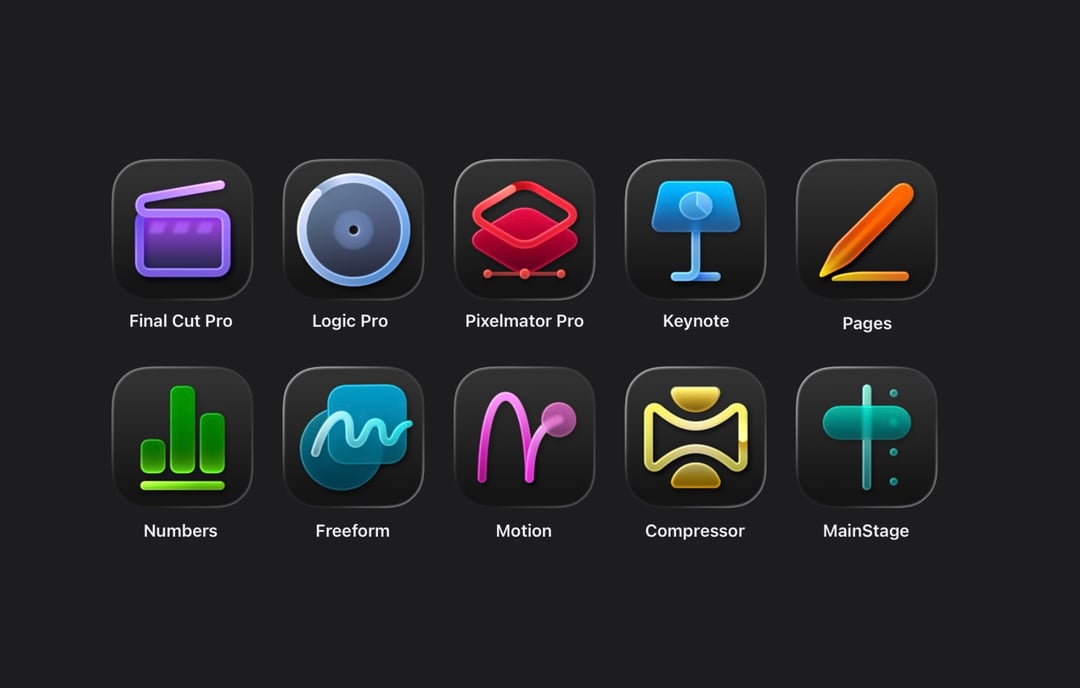
Creator Studio includes six apps:
- Final Cut Pro
- Logic Pro
- Pixelmator Pro
- Motion
- Compressor
- MainStage
And then there’s an extra layer that’s easy to miss: the subscription also unlocks premium content and features inside Apple’s productivity apps (iWork), including Keynote, Pages, and Numbers, plus more integration coming to Freeform later.
The headline addition: Pixelmator Pro expands to iPad
Apple’s Pixelmator Pro (which Apple acquired in late 2024) is now available on iPad for the first time, with a touch-first interface and Apple Pencil support. That’s a big deal for anyone who does thumbnails, social graphics, basic photo cleanup, or quick compositing on iPad.
Device support: Mac gets everything, iPad gets the core, iPhone gets perks
This is where the bundle starts to feel… strategically Apple.
On Mac
You get all six apps: Final Cut Pro, Logic Pro, Pixelmator Pro, Motion, Compressor, MainStage.
On iPad
You get three apps:
- Final Cut Pro
- Logic Pro
- Pixelmator Pro
Motion, Compressor, and MainStage remain Mac-only.
On iPhone
You don’t get full Final Cut/Logic/Pixelmator apps. Instead, the subscription unlocks premium iWork content (templates/themes + the new “Content Hub”), and eventually Freeform extras.
Apple notes the best experience is on macOS 26, iPadOS 26, and iOS 26 (or later), with requirements varying by device/chip.
Pricing: $12.99/month (and the education plan is wild)
Creator Studio pricing (US figures reported widely; availability is global with local pricing):
- $12.99/month
- $129/year
- 1-month free trial
There’s also an education plan:
- $2.99/month
- $29.99/year
- Also includes a 1-month free trial
- Not shareable via Family Sharing
Family Sharing
A standard subscription can be shared with up to five other people via Family Sharing (so six users total).
Hardware promos
Apple is also offering three free months of Creator Studio with the purchase of a qualifying new Mac or iPad around launch.
The biggest “before you subscribe” detail: Mac can still buy outright, iPad can’t
Apple is keeping one-time purchases on the Mac App Store (at least for now). Standalone prices cited include:
- Final Cut Pro — $299.99
- Logic Pro — $199.99
- Pixelmator Pro — $49.99
- Motion — $49.99
- Compressor — $49.99
- MainStage — $29.99
But on iPad, it’s different: Final Cut Pro, Logic Pro, and Pixelmator Pro for iPad are only available through the subscription. No standalone purchase option.
That’s the real “news” here. Apple’s basically saying: own on Mac, subscribe on iPad.
New features: AI, search, and workflow boosts (with some caveats)
Creator Studio also acts as a delivery vehicle for new “intelligent” features across apps.
Final Cut Pro highlights
- Beat Detection: analyzes a music track and maps beats so you can snap edits to rhythm
- Transcript search: audio is transcribed so you can search footage by what’s said
- Visual search: search clips by objects/actions (good for large libraries)
Logic Pro highlights
- New AI-assisted Session Players
- New workflow/creation features across Mac and iPad
Pixelmator Pro highlights
- Continues leaning into machine learning for tasks like background removal, repair, and upscaling
- Also: not all features may be identical between standalone and bundle versions (Apple’s own FAQs hint at bundle-specific features like the Warp Tool access in the Creator Studio version)
Important note: some features require Apple Intelligence-capable hardware.
What happens if you cancel?
Apple’s stance is pretty straightforward:
- Your projects remain on your devices
- You can copy/share files
- But you’ll need an active subscription to open/edit projects in the paid pro apps (Final Cut, Logic, Pixelmator Pro)
iWork documents remain editable without a subscription, but you lose access to premium assets/features tied to Creator Studio.
A small but meaningful side effect: Pixelmator Classic is basically frozen
Alongside the bundle, Apple has said the older Pixelmator app for iPhone/iPad (now referred to as Pixelmator Classic) will no longer receive updates. It should keep working, but active development is shifting to Pixelmator Pro (including the new iPad version).
3 Quick Q&As
Q1: Is Apple Creator Studio a replacement for Adobe Creative Cloud?
Not directly. It’s closer to a creator “core toolkit” for video, audio, and design—especially if you’re already Apple-first. But it doesn’t mirror Adobe’s full suite (and there’s no Lightroom-style photo workflow tool included).
Q2: Can I subscribe just for Pixelmator Pro and pay less?
No. Creator Studio is “all or nothing.” If you only need one app, the bundle price can feel steep—unless you’re also using the iPad versions (which are subscription-only).
Q3: If I already bought Final Cut Pro on Mac, do I need Creator Studio?
Not for the Mac app you already own. But if you want the iPad versions (Final Cut/Logic/Pixelmator Pro on iPad) or certain subscription-gated features/content, Creator Studio is the path Apple’s pushing.