
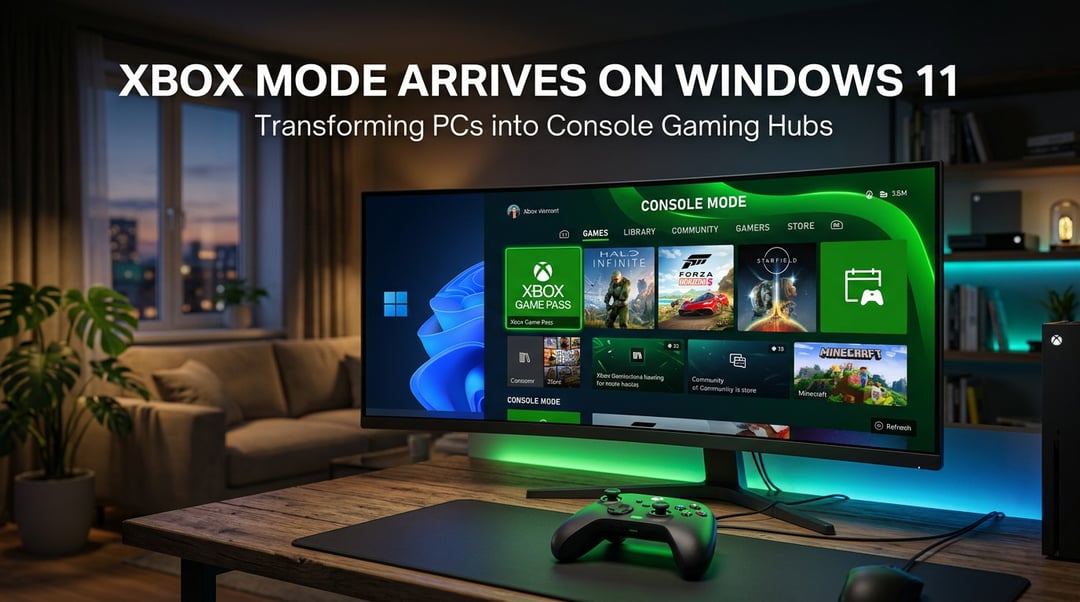
You know that feeling when your PC almost feels like a console—but not quite? Like it’s powerful enough, but the experience is still… very “computer.” Mouse. Keyboard. Desktop clutter.
That’s about to change.
Microsoft is rolling out an Xbox mode for Windows 11 PCs, and it’s designed to make your computer function more like a full gaming console. Not just visually—but in how you interact with it.
What Is Xbox Mode on Windows 11?
Xbox mode transforms your Windows 11 desktop into a console-style interface modeled after the Xbox home screen.
Instead of navigating through folders and taskbars, your screen shifts into a controller-friendly dashboard. It’s built for gaming first.
And here’s what really matters: it’s not limited to one type of device. This update is coming to all Windows 11 PCs, including tablets.
That’s a big shift.
Console-Style Home Screen on Your PC
When Xbox mode activates, your desktop becomes the Xbox home interface. Think:
- A streamlined dashboard
- Large, easy-to-navigate tiles
- Controller-based navigation
- Direct access to your games and apps
It’s built for sitting back on the couch with a controller—not leaning forward over a keyboard.
And honestly? That changes how a PC feels in a living room.
Controller-First Navigation Experience
This mode is specifically designed to be controller-friendly.
Using a gamepad, you can:
- Browse your game library
- Launch titles
- Switch between apps
- Navigate menus without touching a mouse
Microsoft clearly sees this as more than a cosmetic tweak. It’s about making Windows 11 behave like a gaming console when you want it to.
Xbox Game Pass Integration on Windows 11
If you’ve been using Xbox Game Pass on PC, you already know it’s a big deal.
With Xbox mode, Game Pass becomes front and center.
Direct Access to Xbox Game Pass Library
The Xbox home screen will prominently feature:
- Xbox Game Pass titles
- Your installed PC games
- Your existing gaming library
It pulls everything into one unified interface.
So instead of hopping between apps and launchers, your games live in one clean, console-style hub.
Support for Games From Other Storefronts Like Steam
Here’s where it gets interesting.
Xbox mode doesn’t limit you to Microsoft’s ecosystem. It includes PC games from other storefronts, including Steam.
That means your gaming experience becomes centralized—even if your library is scattered across platforms.
And that’s huge. Because most PC gamers don’t live in just one storefront.
Running and Switching Between Multiple Games
One detail that stands out: you can run multiple games and switch between them.
That’s very console-like behavior.
Instead of fully closing one title before starting another, you can move between games and apps more fluidly.
For players who bounce between sessions—maybe a multiplayer match here, a single-player campaign there—that flexibility matters.
Why Microsoft Is Expanding Xbox Mode to PCs
At first glance, bringing Xbox mode to full Windows 11 PCs might seem a little odd.
It was originally designed for portable gaming scenarios.
But here’s what Microsoft seems to understand:
The line between PC and console gaming is fading.
Windows 11 already integrates:
- The Xbox app
- Xbox Game Pass
- Cross-platform gaming features
- Shared credentials and gaming profiles
Xbox mode feels like the next logical step.
It turns your PC into something that can function like a console when you want it to—without losing the power and flexibility of a traditional computer.
And that convergence? It’s probably not slowing down.
What This Means for PC and Console Gaming
This move reinforces something Microsoft has been leaning into for years: unifying the Xbox and Windows ecosystems.
Instead of choosing between PC gaming and console gaming, users get both—on the same machine.
You can:
- Sit at a desk with keyboard and mouse
- Or lean back with a controller and console-style UI
Same device. Different mode. Your choice.
And that flexibility is where Windows 11 becomes more than just an operating system—it becomes a hybrid gaming platform.