
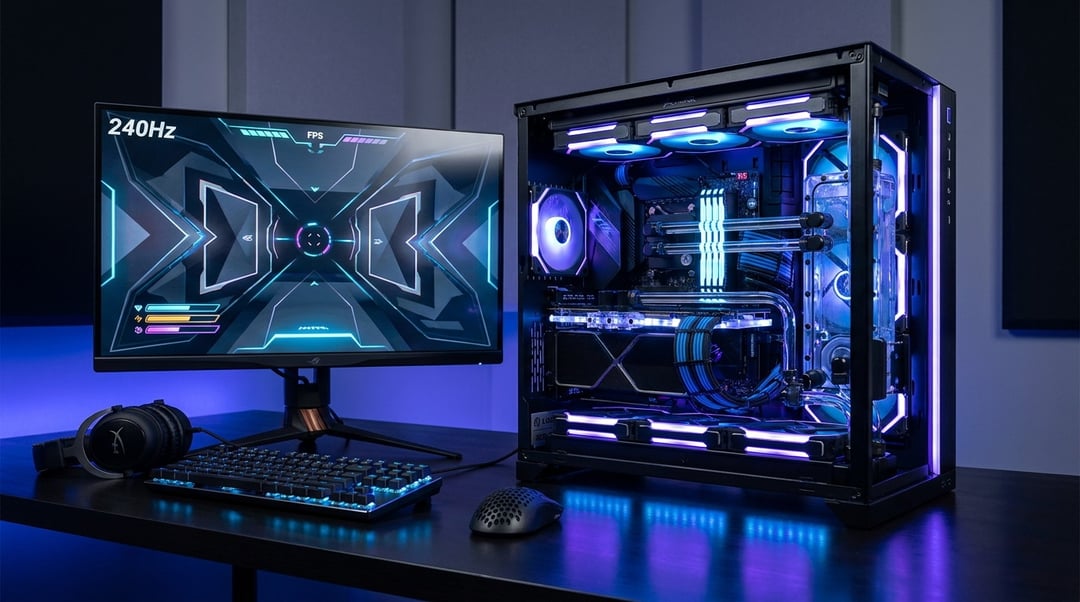
A serious esports PC build does one job above all else: it removes excuses between your hand and the frame on screen. That sounds harsh. It’s also exactly how competitive PC gaming works.
A normal gaming PC often chases visual spectacle. Ultra textures. Ray tracing. Cinematic lighting. A professional esports PC takes a colder route. It prioritizes high frame rates, stable frame pacing, low input latency, clean motion, and predictable performance during ugly fights where one dropped frame can feel like the whole match tilted sideways.
Why an Esports PC Build Is Different From a Regular Gaming PC
The biggest difference sits in the philosophy. A regular gaming rig asks, “How good can this game look?” An esports PC build asks, “How fast and consistently can this system deliver useful information?”
That changes everything.
Competitive players often lower graphics settings because visual clarity matters more than beauty. Shadows, bloom, motion blur, and heavy post-processing can make a game look richer. They can also hide enemies, smear motion, and increase render load. In games like Counter-Strike 2, Valorant, Fortnite, Apex Legends, Overwatch 2, and League of Legends, pros care about the next frame arriving cleanly.
Average FPS still matters. But average FPS can lie. A system that averages 300 FPS yet dips hard during fights may feel worse than a system holding 240 FPS with excellent 1% lows. Those low-percentile numbers reveal the real experience: how the PC behaves when smoke, abilities, physics, and network traffic all hit at once.
A great competitive gaming PC works like a pipeline:
- Mouse input enters the system.
- The CPU processes game logic.
- The GPU renders the frame.
- The monitor displays the result.
- Your eyes and hands react.
Every weak link adds delay. That’s why professional setups treat latency as a system-wide problem rather than a single component spec.
The CPU: The Real Engine Behind High-FPS Esports
Many PC gamers overvalue the GPU and underestimate the CPU. For esports, that can wreck the build balance.
At 1080p competitive settings, many esports titles shift load toward the processor. The GPU may wait while the CPU handles simulation, player positions, physics, networking, draw calls, and anti-cheat tasks. If the CPU cannot feed frames fast enough, the graphics card sits underused.
A strong esports CPU should deliver:
- Fast single-core performance
- Strong 1% low FPS results
- Enough cores for Discord, browsers, overlays, and capture tools
- Stable boost behavior under sustained heat
- Mature motherboard and BIOS support
Modern AMD Ryzen X3D-class chips often perform well in cache-sensitive games. Intel Core i5 and i7 K-series processors also suit high-refresh esports because they combine strong clocks with broad platform support. The best choice depends on your game library. Counter-Strike 2 and Valorant may reward CPU speed heavily while Fortnite and Warzone usually demand more GPU muscle too.
Here’s the practical rule: don’t buy a flagship GPU and pair it with a processor that chokes at 240Hz. That build looks impressive on a receipt. It feels uneven in a clutch.
The GPU: Power Without Waste
A professional esports PC does not always need the largest graphics card available. It needs the right GPU for the target game, resolution, and refresh rate.
For 1080p esports at competitive settings, a strong midrange or upper-midrange GPU often delivers excellent results. At 1440p or in demanding titles like Apex Legends, Fortnite, and Call of Duty, GPU power matters much more. If you stream or record gameplay, you should also consider encoder quality.
Look for these GPU traits in an esports PC build:
- High FPS at your chosen resolution
- Stable frame pacing
- Good driver support
- Efficient cooling
- Sufficient VRAM for modern titles
- Low-latency feature support
Latency tools are important. NVIDIA Reflex reduces system latency in compatible games by improving CPU and GPU coordination. It won’t magically improve your aim, but it can make your system feel more responsive when every millisecond counts.
RAM and Storage: The Stability Layer Most Gamers Ignore
RAM rarely gets the spotlight. It should.
For a modern competitive gaming PC, 16GB still works in many esports titles. But 32GB gives the system more breathing room, especially if you run Discord, browser tabs, capture software, RGB utilities, and game launchers in the background. Dual-channel memory remains essential. Running one stick or leaving memory at default speeds can harm consistency.
For DDR5 systems, speed and latency both matter. You do not need reckless overclocking. You do need a stable EXPO or XMP profile and a stress-tested configuration. A crash during a ranked match feels personal in a way synthetic benchmarks never capture.
Storage works differently. A fast NVMe SSD usually will not boost FPS directly. Still, it improves the whole experience through faster boot times, quicker map loads, smoother patching, and better system responsiveness. A 1TB NVMe drive suits most players. Choose 2TB if you keep several large games, recordings, and editing projects.
Cooling, Airflow, and Power: The Discipline Behind Consistency
Expensive parts lose their edge when they overheat. CPUs and GPUs boost dynamically based on thermal and power headroom. Poor airflow can lower sustained clocks during long sessions, which hurts frame pacing and 1% lows.
A proper esports PC build should use:
- A high-airflow case
- Clean front intake and rear or top exhaust
- A CPU cooler matched to processor power draw
- Unblocked GPU airflow
- Sensible cable management
- Regular dust cleaning
Power supply quality also matters. A reliable 80 Plus Gold unit from a reputable brand protects the system under sudden load spikes and keeps noise under control. You do not need absurd wattage. You need clean power, proper headroom, and stable operation.
Monitor and Peripherals: The Build Does Not End at the Tower
A 300 FPS PC connected to a 60Hz monitor feels like a sports car trapped in school-zone traffic. The display must match the system.
For most competitive players, 144Hz marks the real entry point. Serious FPS players often prefer 240Hz. Elite players may target 360Hz or higher. Refresh rate matters because it reduces the time between visible frames. Motion clarity, response time, and input lag matter too. Resources like Blur Busters offer useful context on high-refresh displays and motion performance.
Peripherals complete the chain. A lightweight mouse can improve micro-adjustments. A consistent mousepad helps tracking. Mechanical or optical keyboards with rapid actuation can sharpen movement. A headset with accurate imaging can reveal footsteps before panic sets in.
And don’t ignore the network. Ethernet beats Wi-Fi for most competitive setups. Low ping helps, but jitter and packet loss can ruin games even when download speed looks fine.
Example Esports PC Build Priorities
For a strong 1080p esports PC, prioritize a modern 6-core or 8-core CPU, a capable midrange GPU, 16GB to 32GB of dual-channel RAM, a 1TB NVMe SSD, a reliable PSU, and a 144Hz or 240Hz monitor.
For a more advanced 240Hz or 360Hz setup, invest in a higher-end gaming CPU, stronger GPU, 32GB DDR5, better cooling, a high-airflow case, and a premium esports monitor.
If you stream, choose a GPU with a strong hardware encoder and consider extra CPU cores. Streaming should not steal the frames you built the system to deliver.
For real-world setup patterns, databases like ProSettings.net can help you study what professional players actually use. Treat that information as evidence rather than gospel. Pros often choose gear based on sponsors, habit, comfort, and game-specific preference.
Common Esports PC Build Mistakes
The most common mistake is overspending on the GPU while ignoring the CPU. The second is chasing average FPS instead of smooth 1% lows. The third is pairing a fast PC with a weak monitor.
Also watch for these issues:
- RAM running without XMP or EXPO enabled
- Bloated startup apps stealing CPU cycles
- Poor airflow causing thermal throttling
- Wrong Windows refresh-rate settings
- Outdated chipset or GPU drivers
- Wi-Fi instability during ranked matches
A great esports PC build is not a trophy spec sheet. It’s a low-latency system that produces repeatable frames, predictable input, and calm confidence when the round gets messy.
FAQ
What specs do I need for an esports PC build?
Aim for a strong modern CPU, capable GPU, 16GB to 32GB RAM, NVMe storage, reliable cooling, a quality PSU, and at least a 144Hz monitor. Serious players should target 240Hz or higher.
Is CPU or GPU more important for esports gaming?
At 1080p competitive settings, the CPU is usually more crucial since many esports games are CPU-limited. At 1440p or with demanding games, the GPU takes on greater importance.
Do pro esports players use ultra graphics settings?
Usually not. Many pros lower settings to improve visibility, reduce latency, and stabilize FPS. Competitive clarity beats visual luxury.