
15 Must-Have PC Accessories for Your Setup in 2026

15 Must-Have PC Accessories for Your Setup in 2026

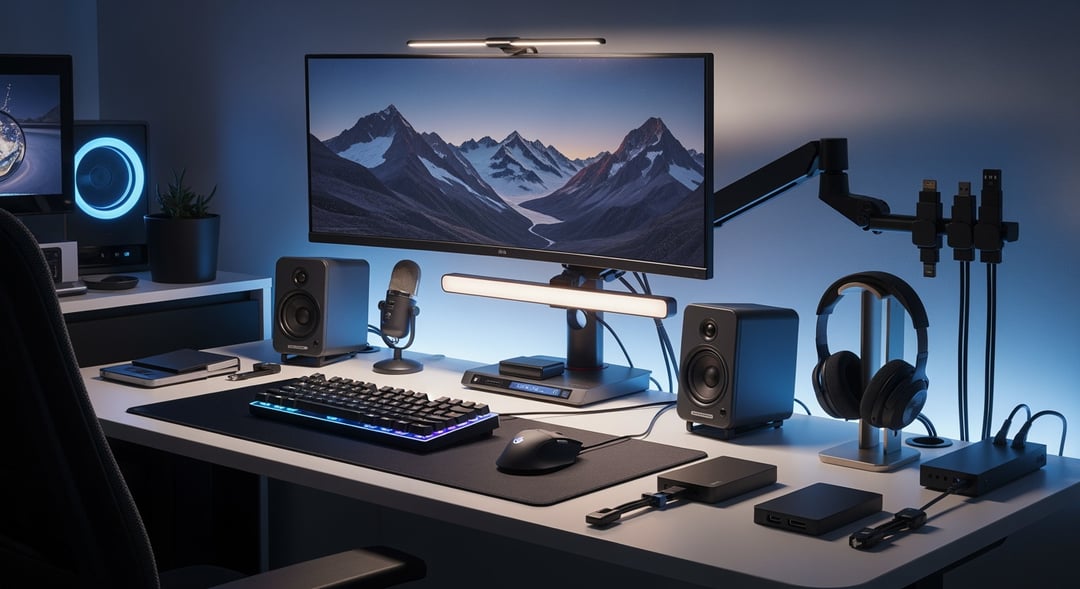
A good PC setup isn't just about the computer. That's the part people get wrong. They spend big on the tower or laptop then live with a bad mouse, weak lighting, messy cables, and audio that sounds like it came through a tunnel. In 2026, the best PC accessories do more than decorate a desk. They remove friction. They make work smoother. They make games more immersive. They make long hours feel less punishing.

Here are 15 real PC accessories worth considering if you want a setup that feels sharper, cleaner, and easier to use every day.

How these PC setup accessories were chosen

This list focuses on products that solve common problems. Better comfort. Better sound. Better video. Better connectivity. Less clutter. Every pick is widely available, well regarded, and useful for more than a narrow niche. Some are premium. Some are small upgrades. All of them earn their place by making a setup noticeably better.

1. Logitech MX Master 3S

If you work at a PC for hours, a cheap mouse gets old fast. The Logitech MX Master 3S remains one of the best PC accessories for productivity because it combines comfort with speed. Its shape supports the hand well. The scroll wheel is fast and precise. The quiet buttons also help if you work in shared spaces. It suits office work, creative tasks, and general multitasking especially well.

2. Keychron Q1 Max

A keyboard changes how a setup feels more than people expect. The Keychron Q1 Max stands out because it feels solid, smooth, and intentionally built. It supports wireless and wired use and its hot-swappable design gives users room to customize later. Even if you never change a switch, you still get a better typing experience. For writing, work, and general use, it makes daily input feel more precise and less disposable.

3. BenQ ScreenBar Halo

Monitor lighting is one of those upgrades that sounds optional until you try it. Then it becomes hard to give up. The BenQ ScreenBar Halo sits above the monitor and lights the desk without blasting glare into your eyes. That matters during late-night work or long reading sessions. It also frees desk space because it replaces a traditional lamp. Among desk setup accessories, this one quietly improves comfort every single day.

4. Logitech Brio 4K

Built-in webcams are usually fine in the same way airplane coffee is fine. Technically usable. Not enjoyable. The Logitech Brio 4K gives you a sharper image, better detail, and stronger low-light performance than most integrated cameras. If you take video calls often, that upgrade is immediate. You look clearer, more professional, and less like a blurry silhouette in a dim room.

5. Elgato Wave:3

People forgive average video. They do not forgive bad audio. That's why the Elgato Wave:3 deserves a spot on any serious list of computer setup accessories. It delivers clean voice capture through a simple USB connection and it doesn't demand complicated audio knowledge to get started. For meetings, streaming, voiceovers, or chatting with friends, it upgrades how you sound in a way others notice right away.

6. Audioengine A2+ Wireless

Most built-in speakers sound thin and cramped. The Audioengine A2+ Wireless fixes that without taking over the desk. These speakers are compact but clear, which makes music, videos, and games sound fuller and more detailed. They're a strong choice for users who want better everyday audio without moving to a large bookshelf setup. Clean design helps too. They look like they belong on a modern desk.

7. Sony WH-1000XM5

Sometimes speakers are the wrong answer. Shared rooms, background noise, and focus-heavy work all favor headphones instead. The Sony WH-1000XM5 remains one of the best noise-canceling headphone options because it combines comfort, battery life, and excellent isolation. It helps create a quieter bubble around your work. And honestly, that can feel like a luxury when the room around you won't settle down.

8. CalDigit TS4

Modern setups often run out of ports long before they run out of ambition. The CalDigit TS4 solves that problem. It's a high-end dock that adds a wide range of connections through a single cable. That means less plugging and unplugging and a much cleaner desk. For laptop users, creators, and anyone juggling storage drives, displays, and wired accessories, this is one of the most useful PC setup accessories available.

9. Samsung T9 Portable SSD

Fast external storage isn't just for professionals anymore. The Samsung T9 Portable SSD is useful for backups, large files, game libraries, and moving projects between machines. Speed matters here because slow storage becomes irritating almost immediately. This drive stays compact while offering strong transfer performance. It's one of those purchases you may not think about daily until the moment you need it. Then it feels essential.

10. Anker 737 Charger

Desks collect chargers the way kitchens collect mystery cables. The Anker 737 Charger cuts through that mess by powering multiple devices from one compact unit. Phones, tablets, earbuds, and even some laptops can all charge from a single spot. That means fewer bricks, less clutter, and easier cable routing. It's not flashy. But practical gear often has the biggest impact over time.

11. Ergotron LX Monitor Arm

A monitor arm seems minor until you realize how much desk space a stock stand wastes. The Ergotron LX gives you better screen positioning, easier height adjustment, and a cleaner working area. That helps posture because you can place the display where your eyes naturally land instead of where the stand forces it to sit. For single and dual-monitor setups alike, it's a smart ergonomic upgrade.

12. Secretlab MAGNUS Pro

A desk isn't just furniture in a modern PC setup. It's infrastructure. The Secretlab MAGNUS Pro stands out because it combines a motorized sit-stand frame with thoughtful cable management. That pairing matters. A standing desk is useful on its own. A standing desk that doesn't turn cable routing into a nightmare is much better. For people building a polished setup in 2026, this desk makes a strong foundation.

13. Humanscale Foot Machine

Footrests don't get much attention because they're not exciting. But comfort gear rarely looks glamorous. The Humanscale Foot Machine supports better seated posture and helps reduce pressure during long sessions. If your chair height leaves your feet slightly unsupported, you feel that strain more than you realize. Small ergonomic fixes can compound over time. This is one of them.

14. UGREEN Magnetic Cable Management Clips

Cable clutter creates low-grade daily annoyance. You reach for one cable and three others fall behind the desk. The UGREEN Magnetic Cable Management Clips fix that simple problem well. They keep cables accessible, organized, and less likely to disappear into that dark space behind the desk where useful things go to become a problem. Small accessory. Big quality-of-life gain.

15. APC Back-UPS Pro BX1500M

This is the least exciting item on the list and maybe the smartest. The APC Back-UPS Pro BX1500M protects your PC from outages and voltage issues while giving you time to save work and shut down properly. Power protection rarely feels urgent until something goes wrong. Then it feels absolutely essential. If you want your PC accessories for your setup in 2026 to include one responsible purchase, make it this one.

We may earn a commission from affiliate links.

Learn more

.

How to choose the best PC accessories in 2026

Start with the thing that annoys you most. Maybe your wrist hurts. Maybe your desk is a cable nest. Maybe your calls sound terrible. Fix that first. Then move outward. Input devices, ergonomics, lighting, audio, storage, and power protection usually deliver the strongest returns.

The smartest setups aren't built all at once. They evolve. One useful upgrade at a time. That's really the point of the best computer accessories. They don't just add features. They make the setup feel easier to live with every day.


Join the Community

Get the latest tech news, reviews, and exclusive insights delivered straight to your inbox. Join over 50,000 tech enthusiasts who trust Informer Tech.

Weekly digest

No spam

Unsubscribe anytime