
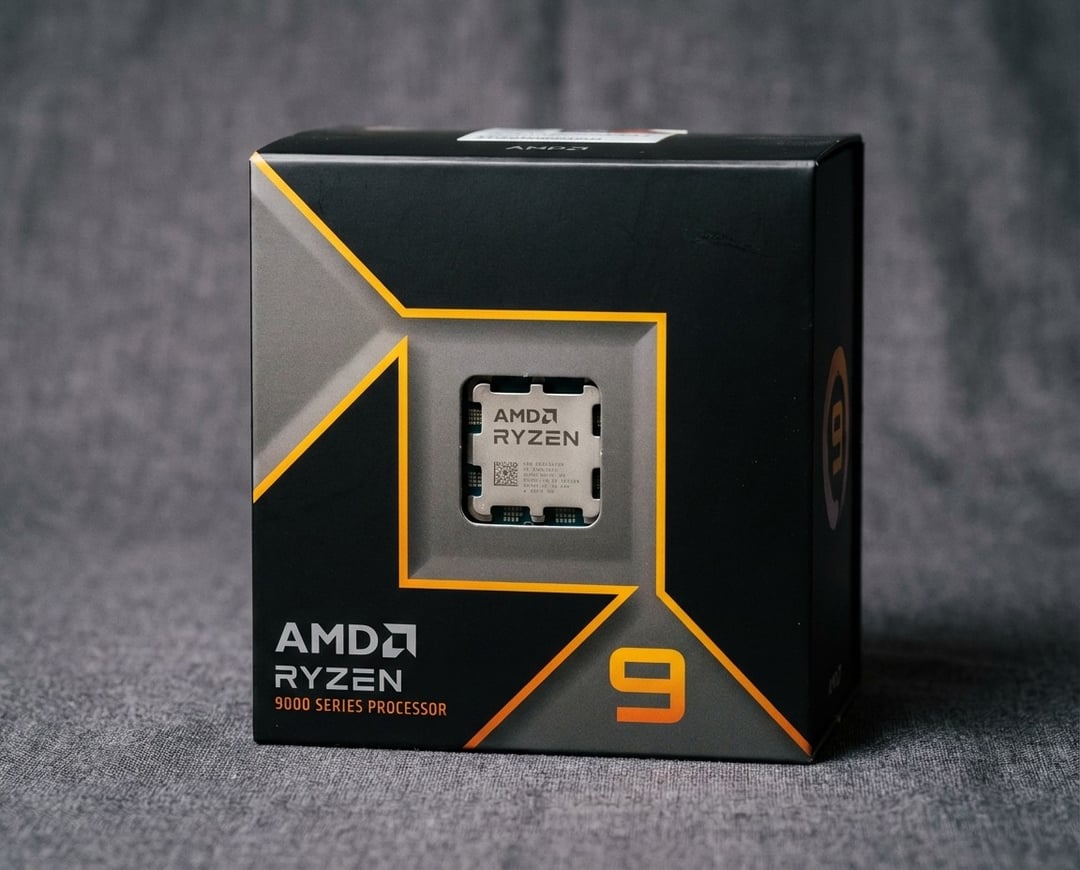
If you want one desktop CPU that handles gaming, streaming, and serious multitasking without feeling “extra,” the Ryzen 9 9900X sits in a very practical spot. It brings 12 cores and 24 threads to AMD’s AM5 platform and pairs that with high boost clocks that keep everyday use snappy. It also asks you to take AM5 seriously, because the best experience often includes a solid motherboard, DDR5, and a good cooler.
This AMD Ryzen 9 9900X Review focuses on what you actually notice after the install, not just what looks good on a box.
Quick Specs and What They Actually Mean
On paper, the Ryzen 9 9900X looks like a clean formula. You get 12 cores, 24 threads, a 4.4 GHz base clock, and boost up to 5.6 GHz depending on workload and thermals. AMD rates it at 120 W TDP, and it runs on Socket AM5 with DDR5 memory support and PCIe Gen 5 connectivity.
Here is what matters in normal use. The 12 cores give you breathing room when you stack tasks, like a game plus Discord plus a browser with too many tabs. The high boost clock helps with the “single-thread feel” that makes Windows and apps respond instantly. The 120 W class power profile means you should treat cooling as part of the CPU purchase, not an optional accessory.
The headline numbers (and why they matter)
A 12‑core chip often hits a sweet spot for general buyers. It feels quick during light work and it stays composed under heavier loads. You do not buy it just for one benchmark. You buy it because it refuses to flinch when your PC day gets messy.
“Zen 5” in plain English
Zen 5 is AMD’s newer desktop CPU architecture for this generation. In everyday terms, that usually means better efficiency and better performance per clock than older designs, plus a platform built around DDR5 and PCIe 5.0. You still need to pair it with the right supporting parts, because platform choices can unlock or bottleneck what the chip can do.
Where the Ryzen 9 9900X Fits in the Desktop CPU Market
The desktop CPU market has a funny problem. Many chips offer plenty of performance. The real question becomes value, platform cost, and whether your use case benefits from more cores or better gaming-focused cache.
The Ryzen 9 9900X targets people who want a strong “do it all” CPU. It does not chase a niche identity like “the absolute best gaming chip.” It also does not aim to be the cheapest way into AM5.
Who should consider it
Pick the Ryzen 9 9900X if your PC life includes more than gaming. Streaming, light creation work, editing, running virtual machines, or just heavy multitasking all benefit from 12 cores. It also makes sense if you want AM5 longevity and plan to keep the motherboard for years.
Who should skip it
Skip it if you only want maximum gaming FPS per dollar. In that lane, the market often rewards different choices, like gaming-focused parts or lower-cost CPUs that leave more budget for the GPU. You can still game great on the 9900X, yet value-driven buyers should compare before clicking buy.
Pricing and value context
At launch, this CPU carried a premium positioning. Street pricing can move a lot, which changes the story fast. If the Ryzen 9 9900X sits close to cheaper options, it becomes easy to justify. If it creeps toward higher-tier chips, you should ask what you gain in your actual workflow.
Real-World Performance: What You’ll Notice Day to Day
A good CPU review should answer a simple question. Does the system feel better after you install it?
With the 9900X, the day-to-day experience tends to feel smooth and consistent. Apps open quickly. Background tasks stop stealing attention. You can encode a video while still browsing and chatting without the system feeling annoyed.
Gaming feel versus gaming benchmarks
Gaming performance often depends more on your GPU and your settings than people admit. In CPU-bound scenarios, high boost clocks help. In GPU-bound scenarios, you will not notice much difference. What you may notice is steadier behavior during multitasking while gaming, like streaming or recording while a game runs.
Content creation and productivity
Twelve cores gives you real headroom for creative tasks. Video encoding, photo batch exports, software builds, and decompression jobs can all benefit from extra threads. Even if you never render a timeline, modern apps love spare resources. That is the quiet advantage of a chip like this.
Streaming and “two jobs at once”
Streaming is a great stress test because it makes your PC do two demanding things simultaneously. The Ryzen 9 9900X generally fits this lifestyle well. It has enough cores to handle the workload split without forcing painful compromises.
Thermals, Power, and Noise: The Hidden Cost of Speed
The Ryzen 9 9900X runs in the 120 W class. That is not outrageous, yet it is enough to punish weak cooling. You can keep it under control with a quality air cooler. You can make it quieter with a solid AIO. Either way, plan for cooling.
Cooling guidance
Aim for a reputable tower cooler if you want simple and cost effective. Pick a decent AIO if you want lower noise under sustained work. Do not cheap out here. A cooler is performance equipment.
Power behavior basics
A 120 W rated CPU can pull more under boost behavior depending on motherboard settings. You should assume your system will run best with good case airflow and a sensible PSU. If your case has poor ventilation, fix that first.
Platform and Compatibility (AM5): The Upgrade Math
This is where the AMD 9900X review often becomes a budget discussion. AM5 usually means DDR5 memory and a compatible motherboard. If you already run AM5, the path can feel straightforward. If you come from AM4 or older Intel platforms, the platform cost can be the biggest line item.
Motherboards and chipsets to know about
AM5 boards range from affordable to premium. Features can vary, and VRM quality can matter for sustained performance. You do not need the most expensive board, yet you should not treat motherboard choice as an afterthought.
DDR5 and EXPO in normal-person terms
DDR5 works well on AM5. You will see people obsess over speeds and timings. Most general users should prioritize stability and compatibility first. AMD’s EXPO profiles can simplify setup on supported kits, which helps you avoid manual tuning.
PCIe 5.0 and storage realities
PCIe 5.0 is partly about today and partly about tomorrow. It can matter if you buy high-end Gen 5 NVMe storage or want maximum bandwidth headroom. For many people, it is future-proofing that feels good and changes little.
Technical Info (In-Depth Specifications and Features)
The Ryzen 9 9900X uses AMD’s Zen 5 “Granite Ridge” architecture on Socket AM5. It includes 12 cores and 24 threads with a 4.4 GHz base and up to 5.6 GHz boost. AMD pairs it with 64 MB of L3 cache and supports dual-channel DDR5, officially rated up to DDR5‑5600. It also provides PCIe Gen 5 connectivity and includes integrated Radeon Graphics for basic display output.
It also ships unlocked, which means enthusiasts can tune it. Most general users should start with stock behavior and focus on stable thermals.
Ryzen 9 9900X vs Alternatives (What You Give Up and Gain)
Choosing the 9900X works best when you compare it to adjacent options.
Versus 8-core options
An 8-core chip often wins on price. It can also game brilliantly. The 9900X tends to win when you multitask hard or do productivity work regularly. If you live in Discord, Chrome, and a creative app at the same time, the extra cores feel like slack in a rope.
Versus 16-core flagships
A 16-core flagship makes sense for heavy creators, compilers, and people who push sustained loads daily. For everyone else, it can be expensive overkill. The 9900X often delivers the “enough and then some” experience without going full top tier.
Versus last-gen upgrades
Older platforms can still provide great value. If you already own a capable AM4 system, the upgrade decision depends on total platform spend. AM5 makes more sense when you want a longer upgrade runway.
Buying Checklist: Get the Best Experience with the 9900X
- Buy a motherboard with good reviews and solid power delivery.
- Plan your cooling like it is part of the CPU.
- Choose stable DDR5 with an easy EXPO profile.
- Update BIOS before judging stability or performance.
- Pair with a GPU that matches your target resolution and refresh rate.
FAQ
Is the Ryzen 9 9900X good for gaming?
Yes. It games very well, especially with a strong GPU and good cooling.
Do I need a new motherboard for the 9900X?
Yes. It uses Socket AM5, so it requires an AM5 motherboard.
Does the 9900X include a cooler?
No. Most listings and spec pages note no bundled cooler.
What RAM speed should I buy?
Stable DDR5 matters most. DDR5‑5600 sits within official support.
Is PCIe 5.0 worth paying extra for?
Sometimes. It matters most for high-end storage or future-proofing builds.
Can I overclock the Ryzen 9 9900X safely?
The chip is unlocked, yet cooling and motherboard quality determine how safe it feels.