
Cloud storage became the default for a reason. It’s convenient, it syncs everywhere, and it feels “managed.” But in 2026, a lot of home prosumers and SMBs hit the same wall: their data grew faster than their internet connection and their monthly bill.
That’s where NAS stops being a nerdy side quest and starts looking like a practical infrastructure decision. A NAS will not replace every cloud workflow. Still, it can absolutely beat cloud storage when speed, control, and predictable economics matter.
Why NAS still matters
A NAS (Network Attached Storage) is shared storage that lives on your local network and serves files over standard protocols. Think of it as a private file hub that your laptops, desktops, and servers can access like a shared drive.
In 2026, three shifts made NAS relevant again.
First, uplink bandwidth remains the real bottleneck. Many plans advertise huge download speeds, but backups and restores depend on upload. Large restores can still take days, which feels absurd when a local restore takes minutes.
Second, LAN speeds improved cheaply. 2.5 GbE ports show up on mainstream routers, switches, and motherboards. Consequently, the “internal network” stopped feeling like a slow backwater and started behaving like a real performance asset.
Third, data has “weight.” Creative teams, surveillance cameras, homelabs, and AI-adjacent tooling generate datasets that want to sit close to the devices that use them. That’s data gravity. The more your workflows depend on a dataset, the more painful it becomes to move it around.
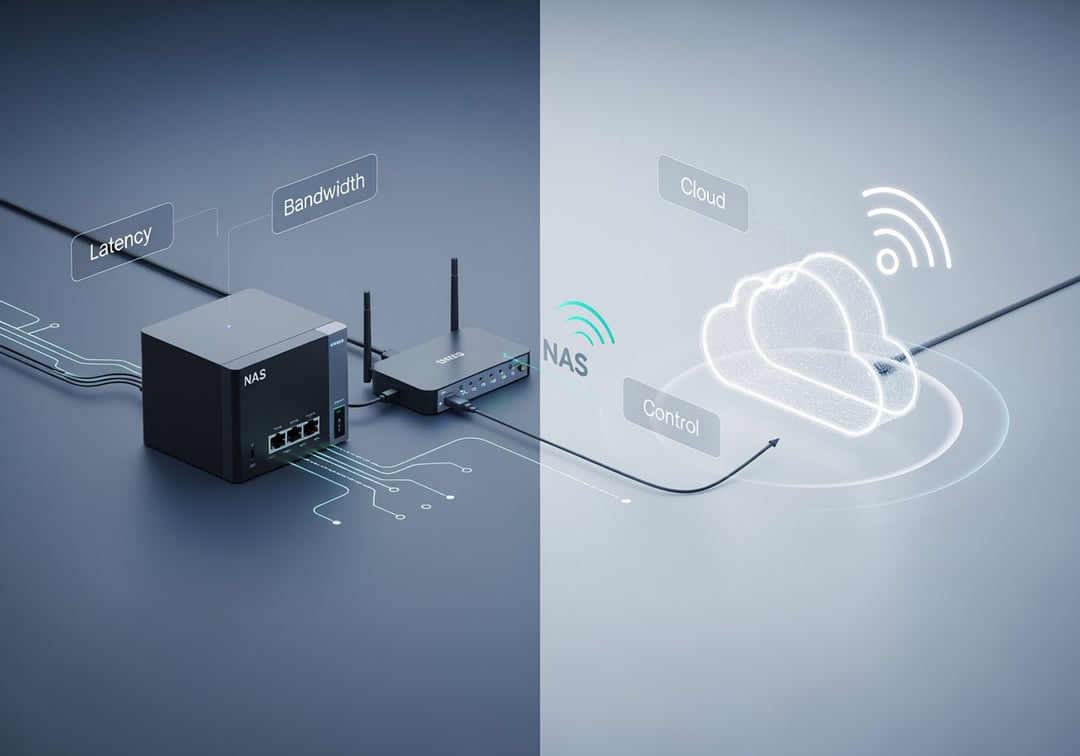
NAS vs cloud storage: a decision framework that actually holds up
If you treat NAS as a religion you’ll buy the wrong thing. Use constraints instead.
Latency
Cloud storage adds network round-trips to everything: browsing, searching, previews, and bulk operations. A NAS keeps these operations local. That shows up as “the folder opens instantly” rather than “it spins.”
Bandwidth
Cloud shines for small files and light access. Conversely, cloud struggles when you routinely upload large media, sync multi-gigabyte project directories, or restore entire machines. ISP upstream becomes your ceiling.
Cost curve
Cloud looks cheap until it doesn’t. Pricing scales with users and storage tiers, and large restores can add egress costs depending on the service. A NAS costs more up front, but the marginal cost of adding data often falls to “buy another drive.”
Control
A NAS gives you direct control over retention, permissions, and where data physically resides. Cloud gives you policy tooling and convenience, but you accept platform rules and potential lock-in.
If your requirement reads like this—“we must restore fast, we store a lot, and we access it daily”—NAS usually wins.
When NAS beats cloud storage (high-confidence use cases)
Large media libraries and creative workflows
Photographers and video editors don’t just store files. They generate previews, proxies, caches, and exports that hammer storage. A NAS on a fast LAN can deliver consistent throughput without waiting on internet uplink. Furthermore, multi-user teams can centralize project assets while keeping the experience snappy.
Backup and disaster recovery you can execute
A NAS excels at local backups for Macs, Windows PCs, and small servers. The unglamorous truth is simple: restore speed determines survival. Fast local restores reduce downtime after drive failures, accidental deletion, or ransomware containment.
Snapshots matter here. Many NAS platforms support copy-on-write snapshots that let you roll a folder back to “yesterday at 3 PM” without copying the entire dataset. That turns recovery into an admin task instead of a panic.
SMB file sharing with permission boundaries
Shared drives remain a core SMB workflow. A NAS can enforce role-based access, isolate client folders, and log access events. It also avoids the “one employee owns the folder in their personal cloud” mess that quietly breaks offboarding.
Edge compute and homelab services
In 2026, plenty of prosumers run Plex or Jellyfin, a password manager, light container workloads, or a small NVR. Putting storage and local services in the same network reduces latency and makes outages less dramatic.
Bad internet or expensive internet
If your connectivity drops or your upstream is limited, cloud-only storage becomes a business risk. A NAS keeps daily operations alive when the ISP doesn’t.
When cloud storage still wins (and you should admit it)
Cloud wins when collaboration matters more than file semantics. Google Workspace and Microsoft 365 do real-time co-authoring that NAS file shares don’t replicate cleanly.
Cloud also wins when you need global access with near-zero maintenance. If nobody will patch firmware, review logs, replace failing drives, and test restores, then a NAS becomes a neglected server. Neglected servers become incidents.
For compliance-heavy needs like legal holds and broad eDiscovery, cloud suites often provide mature tooling without custom administration. A NAS can participate in compliant workflows, but it requires deliberate design.
NAS for beginners: concepts you must understand before buying
Protocols: SMB, NFS, and what “works everywhere”
Most mixed environments run SMB because Windows expects it and macOS supports it well. Linux-heavy environments often prefer NFS. Protocol choice affects permissions behavior and performance. Keep it boring unless you have a reason.
RAID is not backup
RAID improves availability when a drive fails. It does not protect against deletion, ransomware, or catastrophic loss. You still need backups, and you still need restore tests.
Snapshots and immutability
Snapshots give you point-in-time versions. Some systems support retention locks or WORM-like modes that make snapshots harder to delete quickly. That changes the ransomware game because attackers often try to erase backups first.
Performance basics that matter
HDD arrays deliver strong sequential throughput but weaker random I/O. SSDs improve random access dramatically. NVMe cache can help metadata-heavy workloads, but it is not magic.
Network matters too. 1 GbE is fine for basic sharing. 2.5 GbE feels like a major upgrade. 10 GbE makes sense for serious media workflows, but it requires switches and cabling that match.
A practical 7-day implementation plan
Day 1: inventory data sources and growth. Define what must restore in hours, not days.
Days 2–3: create shares, groups, and permissions. Set snapshot schedules aligned to risk.
Days 4–5: implement 3-2-1 thinking: three copies, two media types, one offsite. Offsite can be another location or cloud object storage.
Day 6: run a restore drill. Restore a deleted folder and a full machine backup. Document steps.
Day 7: optimize. If performance is the pain point, upgrade the network before buying more compute.
For deeper backup architecture guidance, the 3-2-1 model remains a strong baseline: https://www.backblaze.com/blog/the-3-2-1-backup-strategy/
For protocol and file sharing context, Microsoft’s SMB documentation provides solid grounding: https://learn.microsoft.com/windows-server/storage/file-server/file-server-smb-overview
Common beginner mistakes that cause real damage
People expose their NAS directly to the internet. Don’t. Use a VPN or a hardened remote-access method with MFA. Direct exposure turns convenience into an attack surface.
People also buy capacity without a recovery plan. Big RAID feels safe, but safe means you can restore cleanly under pressure.
And then there’s overbuilding. Enterprise complexity in a five-person company creates fragile systems. Keep the design proportional to your operational maturity.
The decision summary
NAS works best when you need fast local access, large storage, and rapid restores. It beats cloud storage when bandwidth and monthly costs become limiting factors.
Cloud still wins when collaboration features and outsourced maintenance matter most.
If you want the highest-confidence setup for most home prosumers and SMBs, consider a hybrid: NAS for daily work, snapshots for rollback, and an offsite copy for catastrophe. That combination stays boring in the best way.


