
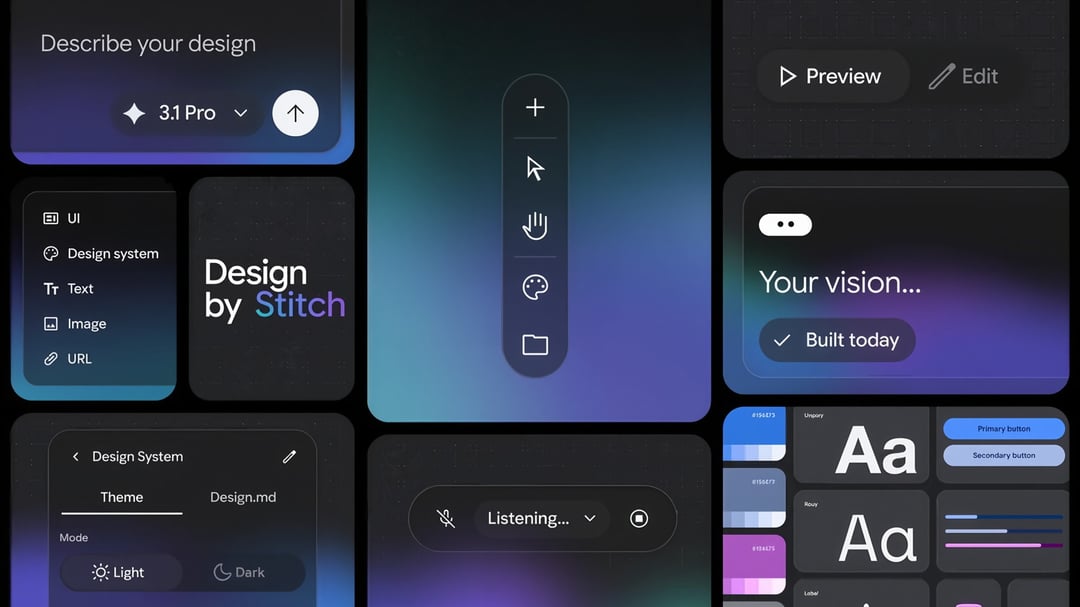
Google Stitch repositions UI design around natural language prompts
Google has redesigned Stitch into what it describes as a vibe design tool, shifting the design process away from rigid blueprints and toward natural language input. Instead of starting with detailed wireframes or exact interface specifications, users can begin with intent, feelings, or business goals. Stitch then uses generative AI to translate those ideas into high-fidelity UI concepts.
This approach expands on the broader idea of AI-assisted creation by applying it to software design rather than just code generation. The core idea is simple: people describe what they want in plain language, and the system helps shape those ideas into usable interface designs. That makes Stitch relevant not just for designers, but also for product teams and builders who want to move from abstract thinking to visible prototypes faster.
AI-first Stitch interface introduces an infinite canvas for design exploration
The redesigned Stitch centers on a new AI-native infinite canvas, giving users a workspace built for early ideation and working prototypes in the same environment. That matters because product design rarely happens in a straight line. Teams sketch, revise, compare options, and rethink user flows constantly. An infinite canvas supports that messy reality better than a fixed, step-by-step layout.
Google’s redesign positions Stitch as a place where ideas can grow organically. Early concepts don’t need to be fully formed before users begin. The tool is meant to support rough thinking, experimentation, and expansion, helping turn scattered product ideas into more concrete UI outputs without forcing traditional design structure too early.
From early ideation to interactive prototypes
One of Stitch’s practical strengths is its ability to move beyond static design concepts. The tool can turn static designs into interactive elements, making progress easier to visualize as ideas develop. That means users are not just looking at flat mockups—they can begin to understand how screens and flows might behave in a more realistic product context.
Google also highlights auto-generated next screens and user journeys, which give users direction as they move deeper into the design process. Rather than stopping at one screen, Stitch helps extend an idea into a broader interface path. Those generated suggestions can then be refined, allowing users to keep control while still benefiting from AI-assisted momentum.
Voice and text input make Stitch feel more collaborative
Stitch supports both typed prompts and voice commands, which adds another layer to how users can interact with the tool. That’s a notable shift because it makes UI design feel less like operating software and more like collaborating with a responsive assistant. Users can describe what they want in writing or speak their ideas out loud, which may help keep creative flow intact during brainstorming.
The value here isn’t just convenience. Voice interaction can make ideation feel faster and more natural, especially when someone is still shaping a concept and doesn’t want to stop to formalize every thought. Google frames the experience as more collaborative, almost like working alongside a colleague that can rapidly generate outputs based on evolving feedback.
Dynamic critique and dialogue support creative flow
Google’s positioning of Stitch goes beyond generation and into AI-assisted critique. The tool is intended to act as a sounding board, helping users explore multiple ideas, question assumptions, and refine concepts through back-and-forth dialogue. That matters because strong design usually comes from iteration, not the first draft.
By encouraging brainstorming and self-critique with AI support, Stitch is meant to help users uncover stronger ideas and improve the quality of outcomes. Instead of only producing screens, it becomes part of the design thinking process itself, assisting with discovery as much as execution.
How Google Stitch aims to improve product quality through experimentation
Google’s broader goal with Stitch is to encourage more exploration. The tool is built to support multiple ideas rather than locking users into a single path too early. That kind of flexibility can lead to better products because teams have more room to compare concepts, test directions, and refine what works.
This matters in UI and product design, where early decisions often shape the final user experience. If a tool makes brainstorming easier and lowers the effort needed to generate alternatives, teams may be more willing to experiment. And when experimentation becomes easier, the chances of landing on a higher-quality design improve.
Business goals and emotional intent become design inputs
A distinctive part of Stitch’s workflow is that users can start with intent, feelings, or business objectives rather than technical design instructions. That widens the entry point. Someone doesn’t need to begin with polished design language to participate. They can describe the outcome they want, the tone they’re aiming for, or the problem the product needs to solve.
That changes the role of AI in design from simple execution to interpretation. Stitch is not just rendering a layout; it is helping translate human goals into interface directions. For teams working in fast-moving product environments, that can make the jump from concept to prototype feel much shorter.
Stitch MCP server and SDK expand third-party integration potential
Google also points to broader capabilities through the Stitch MCP server and SDK, which open the door to third-party connections. While details are limited, this signals that Stitch is not being framed only as a standalone design surface. It is also being positioned as something that can connect with other tools and workflows.
That kind of extensibility matters for teams that rely on integrated product stacks. If Stitch can plug into surrounding systems, it becomes more useful in real design and development environments, where handoffs and connected workflows often matter as much as the design output itself.
Availability and pricing details for the new Google Stitch
Users can try the new Stitch now. However, Google has not confirmed how pricing may change in relation to AI token usage. That leaves an important practical question open for teams evaluating long-term use, especially if heavy prompting, iteration, and prototype generation become central to the workflow.
For now, the key takeaway is that the redesigned Stitch is available, but its future cost structure remains unclear. For businesses and product teams, that uncertainty could influence how quickly they adopt it at scale.