
If you’ve been relying on cloud AI, you already know the deal. It’s fast to start, but it quietly taxes you in three places: privacy, latency, and control. A local workflow flips that equation. You trade a bit of setup time for a system you can reason about, audit, and tune.
This guide focuses on what power users actually need to run AI locally on PC in a way that stays useful after the first weekend. Not “install a model and chat.” A workflow. One that can handle private documents, repeatable prompts, and predictable performance.
What “privacy-first local AI” really means
Privacy-first is not a vibe. It’s an architecture choice.
A practical definition looks like this: your prompts, files, embeddings, and outputs stay on your machine by default. Your tools do not make network calls unless you explicitly allow them. Consequently, you can treat your AI stack like any other local service you administer.
But do not confuse local with magically secure. Your browser can still leak. Your OS can still log. And plugins can still behave badly. Local AI reduces exposure, yet it does not eliminate risk. The win is control. You decide what connects to the internet, what gets stored, and what gets deleted.
Hardware prerequisites to run AI locally on PC without misery
You can absolutely run local AI on modest hardware. You just need to understand the bottlenecks so you do not fight physics all week.
GPU: VRAM is the hard limit
Think of VRAM as the size of your workspace. If the model and its working context do not fit, performance collapses or the run fails.
VRAM usage grows with model size, quantization choice, context length, and concurrency. If you open two sessions and each uses a long context, you double the pressure. Furthermore, many “it worked yesterday” failures come from one silent change like a longer context window.
NVIDIA CUDA still dominates local inference support. AMD and Intel options exist, but compatibility varies by runtime and model format. If you want fewer surprises, pick the path with the most tested tooling.
CPU and RAM: unglamorous, still decisive
CPU inference can work for small models or background tasks. It also makes a decent fallback when the GPU is busy, but you will feel the latency.
RAM matters because models, caches, and your OS all compete. If you force swap, your “fast local assistant” turns into a coffee break generator. Aim for headroom, not a razor-thin fit.
Storage and I/O: the bottleneck nobody brags about
Local AI stacks accumulate files fast: model binaries, multiple quantized variants, embedding databases, and logs. Put this on an SSD. Loading models from slow storage feels like booting a server from a floppy disk.
Use a simple directory discipline:
models/for downloaded model filesdata/for documents and corporaoutputs/for generated artifacts and exports
That separation makes backups and cleanup boring, which is exactly what you want.
The core local AI stack: pick a path you can maintain
You do not need one perfect tool. You need a stack that matches your workflow style.
Three common ways to run AI locally on PC
- Turnkey desktop apps
- Fast start. Fewer knobs. Great for daily chat and quick prompts.
- Local inference servers
- More setup, but you get an API. That unlocks automations, editors, and custom tooling.
- Low-level runtimes
- Maximum control. Maximum friction. Best if you enjoy tuning, compiling, and benchmarking.
When evaluating, prioritize boring features: hardware acceleration support, stable model format handling, quantization options, and predictable storage locations. Also check telemetry. Some tools “improve the product” by shipping usage data unless you opt out.
For authoritative technical background on local model execution patterns and constraints, the community documentation around llama.cpp provides helpful context: https://github.com/ggerganov/llama.cpp
Models: choosing the right local LLM without chasing hype
Model selection gets emotional. Resist that. Treat it like picking a compiler or database engine.
Ask what you need:
- Instruction following and formatting discipline
- Coding reliability and error patterns
- Long-context stability
- Hallucination profile under uncertainty
Smaller, well-tuned models often outperform larger, sloppy ones for everyday tasks. Conversely, if you need deep reasoning over long context, you may accept slower performance and higher VRAM use.
Quantization: why local AI is practical
Quantization compresses weights so models fit consumer hardware. That is the difference between “local AI is a hobby” and “local AI is a tool.”
The trade is quality versus speed versus memory. Aggressive quantization can harm tool use and multi-step reasoning. Keep two builds if you can:
- A fast “daily driver” for routine prompts
- A higher-quality model for verification passes and final drafts
Workflow design: from local chat to a real local AI workflow
A workflow has layers. It takes inputs, transforms them, and produces outputs you can trust.
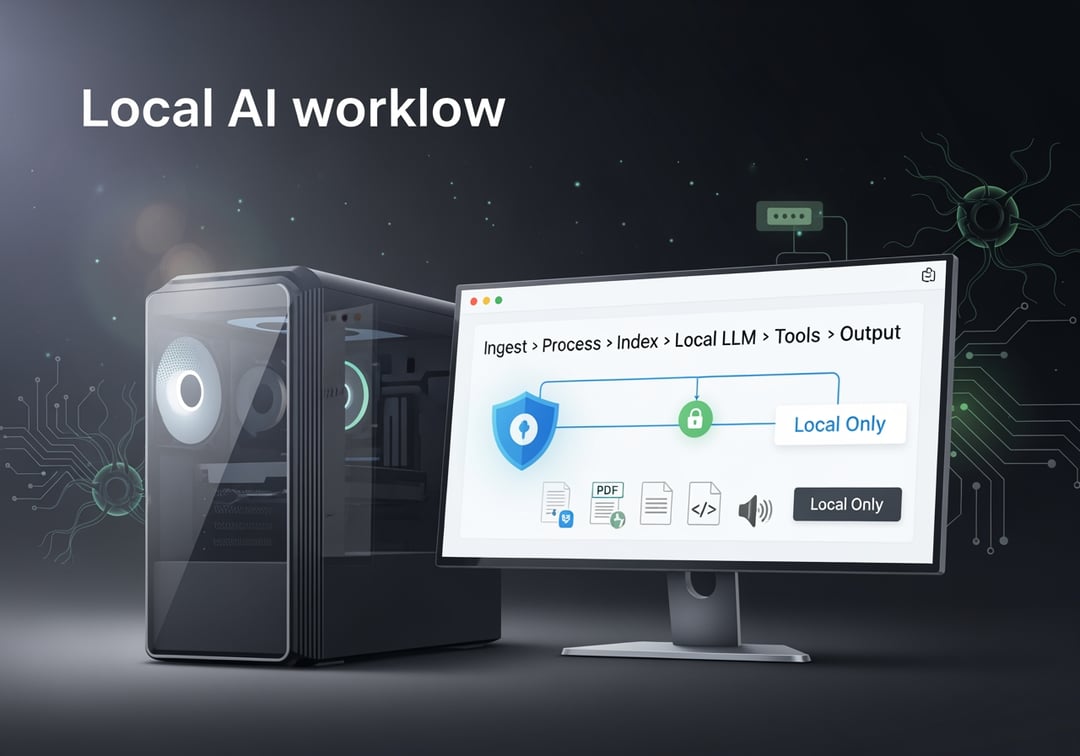
A privacy-first workflow blueprint (conceptual diagram)
Picture this pipeline:
Inputs (notes, PDFs, repos, screenshots, audio)
→ Ingestion (manual import or file watcher)
→ Processing (OCR, transcription, chunking)
→ Indexing (local embeddings + vector store)
→ LLM layer (local inference server)
→ Tools (local search, safe code execution, CLI actions)
→ Outputs (drafts, patches, summaries saved locally)
→ Audit trail (local logs you control)
This design lets you swap parts without rebuilding everything. It also makes privacy controls obvious. You can see where data flows. You can block network access at the edges.
The two-loop system that keeps quality high
Loop 1 is speed. Use a smaller model with short context to iterate quickly.
Loop 2 is verification. Run a higher-quality model. Demand citations to local sources. Force a structured output. If you produce code, output diffs instead of “here’s the whole file.”
That second loop is where local AI stops being cute and starts being reliable.
Local RAG without leaking your documents
If you want your local assistant to answer questions about your files, you need retrieval. RAG is just “search first, generate second.” It matters even more locally because smaller models benefit from grounded context.
Where most RAG setups fail
They chunk badly. They skip metadata. Then they blame the model.
Use chunk sizes that preserve meaning, not arbitrary token counts. Attach metadata like file path, date, and repo commit. Test retrieval with a small question set before you tweak prompts.
For a strong conceptual grounding in retrieval and embeddings, Stanford’s IR material gives useful fundamentals: https://nlp.stanford.edu/IR-book/
Guardrails for sensitive data
Split indexes by sensitivity. Do not mix personal notes and client docs if you can avoid it. Encrypt backups. Decide up front whether prompt history should persist.
Local AI is private only when you treat data lifecycle as a first-class feature.
Security hardening: the part people skip and later regret
Start with network control. Bind local servers to localhost. Block inbound connections by default. If you expose a port to your LAN, do it intentionally and document it.
Then address supply chain risk. Models are binaries you execute indirectly. Plugins can run code. Prefer reputable registries, pin versions, and verify checksums when possible. NIST’s guidance on software supply chain risk is a solid reference point: https://www.nist.gov/itl/executive-order-improving-nations-cybersecurity/software-supply-chain-security
Finally, control logs. Know where your tool stores prompts. Know how to purge them. Keep “work” and “personal” contexts separate, even locally.
Performance tuning and troubleshooting that actually works
Most issues fall into a few buckets:
- Slow generation: wrong backend, CPU fallback, thermal throttling
- Out of memory: context too long, model too large, concurrency too high
- Low quality: quantization too aggressive, bad retrieval, vague prompts
- UI instability: low system RAM, disk thrash, competing GPU workloads
Benchmark like an adult. Pick a fixed prompt set. Track tokens per second, time to first token, VRAM peak, and qualitative notes. If you do not measure, you will “optimize” in circles.
What to do next
If you want momentum, follow this progression.
In 30 minutes: pick a runtime, download one model, and run a standard prompt.
In 2 hours: add a small local RAG index over a single folder, then create three reusable prompt templates.
In a weekend: harden network exposure, pin versions, build a benchmark set, and document your workflow.
That’s the real upgrade. Not a bigger model. A local system you can trust, tune, and repeat. And once you can reliably run AI locally on PC, cloud AI stops feeling like the default. It becomes a choice.