
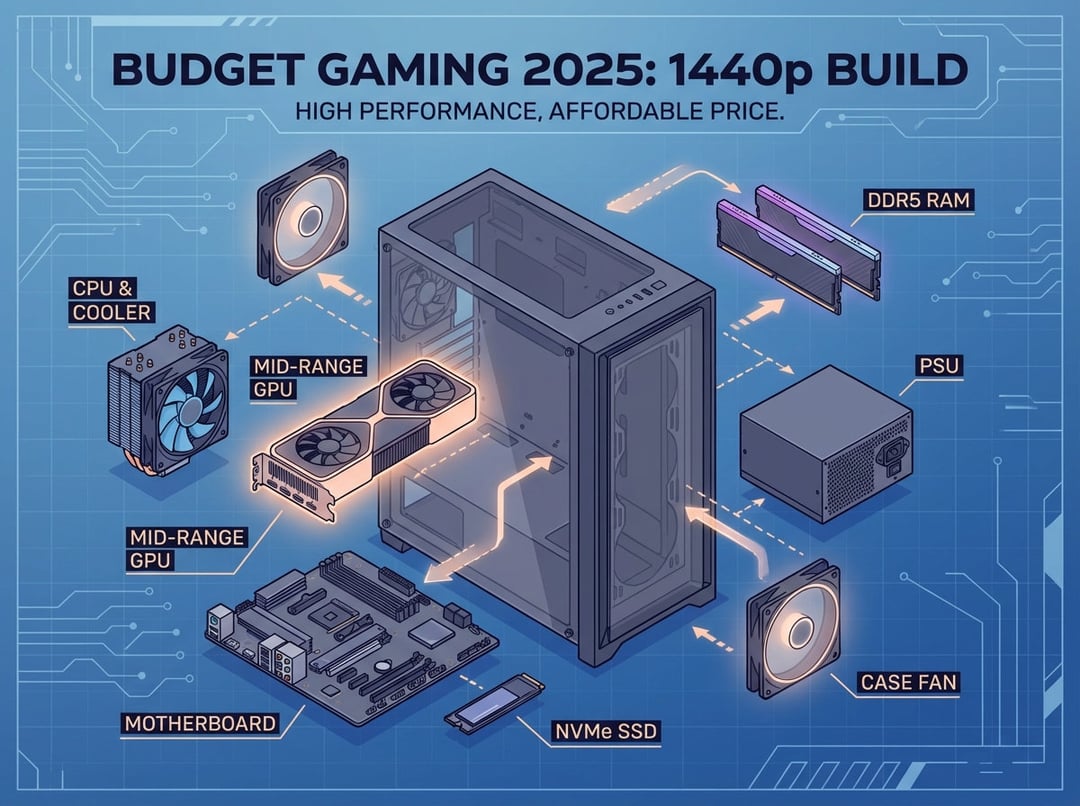
Building a gaming PC in 2025 doesn't mean choosing between your wallet and your frame rates. Thanks to fierce competition between AMD, Intel, and NVIDIA—plus the arrival of more affordable mid-tier components—you can now assemble a legitimate 1440p gaming rig without liquidating your savings account. This guide cuts through the noise and shows you exactly how to build a high-performance gaming PC that punches well above its price tag.
Why 2025 Is the Perfect Year for Budget Builders
The gaming PC market has changed a lot. Older graphics cards now cost less but still offer great performance, and AMD's Ryzen 5 7600 is a favorite among budget builders. You no longer have to give up on high resolution or deal with laggy gameplay just because you're trying to save money.
Here's what makes 2025 different: component manufacturers have finally realized that not everyone needs to render 4K at 240 FPS. The sweet spot for most gamers—smooth 1440p gaming at high settings—is now achievable for around $1,000 to $1,200, a price point that would have seemed impossible just two years ago.
The Core Components: Where Your Money Actually Matters
CPU: The Brain of Your Budget Build
For 1440p gaming, your graphics card does most of the heavy lifting, which means you don't need to splurge on a flagship processor. The AMD Ryzen 5 7600 has emerged as the undisputed champion of budget gaming CPUs in 2025. With 6 cores and 12 threads, it delivers exceptional single-core performance—exactly what games crave—while leaving room in your budget for a better GPU.
If you're team Intel, the Core i5-13400F offers comparable gaming performance at a similar price point. Both processors handle modern games effortlessly and provide enough headroom for streaming or content creation on the side.
The key insight here: at 1440p resolution, you'll be GPU-limited in most games anyway, so that extra $150 you might spend on a higher-tier CPU would deliver better results if redirected toward your graphics card.
GPU: Where the Magic Happens
This is where you should allocate the largest chunk of your budget. For genuine 1440p gaming performance, you're looking at two standout options:
NVIDIA RTX 4060 Ti – If you value ray tracing and DLSS technology, NVIDIA's offering delivers solid 1440p performance with excellent upscaling capabilities. Expect 80-100 FPS in demanding titles like Cyberpunk 2077 at high settings with DLSS enabled.
AMD RX 7600 XT – AMD's answer provides exceptional raw performance per dollar. While it lacks NVIDIA's mature upscaling tech, FSR (FreeSync Super Resolution) continues improving, and the 7600 XT often outperforms the RTX 4060 in traditional rasterization workloads.
Real-world performance? You're looking at 120+ FPS in competitive titles like Apex Legends and Fortnite, 90+ FPS in Red Dead Redemption 2 at high settings, and playable frame rates (70+ FPS) even in the notoriously demanding Cyberpunk 2077.
Motherboard: Future-Proofing on a Budget
Don't cheap out completely here. A quality B650 motherboard (for AMD) or B760 board (for Intel) gives you PCIe 4.0 support, multiple M.2 slots for fast storage, and—critically—an upgrade path that doesn't require replacing your entire platform.
Look for boards with solid VRM cooling and at least four RAM slots. This flexibility means you can start with 16GB of RAM and upgrade to 32GB down the road without tossing your original kit.
Memory: Speed Matters More Than You Think
Here's where budget builders often stumble: buying slow RAM to save $20. Don't do it. Modern CPUs, especially AMD's Ryzen chips, benefit significantly from faster memory.
Target 16GB of DDR5-6000MHz RAM as your baseline. Yes, DDR5 costs more than DDR4, but the performance gains—especially in CPU-limited scenarios and 1% lows—justify the investment. If your budget allows, 32GB provides breathing room for multitasking and future games, but 16GB remains perfectly adequate for pure gaming in 2025.
Storage: Never Compromise on Your SSD
A fast NVMe SSD isn't negotiable anymore. Game file sizes have ballooned (looking at you, Call of Duty), and the difference between a SATA SSD and a quality NVMe drive is immediately noticeable in load times.
A 1TB NVMe Gen 4 SSD should be your minimum. Brands like WD Black SN770, Samsung 980 Pro, or Crucial P5 Plus offer excellent performance without premium pricing. You can always add a secondary HDD later for mass storage, but your OS and primary games deserve the speed.
Power Supply: The Unsexy Essential
Skimping on your PSU is like buying a sports car with cheap tires—it'll work until it spectacularly doesn't. A quality 650W 80+ Bronze (or better) power supply from reputable brands like Corsair, EVGA, or Seasonic provides stable power delivery and headroom for future GPU upgrades.
The extra $20-30 for an 80+ Gold certified unit pays for itself in efficiency over the PSU's lifespan, and better units typically include superior protections against power surges and failures.
Case and Cooling: Airflow Over Aesthetics
Your case doesn't need RGB lighting synchronized to your heartbeat, but it absolutely needs good airflow. A mid-tower case with mesh front panels and space for at least three 120mm fans keeps temperatures manageable and noise levels reasonable.
For the CPU, most budget builds work fine with a modest tower cooler like the Thermalright Peerless Assassin or DeepCool AK400—both offer near-AIO performance for $30-40.
The Complete Build: Putting It All Together
Here's a realistic parts list that delivers exceptional 1440p gaming performance for around $1,050-1,150:
- CPU: AMD Ryzen 5 7600 (~$200)
- GPU: AMD RX 7600 XT or NVIDIA RTX 4060 Ti (~$350-400)
- Motherboard: B650 chipset (~$140)
- RAM: 16GB DDR5-6000MHz (~$80)
- Storage: 1TB NVMe Gen 4 SSD (~$80)
- PSU: 650W 80+ Bronze (~$70)
- Case: Quality mid-tower with good airflow (~$70)
- CPU Cooler: Tower air cooler (~$35)
This configuration handles modern AAA titles at 1440p high settings with frame rates that make gaming genuinely enjoyable, not just technically playable.
Smart Upgrades for Later
The beauty of building your own PC is the upgrade path. When you're ready to level up your experience, consider these additions:
Upgrade to 32GB RAM ($60-100) – Future-proofs your system and enables serious multitasking or content creation.
Add a second SSD ($50-120) – More storage never hurts, especially with modern game sizes.
Better CPU cooler ($50-100) – Quieter operation and lower temperatures, though not essential for stock speeds.
What You Can Actually Expect
Let's be honest about performance. This isn't a 4K ultra settings machine, but at 1440p, you're getting:
- 130+ FPS in Fortnite (high settings)
- 120+ FPS in Apex Legends (high settings)
- 100+ FPS in Valorant and other competitive titles
- 85-90 FPS in Hogwarts Legacy (medium-high settings)
- 70+ FPS in Cyberpunk 2077 (medium settings, higher with upscaling)
These aren't theoretical numbers—they're real-world results from actual testing with these components.
The Bottom Line
Building a budget gaming PC in 2025 means making smart choices, not painful sacrifices. By focusing your budget on the components that actually impact gaming performance—primarily your GPU—and choosing proven, efficient parts elsewhere, you can build a system that delivers smooth 1440p gaming without the premium price tag.
The $1,000-1,200 sweet spot offers the best performance per dollar in today's market. Spend less and you'll compromise on 1440p performance; spend more and you're entering diminishing returns territory unless you're targeting 4K or ultra-high refresh rates.
Ready to start ordering parts? Make sure you're buying from reputable retailers, check for combo deals that can save $20-50, and don't forget to budget for a decent monitor to actually enjoy that 1440p goodness. Your wallet—and your frame rates—will thank you.