
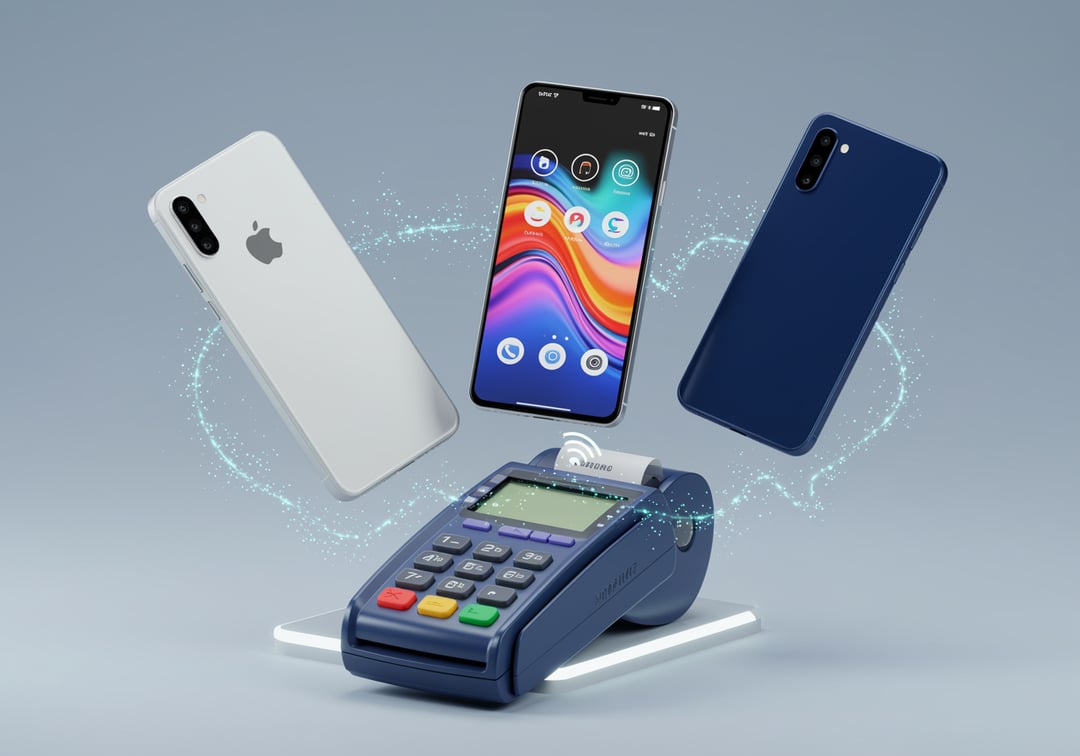
You’re not really choosing a “payment app” anymore. You’re choosing a habit.
The tap itself feels the same across Apple Pay, Google Pay, and Samsung Pay. The differences show up in the moments around the tap. Setting it up on a new phone. Paying on a watch. Getting through a transit gate. Losing your phone. Sharing a pass with a family member.
This guide breaks down Apple Pay vs Google Pay and folds Samsung Pay into the mix so you can pick what fits your life in 2026.
Apple Pay vs Google Pay vs Samsung Pay in 2026: the one-minute answer
If you use an iPhone
Pick Apple Pay. It’s built into Apple Wallet, it works cleanly with Face ID or Touch ID, and it pairs naturally with Apple Watch.
If you use a Samsung Galaxy
You can go either way. Samsung Wallet (Samsung Pay) feels native to Galaxy devices. Google Wallet often wins if you prefer Google’s cross-Android approach.
If you use a non-Samsung Android
Pick Google Wallet / Google Pay. It’s the default choice for everyday Android payments.
If you switch phones a lot
This matters more than people admit. Apple Pay sticks to Apple hardware. Samsung Wallet sticks to Samsung hardware. Google Wallet usually travels across Android brands more smoothly.
What changed by 2026 (and why older advice can be wrong)
Tap-to-pay got boring and that’s a win
Most in-person payments now run through contactless terminals, so acceptance gaps feel smaller than they did years ago. In practice, if you see the contactless “tap” symbol, all three have a good chance of working.
The real competition moved into “wallet stuff”
Tickets, loyalty cards, transit passes, IDs, keys, and quick checkout features now drive daily satisfaction more than raw payment speed.
Samsung’s old MST advantage needs a reality check
A lot of older comparisons celebrate Samsung Pay’s MST as a magic trick that works everywhere. In 2026, MST support depends on the specific Galaxy device. Samsung’s own device support info calls out that some models support NFC only while others support NFC plus MST. Here’s the official FAQ that lists compatible devices and notes MST limitations:
https://www.samsung.com/us/support/answer/ANS00080583/
Compatibility first: which one works on your devices
Apple Pay compatibility
Apple Pay works where Apple Wallet exists. That means iPhone and Apple Watch lead the experience. Apple keeps it tight and consistent. That’s the upside and the tradeoff.
Google Pay compatibility
Google Wallet and Google Pay cover the broad Android world. You’ll see the best experience on phones with solid NFC hardware and current Android security updates. You also get flexibility across brands.
Samsung Pay (Samsung Wallet) compatibility
Samsung Wallet is built for Galaxy phones and Galaxy watches. It isn’t available on iOS. Samsung also spells out its device support list and requirements like Android version and NFC or MST availability in its help docs:
https://www.samsung.com/us/support/answer/ANS00045081/
Where each wallet works in 2026: stores, apps, web, transit
In-store payments
All three rely heavily on NFC for modern terminals. So the practical question becomes simple: does the store support contactless payments and does your phone have NFC turned on?
Samsung Wallet can still feel more forgiving in certain situations on supported devices. But don’t buy a phone based on a feature your exact model may not include.
In-app and online checkout
Apple Pay feels especially smooth inside the Apple ecosystem because it’s built into Apple’s default flows. Google Pay can be excellent when a merchant supports it. But you’ll see more variance because Android spans more devices and checkout implementations.
Transit and passes
This is where loyalty happens. If you ride transit daily, the best wallet becomes the one that gets you through the gate without drama. Apple Wallet and Google Wallet both push hard on passes and “tap and go” experiences. Your city’s transit support decides a lot here.
Security in plain English: what happens when you tap
Here’s the comforting part. All three wallets aim to protect your real card number from being exposed.
The shared foundation: tokenization
Instead of sending your actual card number to the store, the wallet sends a substitute value. That reduces the value of stolen payment data because the merchant never receives your real number.
Apple Pay security flow (why it feels strict)
Apple Pay uses a Secure Element plus the Secure Enclave for authorization. In plain terms, Apple ties payments to hardware-backed security and user intent. Apple also describes how Apple Pay transactions use a Device Account Number plus a transaction cryptogram for dynamic security in its platform security docs:
https://support.apple.com/guide/security/apple-pay-component-security-sec2561eb018/1/web/1
https://support.apple.com/guide/security/payment-authorization-with-apple-pay-secc1f57e189/web
Google Pay security flow (why it feels flexible)
Google Pay uses network tokenization and sends a device token rather than the real card number. Google also frames device unlock as the Cardholder Verification Method, and it points to Android protections like Play Integrity. Their security overview lives here:
https://developers.google.com/pay/issuers/overview/security
Samsung Wallet security flow (why it feels “vaulted”)
Samsung Wallet uses tokenization and device security layers like Samsung Knox. Samsung also highlights authentication options like PIN, fingerprint, or iris on supported devices, plus remote lock or erase via Find My Mobile:
https://www.samsung.com/us/support/answer/ANS00080583/
Convenience: the friction you notice after the novelty wears off
Setup and reliability
Apple Pay often feels fastest to set up if you already live in Apple Wallet. Google Wallet setup is straightforward. Samsung Wallet setup feels good on Galaxy devices and nowhere else because it’s intentionally locked to that ecosystem.
Paying with a watch
If you already wear an Apple Watch, Apple Pay can feel like cheating in the best way. If you wear a Galaxy Watch, Samsung Wallet can play that role. If you wear no watch, don’t overthink this category.
Phone lost or stolen
The best wallet is the one you can shut down quickly. Make sure you know how to lock your device remotely and how to remove cards from the wallet. This matters more than tiny differences in tap speed.
So what’s best in 2026?
Best for iPhone users: Apple Pay
If you want the smoothest Apple-first experience, Apple Pay wins. It’s consistent, it’s tightly integrated, and its security model is clearly documented.
Best for most Android users: Google Wallet / Google Pay
If you want the broadest compatibility across Android brands, Google Pay usually makes the most sense. It’s built for an open device ecosystem.
Best for Samsung-only households: Samsung Wallet (Samsung Pay)
If your world is Galaxy phones and Galaxy watches, Samsung Wallet can feel most native. Just confirm your exact model’s NFC and MST support before assuming extra terminal compatibility.
A quick checklist to choose today
- Pick Apple Pay if you use iPhone and you want the simplest default.
- Pick Google Pay if you use Android and you may change phone brands later.
- Pick Samsung Wallet if you use Galaxy devices and you want Samsung’s built-in approach.
- Prioritize the wallet that supports your daily transit and passes.
- Turn on a strong screen lock and biometrics because that’s your real safety net.
FAQ: Apple Pay vs Google Pay vs Samsung Pay
Is Apple Pay safer than Google Pay?
Both are designed around tokenization and strong device security. Apple emphasizes Secure Element and Secure Enclave authorization in its platform security documentation, while Google emphasizes tokenization plus device integrity and device-unlock verification.
Can I use Samsung Pay on a non-Samsung phone?
Samsung Wallet is designed for compatible Samsung devices. Samsung’s support docs make that limitation clear.
Do these wallets cost money?
Usually the wallet itself doesn’t charge you. Your bank, card issuer, or merchant can still apply normal fees like foreign transaction fees.
What should I do if I lose my phone?
Lock it immediately through your device’s remote tools. Then contact your bank if you suspect fraud. After that, remove cards from the wallet if needed.
If you tell me your country or region, I can tighten the recommendations around transit support and real acceptance patterns for your area.