
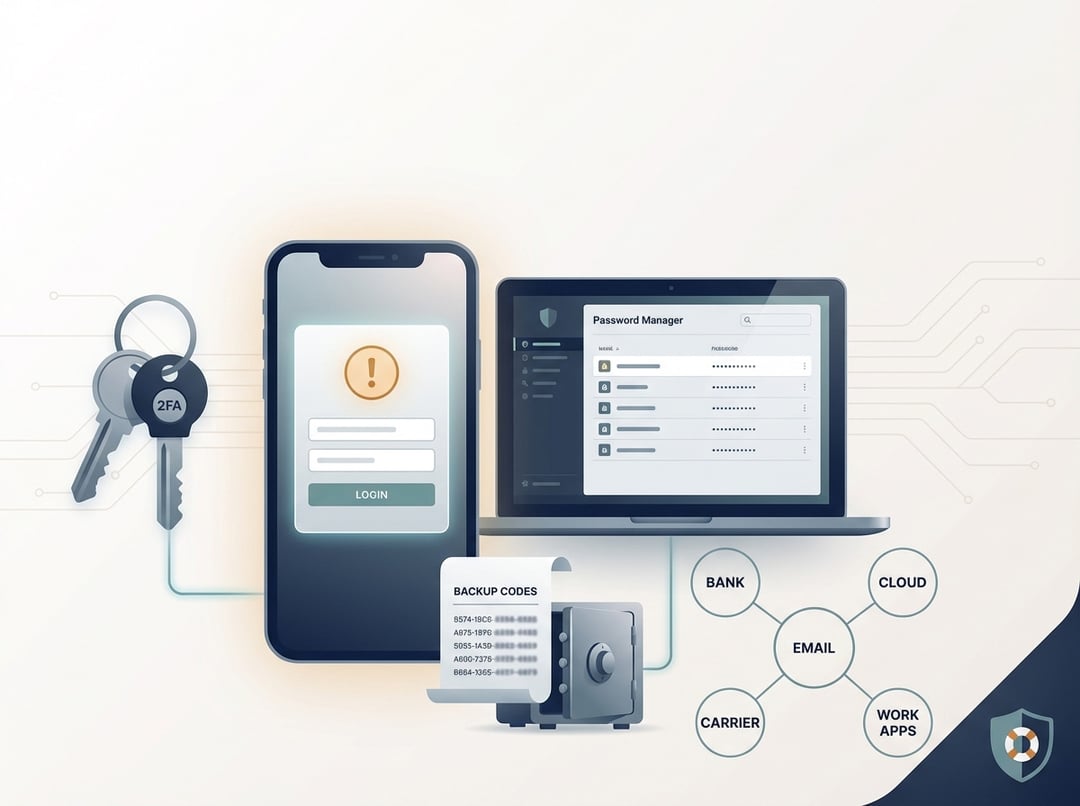
Getting locked out of an account rarely happens in a calm moment. It happens when your phone is missing, your laptop is dead, and a login screen keeps asking for a code you cannot produce. That is exactly why an account recovery plan matters. It turns a chaotic problem into a short checklist you can follow under pressure.
This guide lays out what to do before anything goes wrong. It stays practical. It also stays honest about how modern account recovery really works.
What an Account Recovery Plan Is (And What It Is Not)
An account recovery plan is a documented, tested way to regain access when credentials or second factors fail. It covers forgotten passwords, broken MFA, lost devices, SIM swaps, and compromised accounts. It does not mean you saved a few passwords in a note and hope “Forgot password” saves the day.
Think of recovery like emergency exits in a building. You do not build one exit and call it safety. You build multiple exits that do not all lead to the same locked door.
Start With “Anchor Accounts” That Control Everything Else
Most account lockouts cascade. One failure knocks over a dozen logins. So start your account recovery plan with the accounts that act like master keys.
The usual anchor accounts
- Primary email account: resets most other accounts.
- Password manager: stores the keys to everything.
- Mobile carrier account: protects your phone number from port-outs and SIM swaps.
- Apple ID or Google account: controls devices and identity prompts.
- Cloud storage: holds backups, documents, and sometimes recovery files.
Map dependencies before you change anything
Create a simple dependency map. Picture a hub-and-spoke diagram. Email and the password manager sit in the center. Every account that uses them for resets sits on the outside. Now highlight any loop, like a password manager reset that requires email access which requires the password manager. Those loops cause permanent lockout.
Once you see the map, you can set a recovery order. In most cases you recover the phone number or device identity first. Then you recover email. Then you recover the password manager. Everything else comes after.
The Non-Negotiable Components of a Strong Account Recovery Plan
A usable account recovery plan has four pillars. Skip one and the whole structure wobbles.
1) A secure credential foundation
Use a password manager with a strong master password. Keep that master password unique and memorable in a deliberate way. Avoid “clever patterns” because attackers know them too.
If your password manager offers an emergency kit, recovery key, or trusted-device setup, treat it like a core feature. You want resilience here, not just convenience.
2) MFA you can survive
MFA reduces takeover risk but it can increase lockout risk if you set it up poorly. Prefer authenticator apps or hardware keys over SMS when possible. SMS fails in predictable ways, especially with SIM swap attacks.
Use at least two factors on anchor accounts. That can mean a hardware key plus an authenticator app. It can also mean an authenticator app plus printable backup codes. The best mix depends on your life. The rule stays constant: no single device should be the only path back in.
For deeper reading on why SMS is fragile, the U.S. government’s guidance is blunt and worth skimming:
https://pages.nist.gov/800-63-3/sp800-63b.html
3) Recovery channels that do not collapse together
Most services let you add a recovery email, a recovery phone, or both. Use them, but do it intelligently.
A secondary email should not forward into your primary inbox. Forwarding creates one big compromise zone. A recovery phone number should be current and protected by your carrier account controls.
If a provider supports recovery contacts, use them only when trust is obvious and mutual. Recovery contacts can save you. They can also become a social-engineering target.
4) Evidence and identity proof
Some lockouts turn into identity verification. That might include ID documents, past transaction history, or device confirmation. You cannot improvise this easily when stressed.
Maintain secure access to required documents. Keep notes on what each provider tends to ask for. Apple and Google both document recovery flows and timelines and you should read the relevant sections once, not during a crisis.
https://support.apple.com/en-us/HT204921
https://support.google.com/accounts/answer/7682439
What to Do Before You Get Locked Out (A Practical Setup Checklist)
Here is a clean “do it now” sequence. It fits most intermediate users and small teams.
Step 1: Secure your primary email first
Enable strong MFA. Confirm your recovery email and recovery phone number. Review signed-in devices. Remove anything you do not recognize. Turn on security alerts. Email sits at the center of your account recovery plan, so harden it early.
Step 2: Make your password manager durable
Ensure at least two devices can open it. That can mean phone plus laptop, or laptop plus tablet. Confirm you can still access it if your primary phone disappears.
If your manager provides a recovery kit, store it safely. “Safely” means encrypted storage with offline availability, or a physical copy in a secure place. Do not keep it only on the device you might lose.
Step 3: Reduce SMS dependence on high-risk accounts
Move email, banking, cloud storage, and your mobile carrier away from SMS MFA when feasible. If you must keep SMS on any account, lock down the carrier account with a strong PIN and any port-out protection features it offers.
SIM swap remains one of the fastest ways attackers bypass weak recovery setups. The FCC’s consumer guidance offers a solid overview of the risk and mitigation options:
https://www.fcc.gov/consumer-governmental-affairs
Step 4: Generate backup codes and store them separately
Backup codes form your last-resort door. Generate new codes for anchor accounts. Store them where you can reach them without your phone. A sealed envelope in a safe works. An encrypted vault with offline access can work too. What fails is storing backup codes in a screenshot on the same phone you will eventually lose.
Test one code in a controlled way when the provider allows it. That small test prevents a brutal surprise later.
Step 5: Create a minimal “recovery packet”
Keep a compact private document that lists:
- account name and login URL
- recovery URL if the provider has one
- recovery email and phone on file
- MFA method in use
- where backup codes live
- which device holds trusted access
Keep it short. Keep it current. An account recovery plan that feels like homework will not survive.
Step 6: Define an escalation path for worst-case lockouts
Some providers require support tickets and timed waiting periods. Write down where to go for support, what proofs you might need, and what you will do first if you suspect compromise.
That can include revoking sessions, freezing payment cards, changing carrier credentials, or notifying your employer. Planning the order matters because panic changes priorities.
Common Lockout Scenarios and How Your Plan Handles Them
If you want a quick test of your account recovery plan, run it against these scenarios.
Phone lost or stolen
You recover via backup codes or a secondary trusted device. You then re-enroll MFA on a new device. If your phone number matters, you secure the carrier account immediately.
Password manager unavailable
You rely on your emergency kit, trusted device access, or offline recovery copy. That is why the password manager cannot be a single-device setup.
SIM swap or number takeover
You lose service or start receiving strange prompts. You contact the carrier, lock the account, rotate key passwords, and revoke sessions. This scenario punishes SMS MFA. A good plan reduces the blast radius.
Account compromised and “secured” by the attacker
You see changed recovery settings or unknown devices. You document what happened, you regain access through provider recovery, and you reset from a clean device. Session revocation matters here because passwords alone do not end an active takeover.
Maintain the Plan So It Works When You Need It
An account recovery plan decays quietly. Numbers change. Devices upgrade. Emails die.
Do a short quarterly review. Confirm recovery channels. Confirm MFA still works. Confirm backup codes remain accessible. Run a yearly drill where you pretend your phone is gone and see what breaks. Fix the weak link immediately while you still have time.
The Bottom Line
A solid account recovery plan does two things at once. It makes lockouts survivable and it makes takeovers harder. That combination feels rare because most people treat recovery as an afterthought.
Do not.
Secure your email. Make your password manager resilient. Store backup codes off-device. Write a small recovery packet. Then test it once. That is how you stay in control when the “enter your code” screen shows up at the worst possible time.